Free Contractor Estimate Template
Build Estimates Using a Free Template
Create professional, line-item construction estimates with built-in labor, material, and profit calculations—without starting from scratch. Designed for real-world jobs with detailed cost breakdowns and client-ready outputs.
What Goes Into a Good Contractor Estimate?
A strong contractor estimate isn’t just a total price—it’s a structured breakdown of labor, materials, subcontractors, overhead, and profit. The best estimates are:
- Clearly itemized
- Easy to adjust as costs change
- Built for both internal tracking and client presentation
When your estimates are structured and transparent, clients trust them more — and you protect your margins.
Why Clear Construction Estimates Increase Close Rates
Clients want clarity. If your estimate looks rushed or vague, it creates hesitation.
Using a standardized contractor estimate template helps you:
- Present a professional, organized quote
- Reduce back-and-forth clarification questions
- Justify your pricing with line item detail
- Win more jobs through improved presentation
Professional estimates don’t just protect profit — they improve sales performance.
Contractor Estimate Template Overview
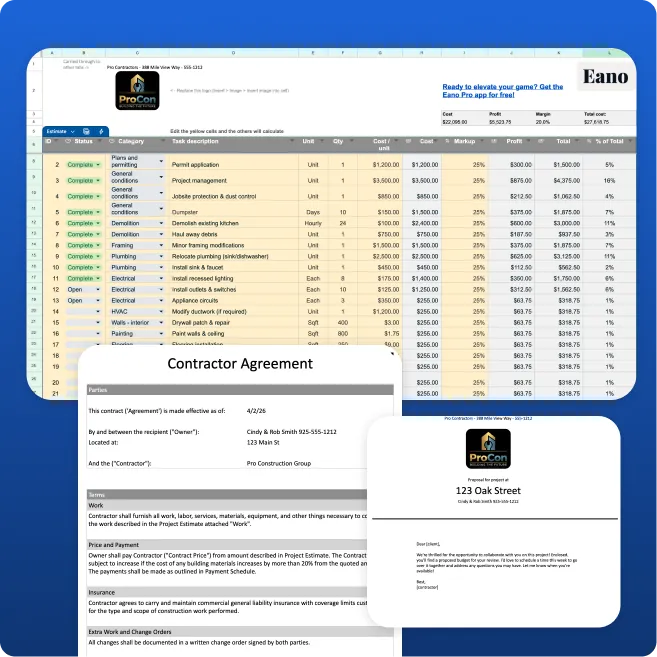
Inside the template, you’ll get:
- Line-item cost builder (labor, materials, subs)
- Automatic totals + profit calculation
- Cost category organization (divisions or phases)
- Client-ready estimate output (PDF-ready)
- Editable scope of work section
- Built-in markup and margin tracking
- Invoice-ready structure (optional workflow)
Template vs Generic Templates
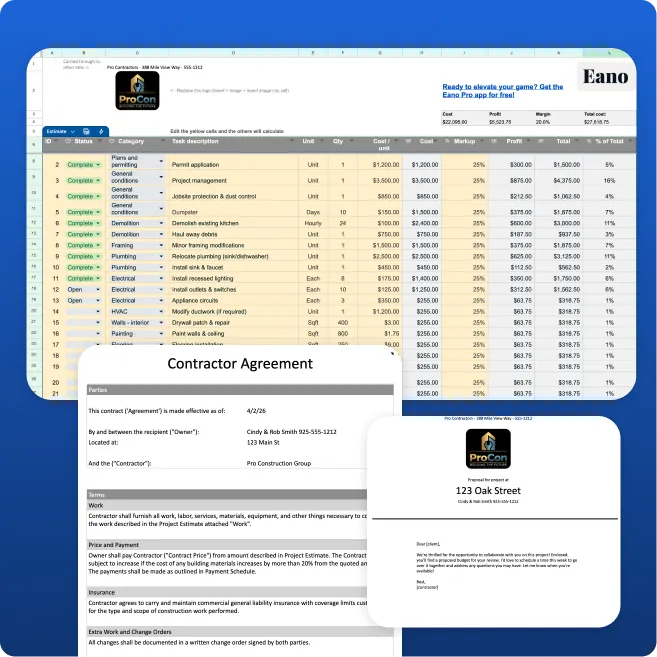
This free General Contractor Estimate Template is delivered as a fully customizable Google Sheets file compatible with Microsoft Excel .xlsx format, and designed to manage your entire estimating and proposal workflow — not just calculate a total price.
It’s built for general contractors who manage multiple trades, phases, and cost categories — and need clear margin visibility before sending a bid. This template helps organize your workflow before you try something like Eano Pro, a professional construction management software.
Inside the template, you’ll be able to:
1. Build Detailed Estimates with Built-In Profit Calculation
Use the main estimating worksheet to enter:
- Division-based line items (demo, framing, electrical, plumbing, finishes, etc.)
- Quantities and unit costs
- Labor hours and rates
- Subcontractor pricing
- Equipment and permit costs
- Markup percentage
The template automatically calculates totals and projected profit, giving you real-time visibility into job margin before presenting the estimate.
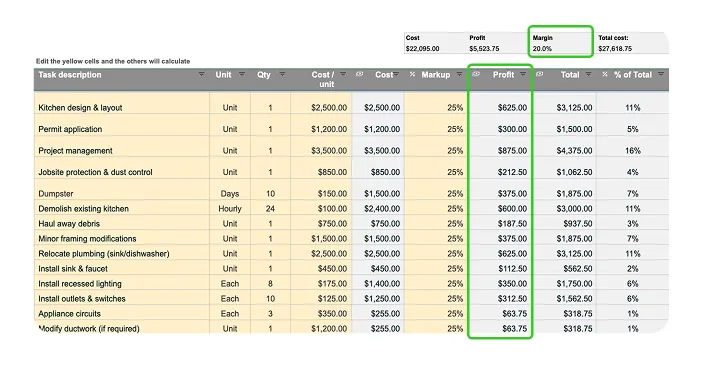

“Most contractors don’t lose money because they can’t price a job — they lose it because they don’t see their margin clearly before they send it. A structured estimate changes that.”— Stella Wu, Founder of Eano, Construction and software company.
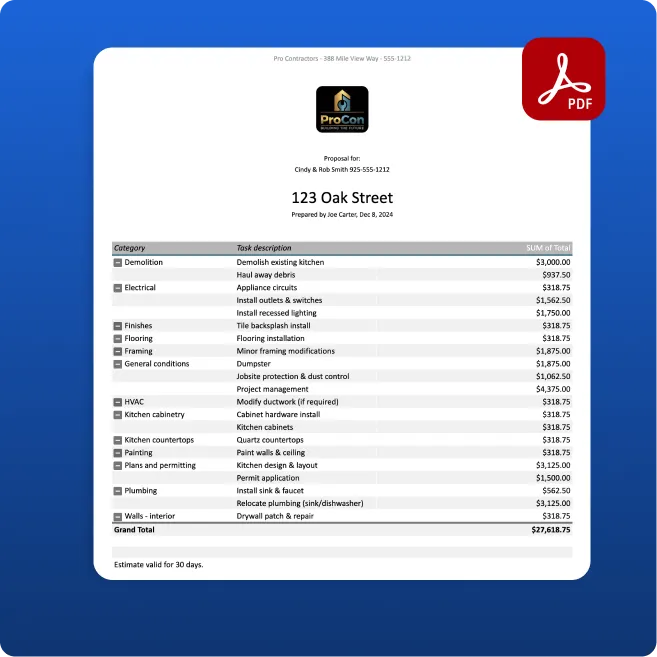
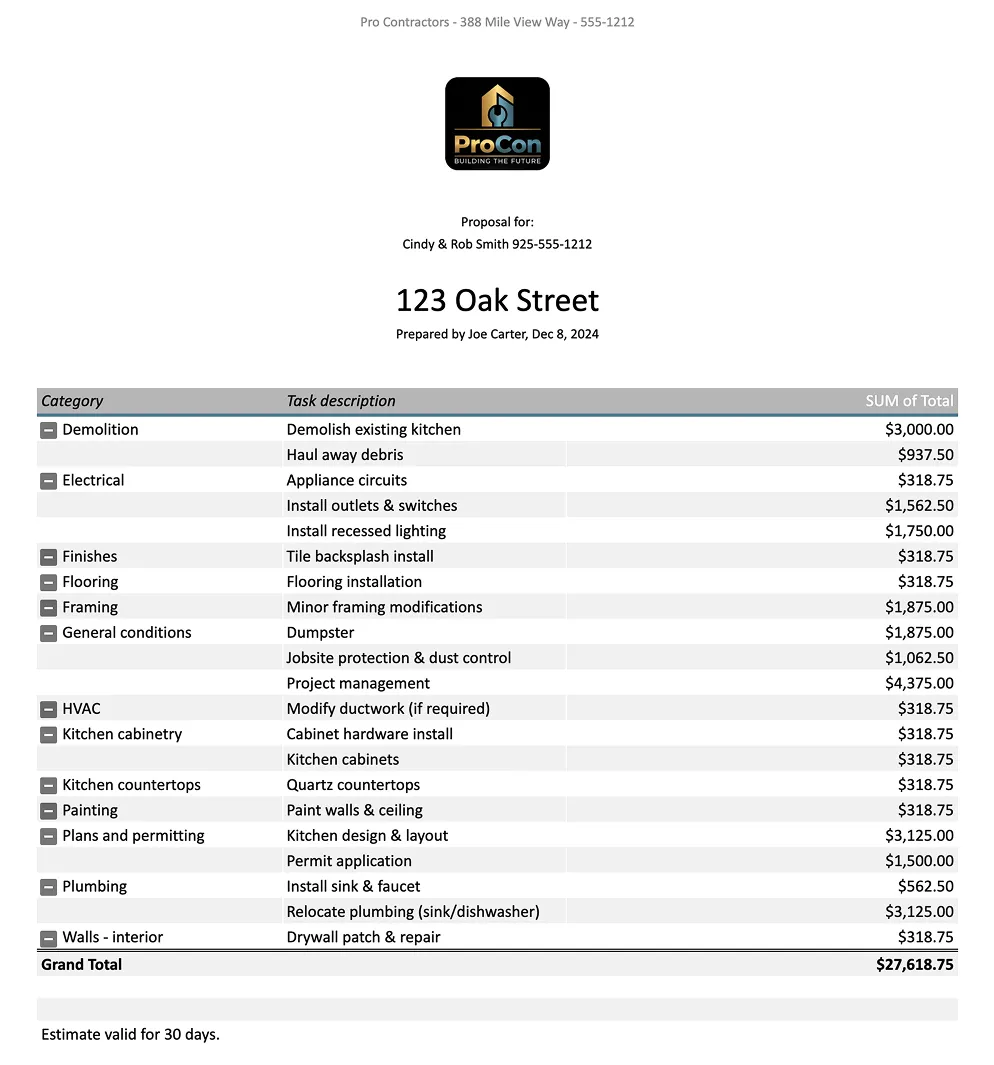
2. Generate a Clean, Client-Facing Estimate (PDF Ready)
Once pricing is finalized, the template automatically generates a professional, client-ready estimate formatted for presentation.
Internal cost breakdowns and markup remain separate, while your client sees a polished summary of scope and pricing. Export it to PDF and send it immediately for approval.
3. Organize Cost Categories by Trade or Phase
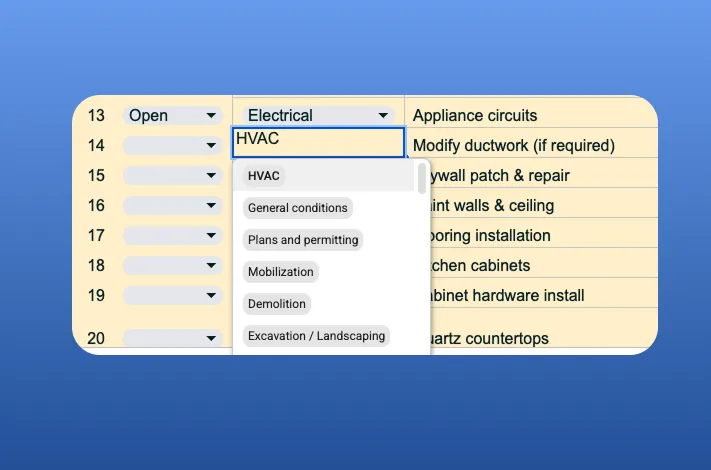
General contracting requires structured cost tracking across trades.
This template allows you to manage reusable categories such as:
- Site Work & Demo
- Framing
- Electrical
- Plumbing
- HVAC
- Drywall & Finishes
- Subcontractors
- Permits & Miscellaneous
Organized categories make duplication easier and help you standardize bids across projects.
4. Automatically Generate an Invoice
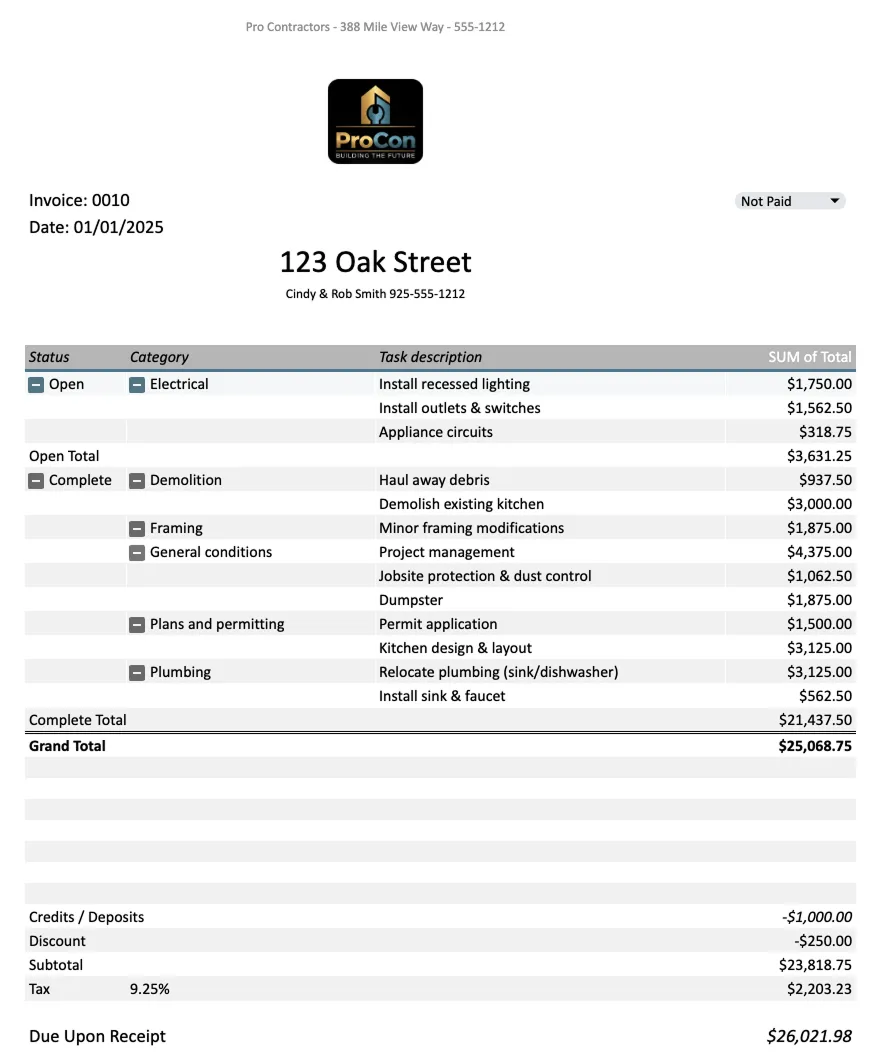
The template includes a connected invoice sheet tied to your estimate.
When the project status in the worksheet is updated to “Completed,” the invoice amount updates automatically — eliminating double entry and reducing administrative work.
5. Include a Customizable Contract
A built-in contract template allows you to outline scope terms, change order procedures, payment schedules, retainage, and liability clauses.
Customize it once and reuse it across future projects.
6. Deliver a Complete Client Proposal
Everything rolls into a professional proposal package that includes:
- Cover letter
- Company introduction
- Space for project photos or renderings
- Detailed scope of work
- Estimate
- Payment schedule
- Contract
Instead of sending “just a number,” you present a structured, professional bid that builds confidence and increases close rates.
This General Contractor Estimate Template is ideal for contractors who want a repeatable, margin-protecting system that elevates both internal estimating and client presentation — all inside a single Google spreadsheet.
%201.webp)