Free Construction Change Order Template (Excel)
Document Every Change Before Work Proceeds
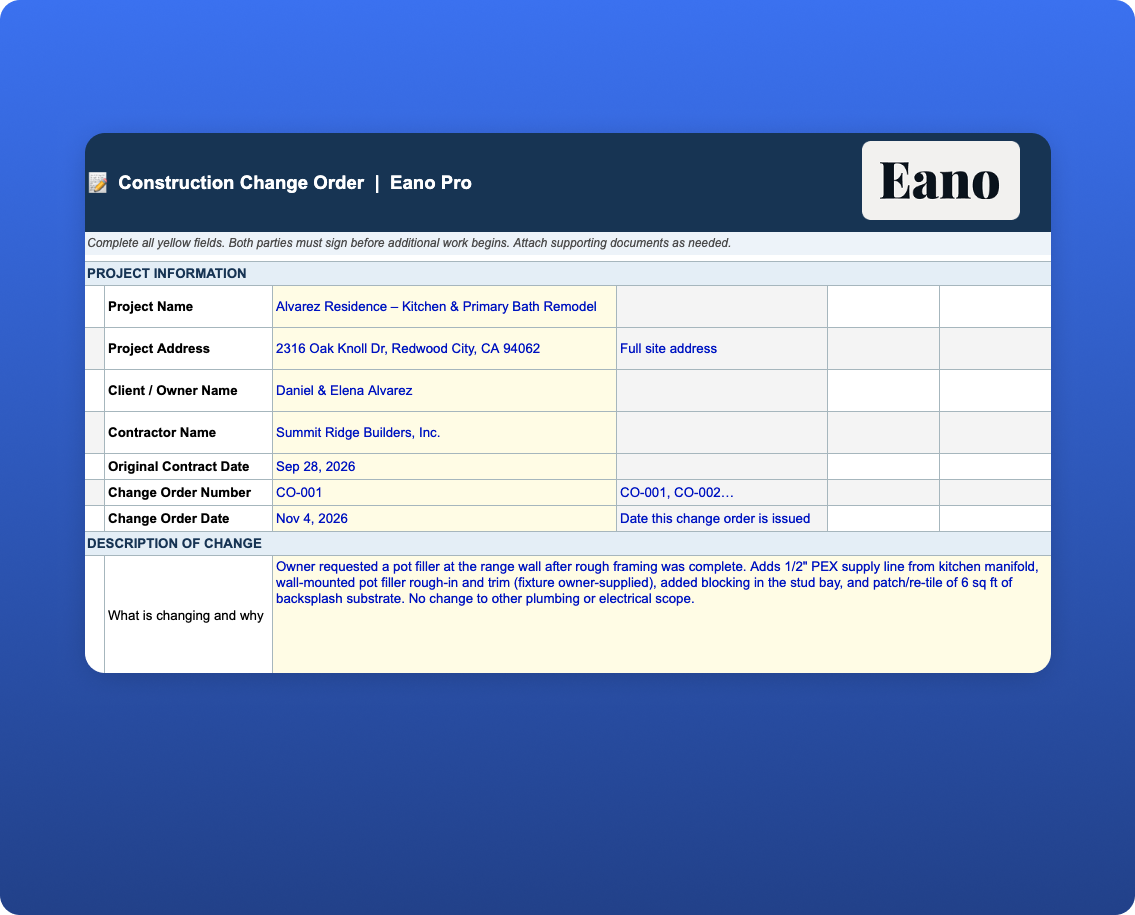
A signed change order protects you when the scope changes. This free template covers the description of change, itemized cost breakdown, overhead and profit, schedule impact, and authorization signatures — everything you need before extra work starts.

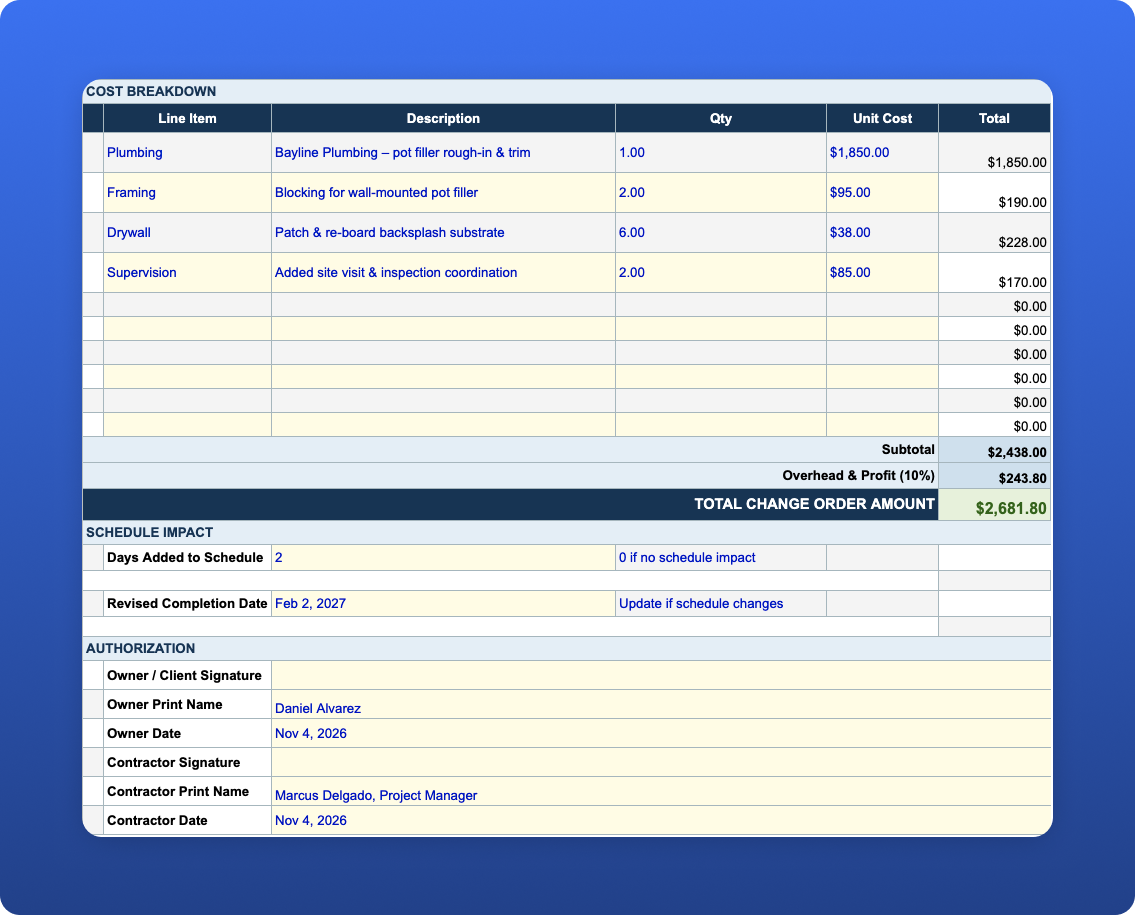
Itemized Cost Breakdown with Automatic Totals
Enter line items for each cost element — labor, materials, equipment, subcontractors, or other charges. Quantity × unit cost calculates automatically. An overhead and profit line is included so you're not absorbing the cost of administering the change.
Change Order Log Tracks Cumulative Contract Value
The CO Log tab maintains a running record of every change order on the project — number, description, date, amount, status, and approval. Cumulative contract value updates as each CO is added, so you always know the current authorized contract total.
What's Included in the Download
What’s Included in the Change Order Template
This construction change order template gives contractors a simple way to document changes to the original scope of work, calculate their cost, record schedule impacts, obtain approval, and track changes throughout the life of a project.
Change orders are an important part of construction project management because the work that gets built does not always match the original plan. Homeowners may request upgrades, site conditions can reveal unexpected work, material specifications can change, or additional labor may be required. A written change order creates a record of what changed, why it changed, how much it will cost, and whether the change affects the project schedule.
The Excel download includes two connected tabs:
- Change Order Form — Create an individual change order with project information, change order number, a description of the requested work, and an itemized cost breakdown. Enter quantities and unit costs for the additional work, then account for overhead and profit to calculate the total change order amount. The form also includes fields for schedule impact, revised completion date, and owner and contractor signatures so the scope, price, and timing of the change can be documented together.
- CO Log — Maintain a running record of change orders across the entire project. Track the change order number, description, date, amount, status (Pending, Approved, or Rejected), and who approved it. The log also maintains a cumulative revised contract amount, making it easier to see how approved changes affect the overall value of the job.
Yellow cells indicate fields that should be completed manually. Cost totals, overhead, profit, and cumulative contract value calculate automatically, reducing repetitive spreadsheet work and helping prevent calculation errors. Change order rows are pre-numbered CO-001 through CO-019 to provide a consistent numbering system throughout the project.
How to Use the Change Order Template
Start with the Change Order Form whenever work is proposed that falls outside or modifies the original contracted scope. Describe the change clearly enough that the owner, contractor, and project team can understand exactly what is being added, removed, or modified.
Next, itemize the financial impact of the change. Enter the quantity and unit cost for each additional labor, material, subcontractor, equipment, or other project cost. The spreadsheet calculates the line-item totals and allows overhead and profit to be added to determine the total proposed change order amount.
If the additional work will affect the construction schedule, document the number of additional days and the revised completion date. This is important because a change order can affect more than project cost—it may also change sequencing, subcontractor availability, material lead times, and the project's expected completion date.
Finally, record the change in the CO Log and update its status as it moves from pending to approved or rejected. Keeping all change orders in one log creates a clearer record of how the original contract amount has changed over the course of the project.
What Should Be Included in a Construction Change Order?
A construction change order should clearly document the project, change order number, date, description of the change, reason for the change, cost adjustment, schedule impact, revised contract amount, approval status, and authorization from the appropriate parties.
For larger changes, contractors may also want to attach supporting documentation such as subcontractor quotes, material pricing, revised drawings, specifications, photos, or other records that explain how the additional cost or schedule adjustment was determined.
The goal is to make the change clear enough that someone reviewing the project later can understand what was originally contracted, what changed, what the change cost, and who authorized it.
Why Track Change Orders Separately From the Original Contract?
Keeping a separate change order log provides a record of how the project's scope and contract value evolved after the original agreement was signed. Instead of trying to reconstruct changes from emails, texts, invoices, or conversations, contractors can reference a single chronological record of proposed, approved, and rejected changes.
This is particularly useful when reviewing project profitability, preparing progress invoices, reconciling the final contract amount, or answering questions about why the final project cost differs from the original proposal.
Change order requirements and enforceability can vary by contract and jurisdiction. This template is intended as a practical project-management starting point and is not a substitute for legal advice or a construction contract prepared for your business. Contractors should confirm applicable requirements and consider having their change order process and contract documents reviewed by a qualified attorney.