

Jobber Alternatives: 5 Construction Management Software Options Compared
General contractors and service contractors alike know that running a business on paper, spreadsheets, and disconnected tools doesn’t scale. When jobs, invoices, clients, crews, and bids all live in different places, efficiency goes out the window and mistakes take their place.
Jobber is a popular choice for small construction and service businesses — especially those that lean heavily on scheduling and client communication. But it’s not the only option, and depending on your workflow needs, team size, and project complexity, there may be alternatives that fit you better.
In this article, we’ll compare Jobber with four key construction management software options:
- Eano Pro
- Buildertrend
- Procured
- JobTread
- Contractor Foreman
We’ll break down their strengths, weaknesses, pricing models, and ideal use cases so you can make an informed decision for your business.
Why Consider Jobber Alternatives?
Jobber is a solid option for smaller service businesses — plumbers, cleaners, landscapers — that need scheduling, quoting, and billing in a simple package. It makes it easy to manage appointments and send invoices, but as teams grow or projects get more complex — especially in the construction space — users can run into limitations.
Some common reasons contractors consider alternatives include:
- More advanced project management, including Gantt charts and task dependencies
- Robust estimating workflows that feed into proposals and bids
- Client portals or dashboards beyond basic invoices
- Better team tracking and time logging
- Scalability as jobs grow bigger and crews expand
Whether you want a more powerful all-in-one system or something that better handles estimating, scheduling, and team management together, there are several solid Jobber alternatives worth exploring. If construction is your primary craft, than you should really understand that Jobber isn't really geared for the workflow of longer-term commitments. Instead, it does a good job for dispatching and sending out service workers for 1-2 day jobs and juggling hundreds of these types of activities each week.
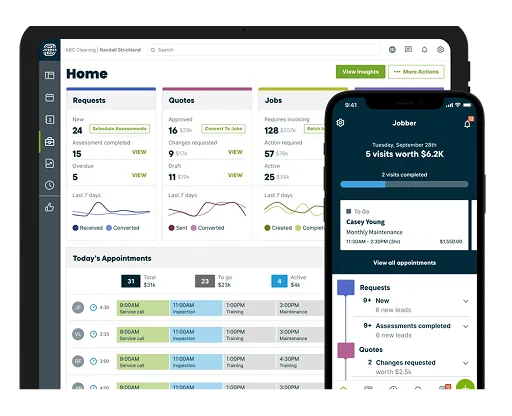
What Is Jobber?
Jobber is designed primarily for field service businesses and small contractors who want a simplified way to manage jobs, schedules, and client communications.
What Jobber does well:
- Easy job scheduling and dispatch
- Quick quote and invoice creation
- Built-in client reminders and messaging
- Mobile apps for field teams
- Payments and basic reporting
Limitations some contractors run into:
- Estimating is basic compared to dedicated construction tools
- Project complexity (multi-phase jobs, task dependencies) can be hard to model
- Not built around construction workflows specifically
Pricing is typically per user per month and can rise quickly as you add more seats and features.
Depending on your needs — especially if you’re managing larger builds, tracking costs closely, or generating structured proposals — exploring alternatives can help you scale smarter.

Apple App Store rating
4.8 / 5
Jobber Pricing
- Core Plan: ~$29 – $39/month per user
- Mid Plans: ~$72 – $119/month per user
- Advanced Plans: ~$120 – $499/month per user
Alternative 1: Eano Pro — Construction Workflows, All-in-One, Simple Team Adoption

Overview
Eano Pro is a next-generation construction management platform built from the ground up by a general for general contractors. It brings estimating, proposals, scheduling, team tracking, and client collaboration into one system — without the complexity that comes with some enterprise tools.
Core Strengths
- AI-assisted estimating that speeds up takeoffs and proposals
- Integrated proposal creation and eSign (no separate subscription to DocuSign)
- Centralized project management with task tracking and schedules
- Client dashboards for transparent communication
- Time tracking linked to jobs and crew assignments
- Integration with accounting systems like QuickBooks and Zapier
Best For
- Contractors who work on a multi-day projects and want a single system from bid to closeout
- Teams that need structured estimating + proposal workflows
- Companies moving beyond basic scheduling into full project control
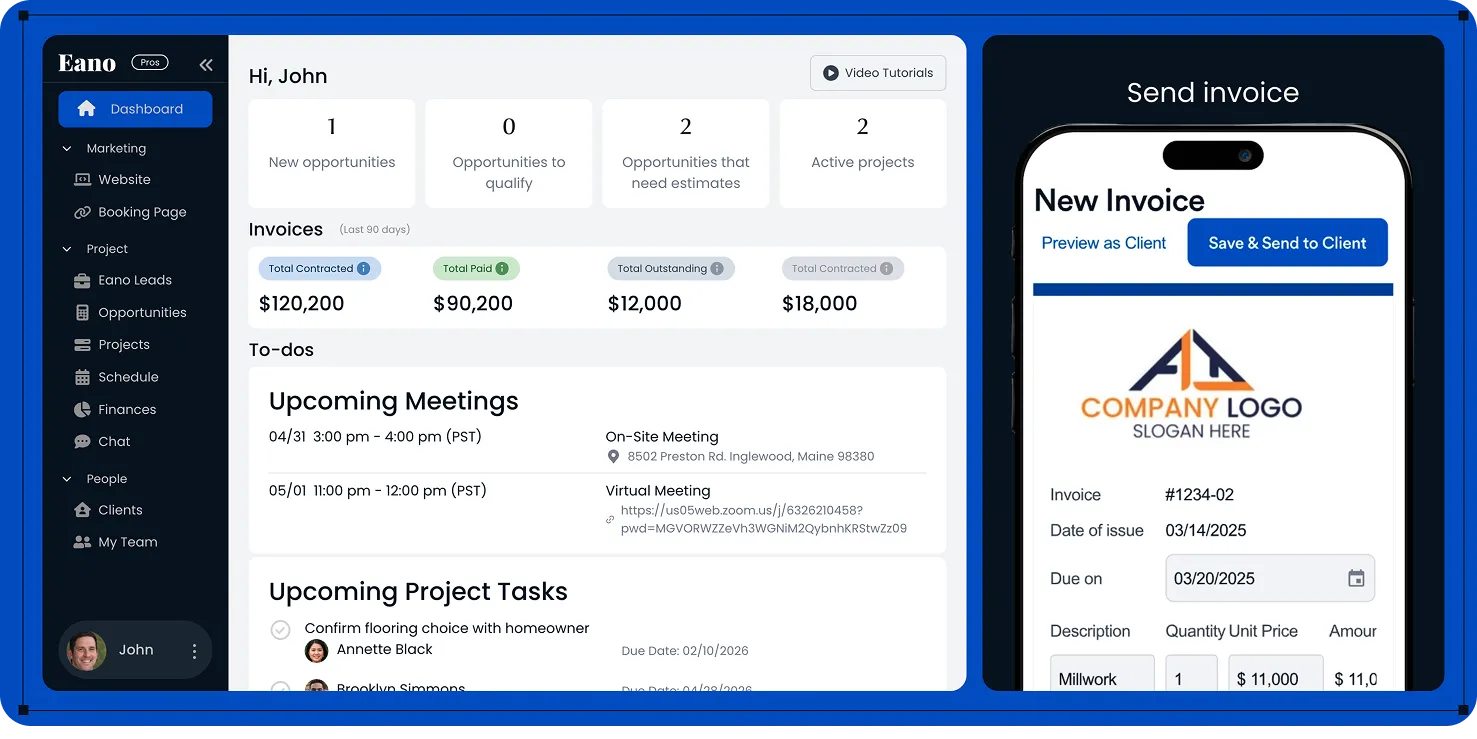
Why Eano Pro stands out as a Jobber alternative:
Eano Pro supports the same workflows contractors rely on in Jobber — scheduling, invoicing, client communication — but it layers in estimating, job costing, and deeper project management without overwhelming your team.

Apple App Store rating
4.7 / 5
Eano Pricing
- Estimator: $25/month per user
- Starter: $49/month per user
- Pro: $159/month per user
Alternative 2: Procured — Simple Field Service Software for Contractors
Overview
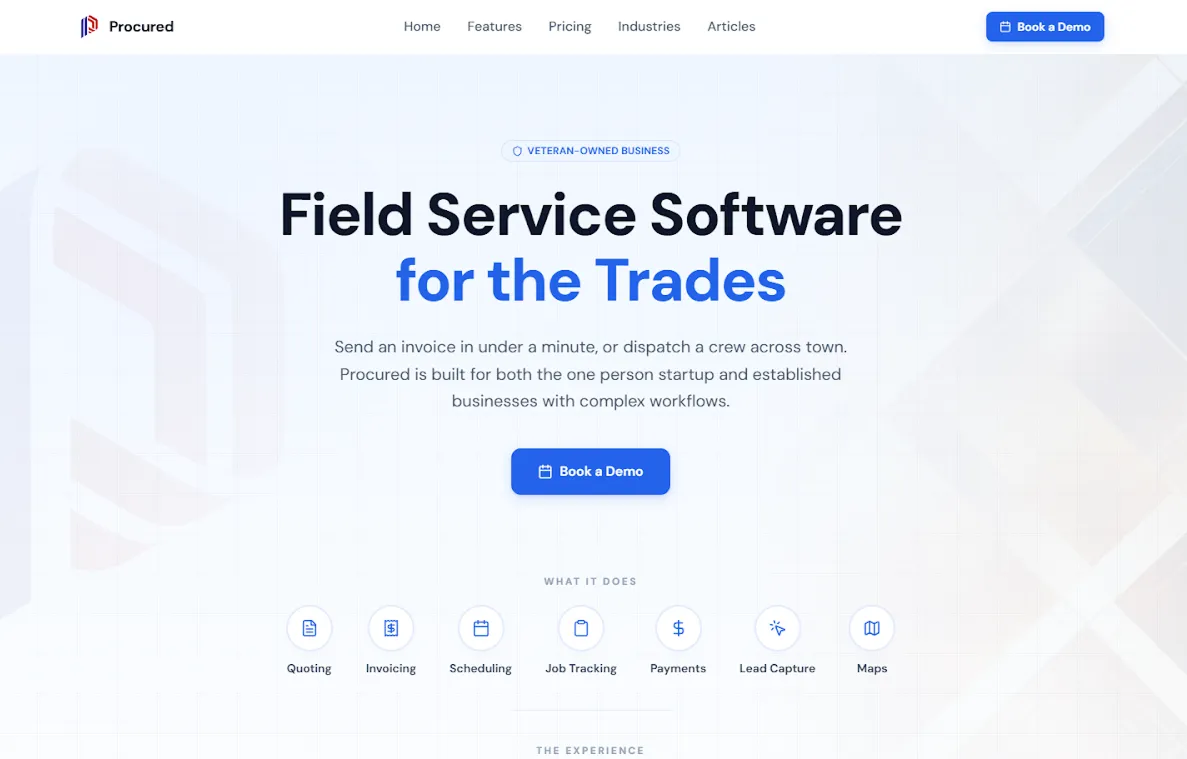
Procured is an all-in-one field service tool designed for contractors who want to manage quotes, jobs, scheduling, and invoices in one place. It focuses on speed and simplicity so contractors can handle paperwork quickly and get back to the job site.
Core Strengths
- Create quotes and invoices in under a minute
- Scheduling and dispatch tools for managing jobs and crews
- Accept online payments through built-in Stripe integration
- Lead capture forms to collect customer requests from your website
- Works offline on job sites and syncs automatically when internet returns
- Maps and routing to help plan jobs and optimize travel
Best For
- Solo contractors who want simple quoting and invoicing
- Small teams managing jobs and scheduling
- Growing field service businesses that want one system for the entire workflow
Considerations:
Procured focuses on being fast and easy to use rather than offering deep enterprise-level project management features. Large construction firms that need complex project planning tools may require more advanced platforms.
Apple App Store rating
No public rating currently available.
Procured pricing
- Core plan: $75/month (up to 3 team members)
- Pro plan: $145/month (up to 15 team members)
Notes:
Procured offers simple flat pricing with no per-seat charges within the plan limits. A 14-day free trial with full Pro access is available, and no credit card is required to start.
Alternative 3: Buildertrend — Full-Featured Construction Platform

Overview
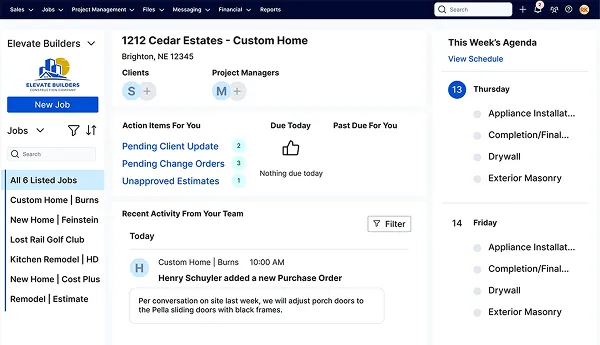
Buildertrend is one of the most established construction management tools in the market. It’s used by remodelers, home builders, and larger GC teams that need end-to-end project visibility.
Core Strengths
- Comprehensive project and financial tracking
- Built-in document storage and collaboration
- Detailed scheduling with Gantt charts
- Client portals for selections, updates, and billing
- Robust reporting and forecasting
Best For
- Mid-sized to larger contractors with complex project scopes
- Teams that need deep scheduling and reporting capabilities
- Businesses with dedicated staff to manage complex tools
Considerations:
Buildertrend is powerful, but some users find it has a steep learning curve. They offer Buildertrend University because, it is highly encouraged to attend school to learn about to use it. Pricing tends to be higher — and not every contractor needs all features it offers.

Apple App Store rating
4.5 / 5
Buildertrend pricing
- Public pricing is not available, but user-reported are around ~$500 – $800+/month for basic plans with multiple users.
Notes:
Buildertrend pricing is usually higher due to more advanced features and is quote-based rather than fixed tiers.
Alternative 4: JobTread — Estimating-First Construction Tool

Overview
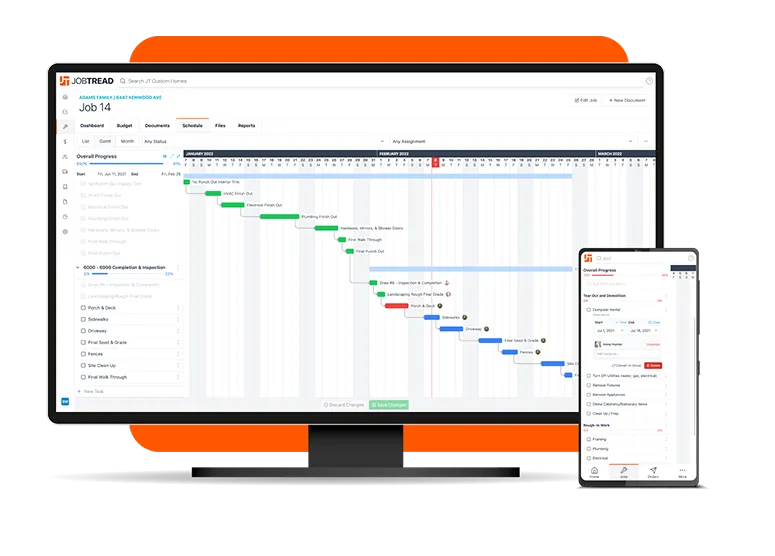
JobTread emphasizes estimating and job costing as part of its core offering. It’s tailored toward small-to-mid contractors who want both preconstruction and project tracking capabilities.
Core Strengths
- Strong estimate and cost management
- Customizable job templates
- Scheduling and calendar integrations
- Basic team time tracking
Best For
- Contractors who bid frequently and want detailed cost tracking
- Small to medium teams that want more control over margins
- Users who want better preconstruction workflows than basic tools
Considerations:
While JobTread is solid for estimating and job costing, some users have commented that there can be a learning curve indicating learning all features can be somewhat challenging. One review mentioned interest have stronger mobile capabilities while in the field.
There's no mobile app which means they rely mainly on Web connectivity, so offline mode may be limited.
Apple App Store rating
N/A
Jobtread pricing
- 1 user: ~$159/mo
- 2–10 users: ~$159 + ~$16 each/mo
Alternative 5: Contractor Foreman — Budget-Friendly All-In-One

Overview
Contractor Foreman is designed for affordability and breadth rather than deep specialization. It delivers a wide range of tools — from scheduling and estimating to project management and document control — at a lower price point.
Core Strengths
- Great value for small teams
- Wide set of modules (estimates, scheduling, time tracking, contracts)
- Simple interface
- Scales without per-user fees on some plans
Best For
- Small contractors and subcontractors with limited budgets
- Teams that want a broad feature set without enterprise complexity
.webp)
Considerations:
Because it covers many bases at once, Contractor Foreman doesn’t always match the depth of more specialized platforms in areas like estimating precision or client communications.

Apple App Store rating
4.3 / 5
Contractor Foreman pricing
- Basic: ~$49/month (flat rate, unlimited projects & users)
- Mid Tiers: ~$79 – $125/month
- Higher Tiers: ~$166 – $249/month
How These Alternatives Compare
Choosing the Right Tool for Your Business
Here are key questions to ask before choosing:
1. What’s your team size and structure?
- Solo or very small crews? You might not need a full enterprise platform.
- Growing or multi-team shops? A centralized tool with deeper project management helps.
2. How important is estimating to your business?
- If bidding and job costing matter to your margins, look for tools with strong preconstruction workflows.
3. Do you need client portals and professional proposals?
- Tools like Eano Pro and Buildertrend offer client-facing dashboards that improve communication and trust.
4. What’s your budget?
- Some systems charge per user, while others offer broader access for a flat rate.
5. How much training can your team handle?
- Powerful tools can require onboarding and training. Evaluate platforms with demos to see how intuitive they feel.
How to Pick the Construction Software That Fits Your Workflow
Jobber is a solid starting point for contractors and service businesses focused mainly on scheduling and basic invoicing. But as your business grows — and as projects become more complex — workflows like estimating, client proposals, centralized project tracking, and measurable team time tracking matter more.
Tools like Eano Pro bring these elements together in a way that feels natural for construction teams: fast estimating powered with AI, structured proposals, organized project tasks, and client dashboards that improve communication without adding needless complexity.
Whether you’re ready for deeper project controls, faster estimates, or better subcontractor coordination, the right software can save you time, improve your margins, and help you win more work — consistently.
Ready to simplify your construction business and get jobs done right? Book a demo today and see how Eano Pro makes project management easy for every contractor.
Related: The Best Construction Management Software for General Contractors



.png)