QuickBooks Integration for Construction Projects

Run Projects in Eano. Keep Your Books in QuickBooks.

Manage your projects in Eano while QuickBooks automatically stays in sync behind the scenes. From estimates and expenses to job costing and project financials, keep your books organized without spending your day in accounting software.

Eano Pro

Get all your job financials into Quickbooks without opening it up

QuickBooks is one of the most popular accounting platforms in construction—for good reason. But ask almost any contractor, project manager, or office administrator, and they'll tell you the same thing:

Nobody enjoys spending their day inside QuickBooks.

You didn't start a construction company to become a bookkeeper.

Run your business in Eano. Let QuickBooks handle the accounting behind the scenes.

Project Sync

Automatically create matching QuickBooks Projects from Eano. Every new project has a dedicated financial home, making job costing and reporting easier from day one.

Expense Sync

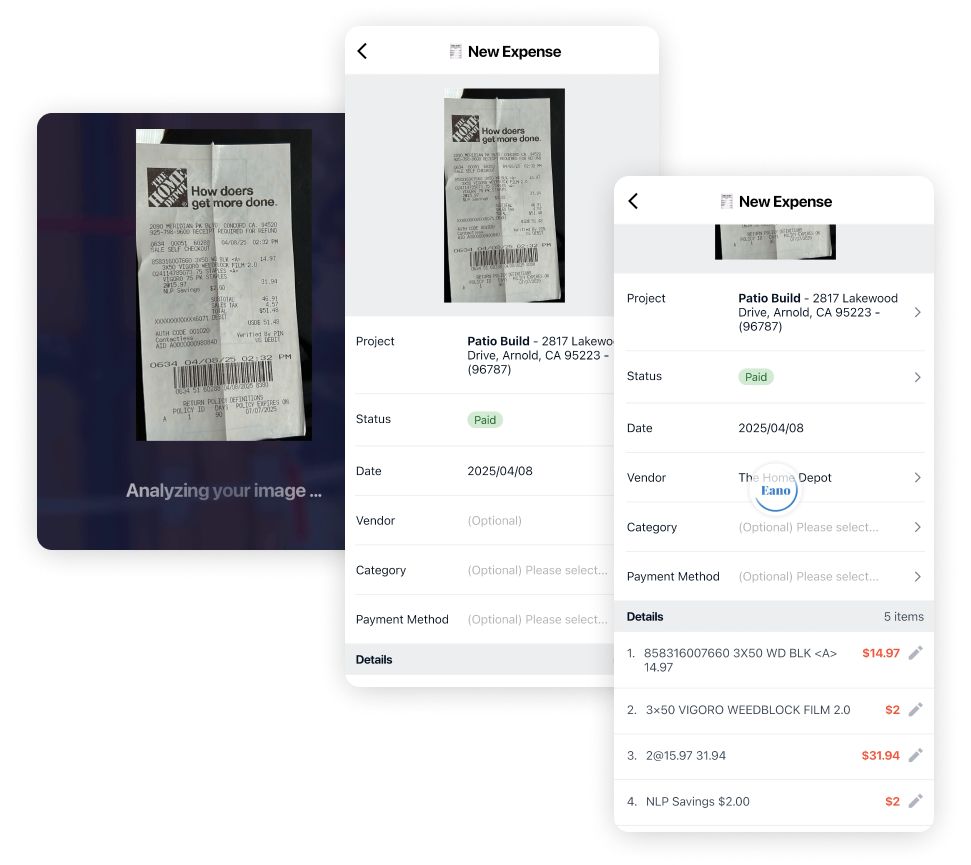
Keep expenses connected to the right project. Purchases flow between Eano and QuickBooks, reducing manual expense mapping and improving project cost visibility.

Customer Sync

Eliminate duplicate customer records. Keep customer information synchronized between Eano and QuickBooks so your office only manages it once.

Invoice Sync

Send invoices with confidence. Create invoices in Eano and automatically sync them to QuickBooks for accurate accounting and streamlined payment tracking.

Less Time in QuickBooks

See the financial health of every project. Track expenses, budgets, and project costs without manually piecing together information across multiple systems.

Human Support that Understands Construction

Our team is here to help you get your QuickBooks integration configured correctly, answer questions about project syncing, and make sure your workflow fits the way your business actually operates.

Manage Projects in Eano. Let QuickBooks Handle the Books.

Your office shouldn't have to constantly switch between two systems.

Project managers need:

  • Schedules
  • Daily logs
  • Change orders
  • Client communication
  • Estimates
  • Photos
  • Tasks

Accounting needs:

  • Expenses
  • Customers
  • Invoices
  • Financial reporting
  • General ledger

Eano gives each department the tools they actually need while keeping everything synchronized behind the scenes.

checkmark

Project teams stay productive

checkmark

Accounting stays accurate

checkmark

Everyone wins

Eano Pro

A Friendlier Way to Use QuickBooks

Instead of asking your entire team to learn accounting software, Eano becomes the interface they use every day.

Project information flows naturally into QuickBooks without requiring duplicate data entry or constant back-and-forth between systems.

It's the same accounting engine your accountant trusts—just with a much friendlier experience for the rest of your team.

Automatically Sync Projects Between Eano and QuickBooks

With QuickBooks Project Sync (available for QuickBooks Online Plus and Advanced), every Eano project can automatically create a matching QuickBooks Project.

Now every purchase, expense, and financial transaction has a dedicated place to live.

Benefits include:

  • Automatically create QuickBooks Projects
  • Keep project structures synchronized
  • Eliminate duplicate project setup
  • Improve job costing accuracy
  • Reduce bookkeeping work
  • Instead of organizing projects twice, you create them once.

Get a Personalized Demo

See estimating, CRM, project management, and AI features all inside of Eano Pro

FAQ

We’ve collected answers to the questions our clients ask most often. We hope they help you find what you’re looking for faster. If anything’s still unclear — feel free to reach out!

Can I track progress against milestones?

How does Eano help avoid delays?

Can my crew update from the field?

Can I share project progress with clients?

Is there a global view for all my jobs?

Does the project management module connect with Eano’s other tools?

Contact us

Import your first project in just a few clicks — set up milestones, schedule tasks, and see how simple job management can be.