Free Electrical Takeoff Sheet Template
Count Every Device, Fixture, and Wire Run Before You Bid
Missed receptacles and short wire counts come straight out of your margin. This free electrical takeoff sheet organizes counts room by room, adds waste, and totals material cost and labor hours so your estimate starts from real quantities.

Room-by-Room Counts with Waste Built In
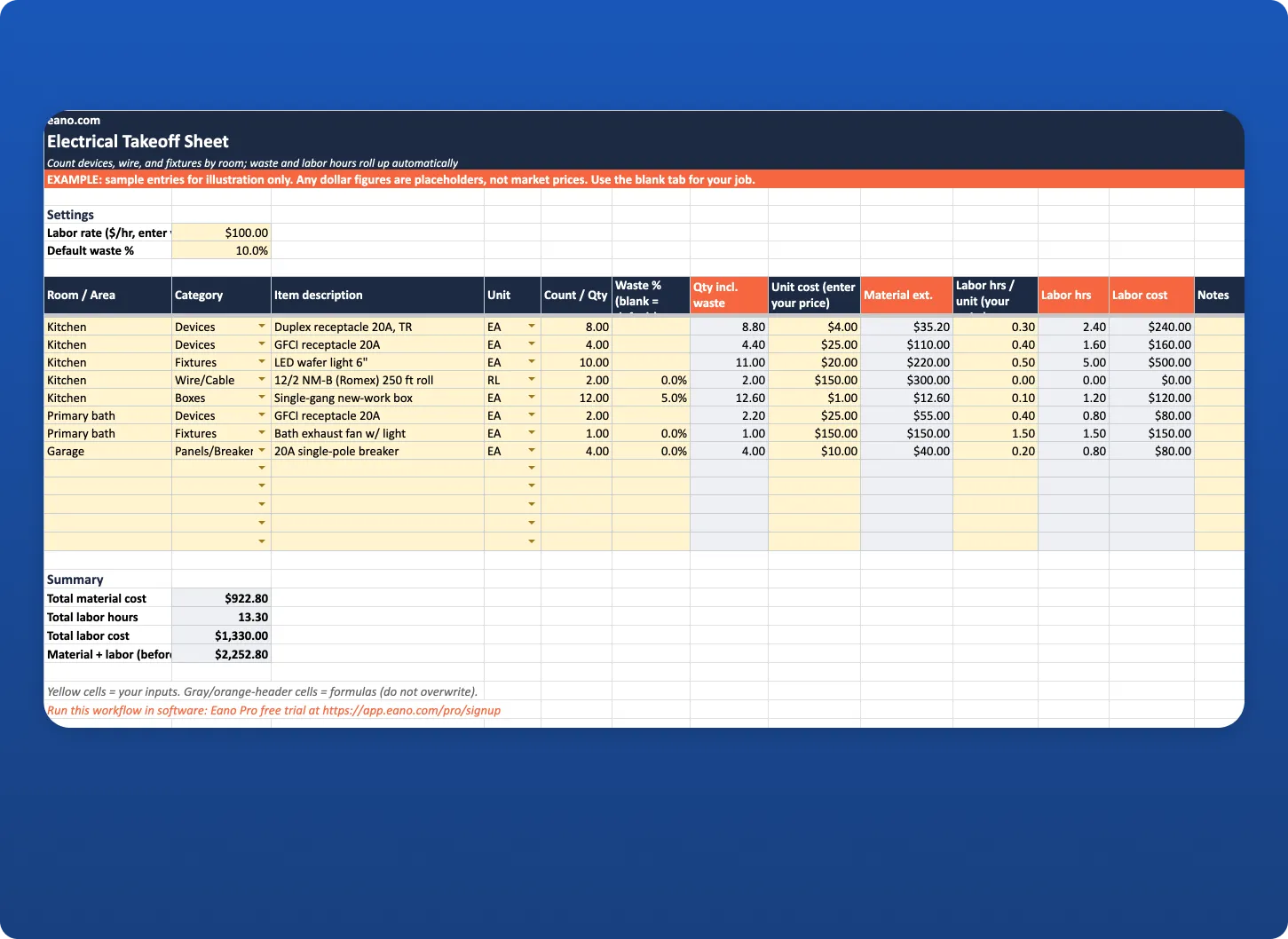
List devices, fixtures, boxes, breakers, conduit, and wire for each room. Set a default waste percentage once, override it on any line, and the sheet calculates the quantity to order.
Material Cost and Labor Hours in One Place
Enter your current supplier prices and your own labor units. The sheet totals material cost, labor hours, and labor cost so you can carry the numbers straight into your electrical estimate.
How to Use This Electrical Takeoff Sheet
What's in the Electrical Takeoff Sheet
An electrical takeoff is the quantity count behind every electrical estimate. Before you can price a kitchen remodel, an addition, or a full rewire, you need to know how many receptacles, switches, fixtures, boxes, breakers, and feet of cable the job takes. This free template gives you a structured place to do that count, room by room, and turns it into material cost and labor hours.
The download includes three tabs:
How to Do an Electrical Takeoff with This Sheet
1. Set your labor rate and waste
Enter your loaded labor rate and a default waste percentage in the Settings cells at the top of the Takeoff tab. Waste covers offcuts, damaged parts, and the extra few feet on every wire run. You can override it on any line, for example 0% for breakers and a higher percentage for cable.
2. Work the plans one room at a time
Go through the electrical plan or your walkthrough notes room by room. For each room, list every item and pick a category from the dropdown: Devices, Wire/Cable, Fixtures, Panels/Breakers, Conduit/Fittings, Boxes, Low voltage, or Other. Working by room makes it easy to double-check counts against the plan and to price change orders later, because you can see exactly what was included in each space.
3. Enter counts and units
Pick a unit (EA, FT, RL, BOX, or LOT) and enter the count. For wire, decide whether you count in feet or rolls and stay consistent. The Qty incl. waste column applies your waste percentage automatically.
4. Add your prices and labor units
Unit cost cells are blank on purpose. Enter your current supplier price for each item, because device and copper pricing moves too often for a template to stay accurate. For labor, enter hours per unit from your own job history or a labor-unit manual you license, such as the NECA Manual of Labor Units. The sheet multiplies hours by the count (not the waste quantity, since you don't install waste) and by your labor rate.
5. Carry the totals into your estimate
The Summary shows total material cost, total labor hours, total labor cost, and material plus labor before markup. Copy those into the free electrical estimate template to add markup, permits, and a client-ready estimate, or into your estimating software.
Columns Explained
Worked Example
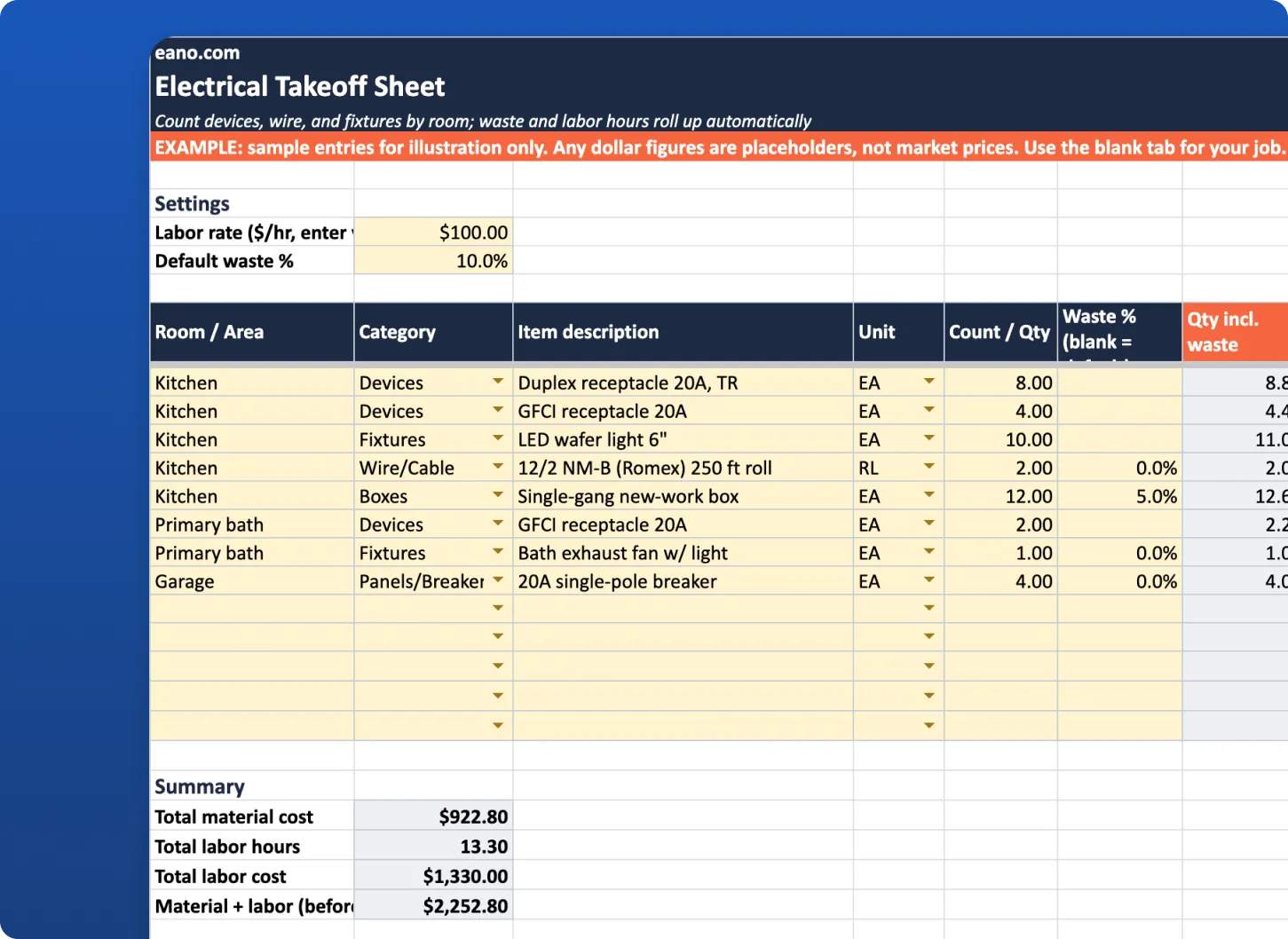
In the Example tab, the kitchen has 8 tamper-resistant duplex receptacles, 4 GFCI receptacles, 10 LED wafer lights, 12 single-gang boxes, and 2 rolls of 12/2 cable. With a 10% default waste, the 10 wafer lights become 11 to order. The primary bath adds 2 GFCI receptacles and an exhaust fan, and the garage adds 4 breakers. Using placeholder prices and a placeholder $100 labor rate, the sheet totals material, labor hours, and labor cost automatically. Swap in your own prices and labor units and the totals update instantly.
Common Electrical Takeoff Mistakes
From Spreadsheet Takeoff to AI Takeoff
A spreadsheet takeoff works, but counting symbols on every sheet of a plan set takes time. AI takeoff in Eano Pro lets you upload plans and get quantities back, then turns them into an estimate. If you want to see how that works, read how AI takeoff software reads a blueprint or our guide to free AI for construction estimating. Once quantities are in, AI estimating in Eano Pro helps you price the job and send it. You can also use the general material takeoff template for other trades.
Who This Takeoff Sheet Is For
It’s built for residential electrical contractors, general contractors who self-perform electrical, and estimators who price electrical scope for remodels, additions, and new homes. If you bid from a walkthrough instead of plans, use the Room / Area column for each space you walk and count as you go.