
How to Standardize Remodeling Sales Packages So Any Rep Can Sell Them
Standardizing remodeling sales packages means turning your most common projects into predefined offers, each with a set scope, pricing rules, allowances, payment milestones, and photos, so any salesperson can quote them quickly and consistently. For sales managers, it's the difference between a team that depends on one star closer and a sales process that scales.
If your reps build every bid from scratch, you've probably seen the symptoms: quotes that take days, prices that vary by who wrote them, scope gaps that turn into margin-eating change orders, and new hires who take months to get productive. Packages fix that without turning your company into a cookie-cutter shop.
Key takeaways
- Package the projects you sell most often, not everything.
- Every package needs clear scope boundaries, allowances, and pricing rules.
- Customization still happens, through priced add-ons and change orders.
- Measure close rate, quote speed, and margin by package to keep improving.
Why Standardize?
Step 1: Choose Which Projects to Package
Pull your last 12 to 24 months of sold jobs and group them by project type. The best candidates are projects you sell often, with similar scopes and predictable costs. For most residential remodelers, that's bathrooms, tub-to-shower conversions, kitchens, decks, and flooring. Start with two or three. You can add more once the system works.
Step 2: Build From Your Best Past Jobs
Don't invent packages from a blank page. Pick a recent, profitable job for each project type and use its scope, line items, and photos as the starting point. Strip out anything client-specific, and keep what's repeatable.
Step 3: Define Scope Boundaries and Allowances
Each package should spell out:
- What's included: the work, materials grade, and finishes.
- What's not included: structural changes, relocations, code upgrades, or hidden conditions.
- Allowances: dollar amounts for client-selected items like tile, fixtures, and appliances.
- Size assumptions: for example, "bathrooms up to 60 square feet," with a rule for larger spaces.
Clear boundaries protect your margin and make change orders feel fair rather than surprising.
Step 4: Set Pricing Rules
Price every package from real line items and your target margin, then decide what reps can and can't adjust. Common rules include a fixed base price within the size assumption, a set price list for add-ons, and approval required for discounts. If you offer good, better, best versions, build each as its own package. See good, better, best pricing for remodelers for how to structure tiers.
Step 5: Add Photos and Payment Milestones
Homeowners buy what they can picture. Attach your best finished-project photos to each package, and set standard payment milestones (deposit, rough-in, completion) so every proposal follows the same terms.
Step 6: Train Reps to Sell Packages, Not Just Quote Them
- Teach the story of each package: who it's for and what problem it solves.
- Role-play the "can you do it cheaper?" conversation using tiers and add-ons instead of discounts.
- Teach reps to recognize when a project doesn't fit a package and needs a custom estimate.
Step 7: Publish Packages Where Leads Find You
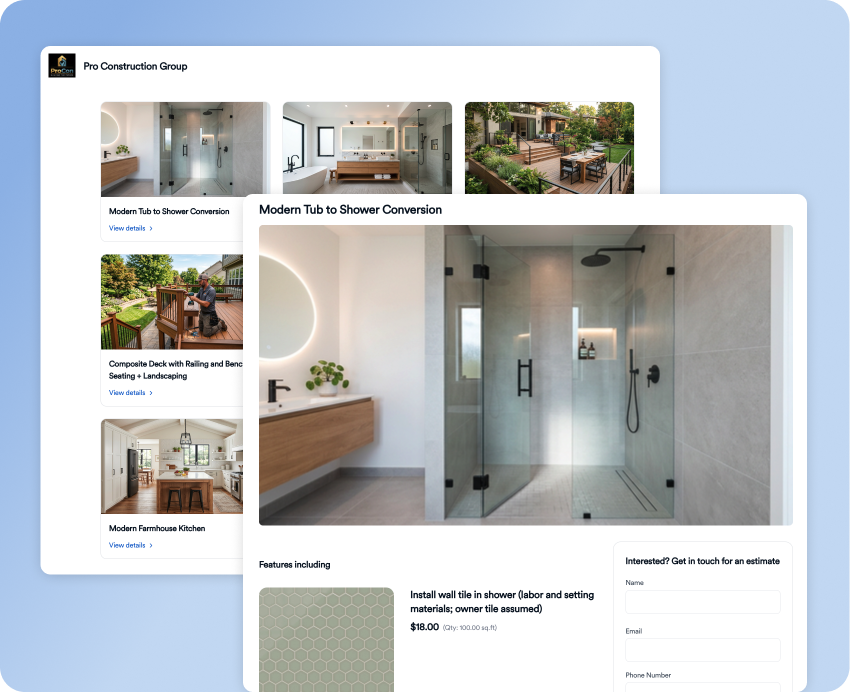
Packages aren't only a quoting tool. They're also marketing. Published as landing pages, they let homeowners browse your offers, see photos, and request an estimate before a rep ever calls.
Step 8: Measure and Refresh
Review packages quarterly. Track quote turnaround, close rate by package and rep, average job size, which tier clients choose, and estimated versus actual margin. Update pricing when costs move and retire packages that don't sell.
How Eano Pro Supports Standardized Packages
Eano's standardized remodeling packages feature is built for exactly this workflow:
- Build packages by cloning successful past projects or converting existing Eano Pro templates, such as bathroom remodels, tub-to-shower conversions, kitchen makeovers, decks, additions, flooring, and exterior renovations.
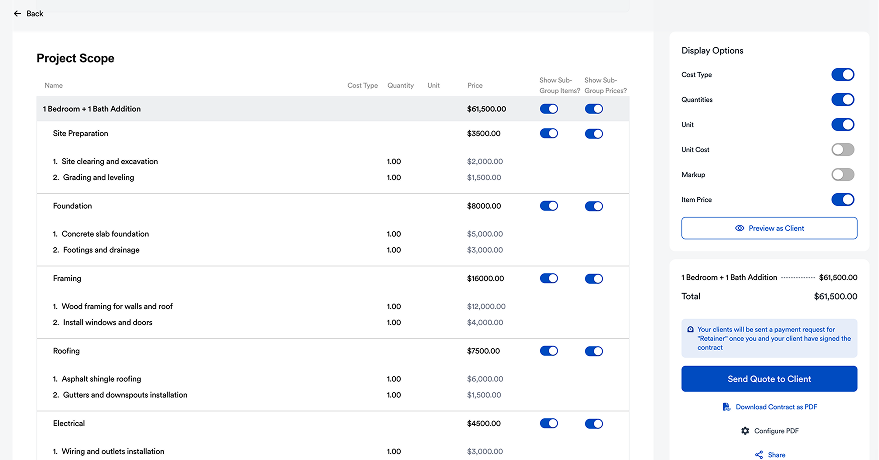
- Customize pricing, labor, and material costs, with clear payment milestones and timelines.
- Add project photography and slideshows so homeowners can see the finished work.
- Publish packages as landing pages to link from your website, social profiles, campaigns, or QR codes, creating an always-on digital sales catalog.
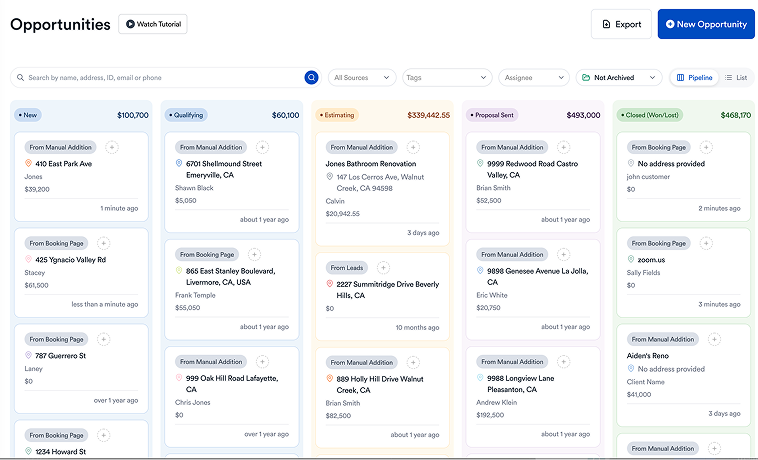
- Funnel leads into the Eano Pro CRM with automatic follow-up reminders, quick estimates, DocuSign e-signing, and real-time proposal tracking.
See a live sample package catalog with bathroom, kitchen, and deck packages.
Next Steps
Pick your top-selling project, build one package from your best recent job, and have your team quote it for a month. Then compare quote speed and close rate against your custom bids. For how packages fit into the full sales cycle, read the remodeling sales process: from first call to signed package.