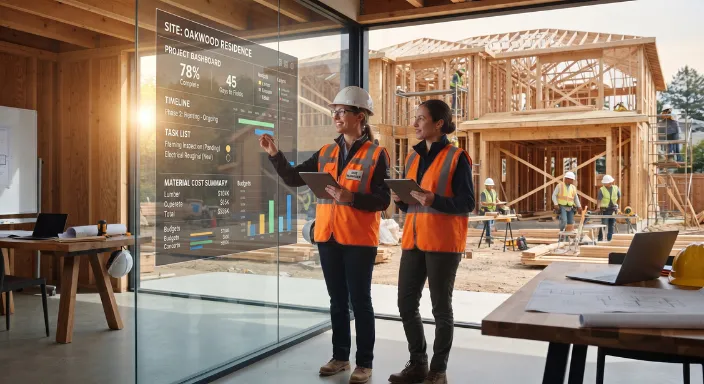

AI Construction Project Management: Where AI Actually Helps
AI construction project management is most useful when it handles repetitive, data-heavy work while the project manager keeps control of decisions. The strongest use cases are not “AI running the job.” They are AI helping teams turn project data into estimates, schedules, updates, documents, forecasts, and next actions faster.
For residential general contractors, that distinction matters. Construction involves too many changing variables for an AI system to make every decision safely or accurately. But a construction management platform with AI can reduce the administrative work surrounding those decisions and give the team better information to act on.
The practical goal is simple: use AI to reduce the time spent collecting, organizing, checking, and communicating project information so the team can spend more time managing the work.
What AI Construction Project Management Actually Means
AI construction project management refers to using artificial intelligence inside construction management workflows to help plan, coordinate, monitor, document, and manage projects.
That can include AI-assisted estimating and takeoffs, but the broader opportunity goes much further. AI can work across the project lifecycle, connecting information from sales, estimating, scheduling, project management, communication, and financial workflows.
A useful way to think about it is:
Traditional construction software stores and organizes project information. AI-enabled construction management software can also interpret that information and help people act on it.
For example, a traditional project management system may show that a project has several overdue tasks. An AI-enabled system could help summarize what is overdue, identify related project information, draft an update, or flag a potential scheduling issue for the project manager to review.
The AI is not replacing the project manager. It is reducing the amount of manual work required to understand what is happening.
Where AI Creates the Most Practical Value
Not every construction workflow needs AI. The best opportunities usually have three characteristics:
- The task happens frequently.
- The task involves large amounts of structured or unstructured information.
- A human currently spends significant time reviewing, organizing, summarizing, or preparing the information.
That makes several parts of residential construction management particularly well suited to AI.
The key is that AI works best as an assistant embedded in the workflow, rather than as a separate chatbot that requires employees to copy and paste project information into it.
AI Is Most Useful When It Works Across the Entire Project Lifecycle
The biggest limitation of using standalone AI tools is context.
A project manager might use one application for scheduling, another for estimating, email for client communication, spreadsheets for budgets, and cloud storage for plans and documents. An AI assistant that only sees one of those systems has an incomplete picture.
Construction management software can provide a more useful foundation because project information already lives inside a connected workflow.
That creates opportunities for AI across several stages.
Preconstruction and estimating
AI can help organize information before a project becomes active.
Examples include:
- Extracting information from plans and documents
- Assisting with quantity identification
- Organizing scope into estimate line items
- Detecting potentially missing scope
- Generating proposal content from existing project information
- Summarizing client requirements
- Helping sales teams prepare for follow-ups
AI estimating and AI takeoffs are useful examples of this approach, but they should be treated as part of a larger construction management workflow.
For a closer look at practical AI estimating tools, see Eano's guide to free AI for construction estimating and what's actually worth using.
Scheduling and coordination
Scheduling is another area where AI can reduce administrative work.
A residential project manager may need to coordinate subcontractors, inspections, material deliveries, client decisions, change orders, and dependencies. A schedule can quickly become outdated when one activity moves.
AI can assist by:
- Summarizing schedule changes
- Identifying tasks that may be affected by delays
- Highlighting dependencies
- Preparing schedule updates
- Comparing planned and actual progress
- Generating reminders or follow-up items
- Helping identify information that is missing from a project
However, AI should not automatically decide that a particular subcontractor should be moved to another date without understanding the actual jobsite conditions.
A schedule is a model of the work. It is not the work itself.
For that reason, AI should help project managers see the consequences of schedule changes, while people remain responsible for deciding what happens next.
If you're evaluating software specifically for scheduling, Eano's comparison of construction scheduling software vs. generic project management software explains why construction workflows require more than a general task-management tool.
Project communication
Communication is one of the easiest areas to overlook because the work feels administrative rather than technical.
But residential construction generates a large amount of communication:
- Client questions
- Subcontractor updates
- Internal notes
- Change requests
- Meeting notes
- Site updates
- Emails
- Text messages
- Schedule changes
- Material issues
AI can turn that information into concise summaries and actionable items.
For example, after a project meeting, AI could help produce:
Discussion: Kitchen cabinets are delayed.
Impact: Installation may move by one week.
Action: Confirm revised delivery date with supplier.
Potential dependency: Countertop measurement may need to move.
A project manager can then review the summary instead of manually reconstructing the entire conversation.
That is a much more realistic use of AI than expecting a system to independently manage the project.
AI Can Reduce Administrative Work Without Removing Human Control
Construction management has many decisions that should remain with experienced professionals.
AI can help answer:
- What changed?
- What is overdue?
- What information is missing?
- What documents are relevant?
- Which tasks may be affected?
- What happened this week?
- What needs attention?
People still need to answer:
- Is this actually a problem?
- What should we do?
- Who should handle it?
- Does the proposed solution make sense?
- Should the client be notified?
- Does the contract require a particular response?
- Is the information accurate?
This distinction is important because AI output is not automatically correct.
The NIST AI Risk Management Framework emphasizes managing AI risks and incorporating trustworthiness into the design, development, use, and evaluation of AI systems.
For construction companies, the practical takeaway is straightforward: AI should support decisions, not quietly make high-impact decisions without review.
Also see: The Complete Guide AI Construction Management Software
The Best AI Features Are Connected to Real Project Data
A standalone AI chatbot can generate text. That does not necessarily make it useful for construction.
The value increases when AI has access to relevant project context.
Consider a simple client question:
“When will the bathroom be finished?”
A generic AI tool cannot answer that reliably without project information.
A construction management platform may have access to:
- The project schedule
- Current task status
- Assigned subcontractor
- Material information
- Change orders
- Notes
- Recent updates
- Relevant documents
The AI can use that information to prepare a more useful response for the project manager to review.
This is why the distinction between AI tools and AI-powered construction management software matters.
The first gives you another application.
The second can make AI part of the workflow where the underlying information already exists.
AI Should Not Be Trusted With Every Construction Decision
There are several areas where human review should remain mandatory.
Contractual decisions
AI can summarize contract language or help locate relevant clauses, but it should not independently determine contractual obligations.
Contracts can contain project-specific language, amendments, exclusions, and jurisdiction-specific requirements.
Safety decisions
AI can help organize safety information, identify patterns, or support documentation. It should not replace qualified professionals or established safety procedures.
Final cost decisions
AI can identify inconsistencies in budgets or forecasts, but the final decision about pricing, commitments, and profitability belongs to the responsible construction professional.
Client commitments
AI can draft a client update, but someone should verify the information before promising a completion date, cost, or scope change.
Unusual project conditions
Construction projects regularly contain exceptions that do not fit standard patterns.
A system may identify something that looks similar to previous projects while missing a critical detail that makes the current situation different.
That is where experience matters most.
AI Construction Management Works Best as a Human-in-the-Loop System
A practical AI workflow has four stages:
1. Collect
The system gathers information from the project.
2. Interpret
AI summarizes, categorizes, compares, or analyzes the information.
3. Recommend
AI suggests an action, identifies a potential issue, or prepares a draft.
4. Review and act
A qualified person validates the result and decides what happens next.
This model is more realistic than fully autonomous construction management.
It also creates a useful standard for evaluating software. Instead of asking, “Does this platform have AI?” ask:
What does the AI actually do with the project's data, and where does a person remain in control?
Common AI Features That Sound Better Than They Are
The construction software market is increasingly using AI terminology. That makes it harder for contractors to distinguish useful functionality from a feature that simply adds a chatbot to existing software.
Watch for AI features that:
- Require constant copy-and-paste
- Have no access to project context
- Produce generic text without actionable information
- Cannot show where information came from
- Make recommendations without explaining the underlying data
- Cannot be reviewed before changes are made
- Operate separately from the core project workflow
A useful AI feature should save a meaningful step in an existing process.
For example, “AI project assistant” is not particularly useful as a description.
“Summarizes project activity, identifies overdue items, and prepares a client update from the current project record” tells you much more about the actual workflow.
That is the level of specificity contractors should look for.
AI Construction Project Management vs. Generic AI Tools
A contractor does not necessarily need a separate AI application for every task.
In many cases, the more important question is whether the construction management platform already contains the data AI needs.
This does not mean standalone AI tools have no value. They can be useful for drafting, brainstorming, research, and specific tasks.
But contractors should avoid creating an AI stack that makes the overall workflow more fragmented.
The goal of construction management software is still to centralize the work. AI should strengthen that goal rather than create another layer of disconnected tools.
AI Can Make Construction Management Software More Valuable
This is where AI changes the category itself.
Construction management software has traditionally focused on bringing project information into one place.
AI adds another layer: helping users work with that information.
That can mean:
- Turning project data into summaries
- Finding information faster
- Detecting potential issues
- Automating repetitive administrative tasks
- Preparing communications
- Supporting estimates and takeoffs
- Connecting project activity with financial information
- Helping teams prioritize work
The result is not simply “AI software.”
It is construction management software that requires less manual effort to operate.
That distinction matters for small and mid-sized residential GCs. They often do not have separate departments for estimating, project controls, finance, procurement, and administration. The same people may perform several of those functions.
Reducing administrative work can therefore have an outsized operational effect.
How to Evaluate AI Construction Management Software
Contractors evaluating platforms should start with the workflow, not the AI label.
A practical evaluation can use these questions:
1. What repetitive task is the AI eliminating?
If the answer is unclear, the feature may not solve a meaningful problem.
2. What project data does the AI use?
The more disconnected the AI is from actual project information, the less useful its output is likely to be.
3. Can a person review the result?
For estimates, schedules, financial information, client communications, and other consequential outputs, review should be straightforward.
4. Does the AI create another workflow?
If employees have to export information from the construction management platform and paste it into another application, the AI may increase complexity rather than reduce it.
5. Can the contractor verify the output?
AI-generated information should be treated as something to evaluate, not automatically as ground truth.
6. Does it improve the entire project workflow?
The best platform should connect sales, estimating, scheduling, project management, and financial workflows rather than optimize one isolated task.
Contractors comparing construction management platforms can also look beyond individual AI features and evaluate how the full workflow fits together. A free trial of construction project management software can be useful for testing whether a platform actually reduces administrative work in practice.
A Practical AI Adoption Plan for Residential GCs
You do not need to introduce AI into every workflow at once.
Start with one repetitive process where the output can be easily reviewed.
Step 1: Identify the administrative bottleneck
Look for work that takes time but does not require much judgment.
Examples include:
- Weekly project summaries
- Meeting notes
- Client update drafts
- Document organization
- Schedule summaries
- Follow-up reminders
- Basic reporting
Step 2: Connect the AI to the right data
AI is only as useful as the information it receives.
If project data is spread across email, spreadsheets, texts, and disconnected applications, solving the data problem may come before solving the AI problem.
Step 3: Keep human approval in the workflow
Start with AI suggestions, drafts, summaries, and alerts.
Do not begin by allowing AI to make irreversible changes.
Step 4: Measure the workflow, not the novelty
Ask whether the team actually spends less time on the task.
A useful measurement could be:
Time spent before AI → time spent after AI
You can also track error rates, response time, or how quickly project information becomes available to the team.
Do not assume an AI feature is valuable simply because it is technically impressive.
Step 5: Expand only after the first workflow works
Once one use case consistently saves time without creating new problems, move to another workflow.
This creates a controlled path toward broader AI adoption.
The Future of AI Construction Project Management Is More Connected, Not More Autonomous
The most useful direction for AI in construction is not replacing project managers with autonomous systems.
It is reducing the friction between the information a construction company already has and the decisions its people need to make.
An AI-enabled construction management platform can eventually act as a layer across the entire project:
Lead → Estimate → Proposal → Schedule → Build → Communicate → Track Costs → Close Out
Instead of each stage producing information that gets manually transferred to the next, connected systems can make that information available throughout the workflow.
That is where AI becomes more than a productivity feature.
It becomes part of the construction management system itself.
The Bottom Line
AI construction project management is most valuable when it handles the repetitive work surrounding construction decisions—not when it tries to replace the people making those decisions.
The strongest use cases include project summaries, document management, scheduling support, communication, reporting, cost analysis, estimating, and other workflows where large amounts of project information must be processed quickly.
For residential GCs, the best AI solution is therefore not necessarily the tool with the longest list of AI features. It is the construction management platform where AI can work with real project data, fit into existing workflows, produce reviewable outputs, and reduce administrative effort.
The next generation of construction management software will not simply store more information. It will help contractors understand that information and act on it faster.