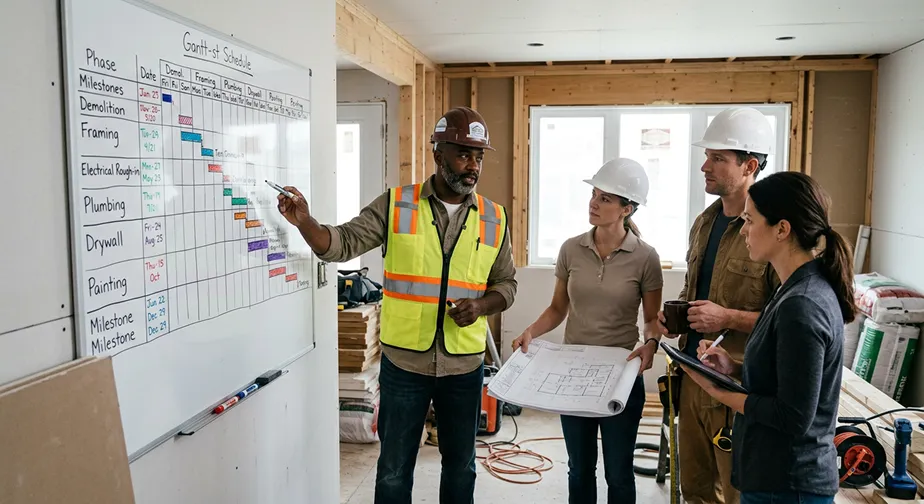

Construction Scheduling Software vs Generic Project Management Tools
Every Missed Deadline Chips Away at Profit
Every contractor knows the feeling. One trade finishes late, the electrician can't start, inspections get pushed back, and suddenly an entire week has disappeared.
It rarely happens because someone wasn't working hard enough. More often, it's the result of poor coordination, outdated schedules, or information that never reached the people who needed it.
Research from McKinsey found that large construction projects take an average of 20% longer than scheduled and can run up to 80% over budget. While not every project reaches those extremes, most contractors have experienced how quickly small scheduling problems snowball into expensive ones.
Construction scheduling isn't simply about deciding what happens tomorrow. It's about coordinating dozens—sometimes hundreds—of moving parts so every crew arrives with the right materials, equipment, and information at exactly the right time.
That's why more contractors are replacing spreadsheets, whiteboards, and generic project management software with dedicated construction scheduling software built specifically for the realities of the jobsite.
Why Construction Scheduling Is More Difficult Than Most People Realize
Managing a construction schedule isn't like planning work inside an office.
Every project depends on a long chain of events that all have to happen in the correct order.
For example:
- Excavation must finish before foundations begin.
- Foundations must cure before framing starts.
- Framing needs to pass inspection before drywall.
- HVAC, plumbing, and electrical rough-ins must all happen before insulation.
- Cabinets often can't be installed until flooring reaches a certain stage.
If just one activity slips, every task behind it may need to move as well.
Unlike many industries, construction schedules are living documents that change almost daily.
Weather delays.
Permit issues.
Late material deliveries.
Change orders.
Subcontractor availability.
Customer requests.
A good scheduling system needs to adapt to all of those changes without forcing the project manager to rebuild the schedule from scratch.
The Hidden Cost of Poor Scheduling
Most contractors think about scheduling in terms of finishing on time.
But poor scheduling impacts nearly every part of the business.
Labor Becomes Less Efficient
Crews show up without enough work.
Or worse...
They arrive before another trade has finished.
Instead of producing billable work, employees spend time waiting, driving between jobs, or being reassigned.
Equipment Sits Idle
Rentals continue costing money whether they're being used or not.
Poor scheduling can leave expensive equipment sitting untouched for days while waiting for another task to finish.
Homeowners Lose Confidence
Clients don't always understand why delays happen.
They only know what they see.
If the project appears disorganized, confidence starts disappearing—even if the workmanship is excellent.
Clear schedules and regular updates help reassure clients that the project is still moving forward.
Profit Margins Shrink
Construction margins are already tight.
When projects stretch several extra weeks, contractors often absorb:
- additional supervision
- equipment rentals
- temporary facilities
- labor inefficiencies
- administrative overhead
One missed week can erase much of the expected profit on a job.
Where Generic Project Management Software Falls Short
Many contractors begin with tools like Trello, Monday.com, Asana, or Microsoft Project.
They're excellent project management platforms.
They're simply not built specifically for construction.
Most focus on:
- task lists
- due dates
- file sharing
- comments
- project status
Those are helpful.
But construction schedules require much more.
A superintendent doesn't just need to know that framing is "due Friday."
They need to know:
- what happens if framing finishes Tuesday
- what subcontractors should automatically be notified
- what inspections need scheduling
- whether material deliveries should move
- how that impacts drywall, painters, flooring, and cabinetry
Generic tools leave most of those relationships up to the project manager to manage manually.
Generic Project Management vs. Construction Scheduling Software
What Makes Construction Scheduling Software Different?
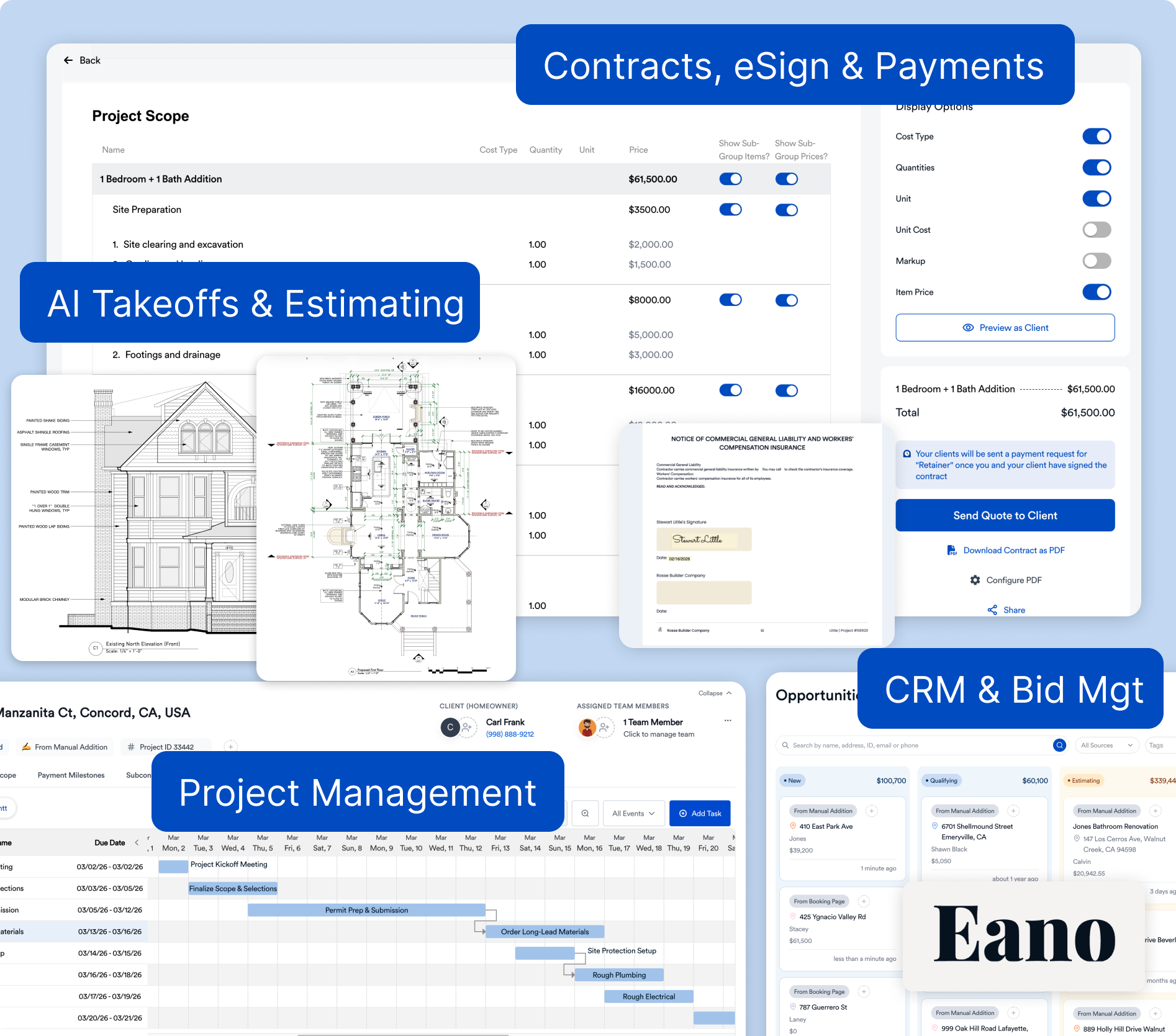
Construction scheduling software isn't simply another calendar.
It's designed around how construction projects actually unfold.
Instead of treating every task equally, it understands that certain activities depend entirely on others being completed first.
This allows project managers to build schedules that reflect reality—not just wishful thinking.
As schedules change, dependent tasks can move with them, helping teams avoid dozens of manual adjustments every week.
Features That Actually Save Time
Not every feature matters equally.
The best construction scheduling software focuses on solving everyday problems contractors face.
Interactive Gantt Charts
Rather than reading a long checklist, project managers can visualize the entire project timeline.
Dependencies become immediately obvious.
Delays become easier to spot.
Task Dependencies
Move framing back three days...
Drywall automatically shifts.
Electrical inspections adjust.
Painting moves.
Instead of rebuilding the schedule manually, the software handles much of the work.
Subcontractor Coordination
Good scheduling software keeps subcontractors informed automatically.
Instead of making twenty phone calls every time something changes, updates can be shared instantly.
Mobile Access
Schedules shouldn't live only in the office.
Foremen, superintendents, and subcontractors need access from the field.
Real-time mobile scheduling helps everyone work from the same information.
Daily Progress Tracking
Schedules improve when they're updated consistently.
Field teams should be able to mark work complete as it happens so office staff always know the project's current status.
Eano Pro: Built Around How Contractors Actually Schedule Work
Construction companies don't need another generic productivity app.
They need scheduling software that understands jobsites.
Eano Pro was built specifically for residential contractors, remodelers, and specialty trades that constantly balance changing schedules, subcontractors, inspections, customer requests, and material deliveries.
Its scheduling tools are tightly connected with the rest of the platform, allowing contractors to move seamlessly from estimate to proposal, project schedule, daily logs, change orders, invoices, and final payment—all without re-entering the same information across multiple systems.
Instead of maintaining one scheduling tool, another estimating platform, and separate spreadsheets for communication, everything stays connected in one place.
Scheduling Isn't Just About Dates
One of the biggest misconceptions is that scheduling software exists simply to create calendars.
In reality, scheduling becomes the communication hub for the entire project.
Everyone benefits when schedules stay current.
Office Staff
Know what's happening today.
Superintendents
Coordinate crews more efficiently.
Subcontractors
Receive timely updates.
Homeowners
Gain confidence through transparency.
Business Owners
Understand project health across every active job.
When everyone works from the same schedule, confusion decreases dramatically.
Choosing Construction Scheduling Software
Before committing to any platform, ask questions like:
- Can it handle changing schedules easily?
- Does it support task dependencies?
- Can subcontractors see schedule updates?
- Does it include Gantt charts?
- Is it mobile friendly?
- Can schedules connect with estimating and job costing?
- Will my field crews actually use it?
The software with the most features isn't always the best choice.
The right software is the one your team actually adopts.
Construction Scheduling Software Evaluation Checklist
Final Thoughts
Construction scheduling has evolved far beyond printed calendars taped to the trailer wall.
Today's projects move too quickly, involve too many stakeholders, and require too much coordination to rely on disconnected spreadsheets or generic task managers.
The best construction scheduling software doesn't just organize tasks—it helps contractors anticipate conflicts, coordinate trades, communicate changes instantly, and keep projects moving despite the unexpected.
If your current scheduling process relies on manual updates, repeated phone calls, and constantly rebuilding timelines, it may be time to evaluate a platform designed specifically for construction. Eano Pro combines construction scheduling with estimating, project management, daily logs, financial tracking, and client communication in one connected system, helping contractors spend less time updating schedules and more time building successful projects.
Get a Closer Look
You shouldn’t have to manage projects with tools that weren’t designed for construction. Switching to the right platform can help you finish jobs on time and on budget.
Want to see Eano Pro in action? Book a demo to see how construction scheduling software can fit your workflow.


.png)