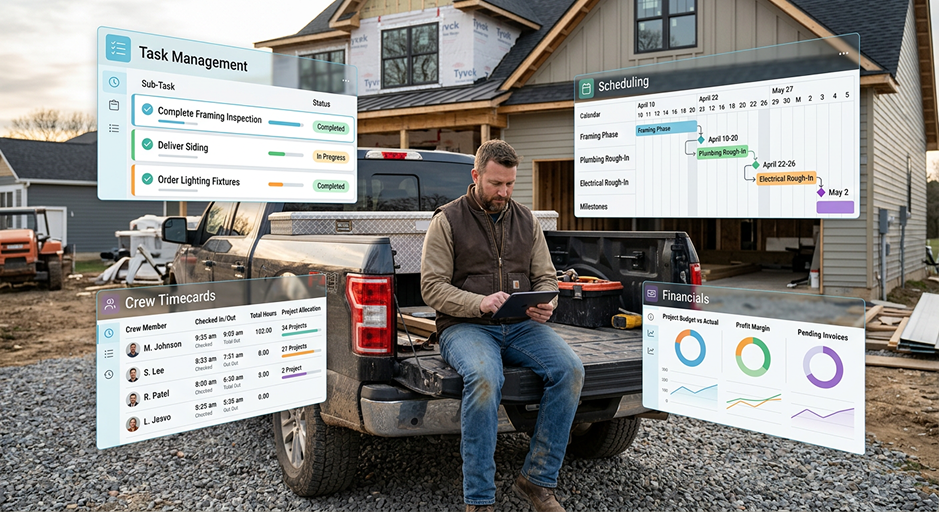

What Is AI Construction Management Software? The Complete Guide
What Is AI Construction Management Software?
AI construction management software is software that uses artificial intelligence to automate, accelerate, or assist with construction workflows such as estimating, takeoffs, scheduling, project documentation, daily logs, document search, and cost management.
Traditional construction management software primarily gives contractors a place to enter, organize, and retrieve information. AI-enabled software can go a step further by helping create and interpret that information.
For example, instead of manually measuring every room from a set of plans, an AI takeoff tool can identify quantities from the drawings. Instead of building a project schedule task by task, AI can generate an initial schedule from the project's scope of work.
That's an important distinction because simply putting a chatbot inside construction software doesn't necessarily make the underlying workflows smarter.
The real value comes when AI reduces the amount of work required to get something done.
How Is AI Different From Traditional Construction Management Software?
Traditional construction management software has already replaced plenty of spreadsheets, paper folders, whiteboards, and email chains. But most systems still depend heavily on manual data entry.
You create the estimate.
You enter the tasks.
You build the schedule.
You write the daily log.
You search for the document.
AI changes that relationship. Instead of only storing what you create, the software can help create, organize, find, and analyze project information.
The shift is from software as a system of record toward software that can also act on the information inside that system.
That doesn't mean contractors should hand projects over to AI. Estimates still need review. Schedules need someone who understands the project. Field conditions can make yesterday's plan irrelevant today.
The more useful model is AI as an assistant that handles some of the repetitive work while the contractor remains responsible for the decisions.
Why Is AI Showing Up in Construction Management Software Now?
Construction has been slower to adopt AI than the amount of attention around the technology might suggest.
A 2025 global survey from the Royal Institution of Chartered Surveyors (RICS) found that 45% of organizations reported no AI implementation at all, while another 34% were still in early pilot phases. Fewer than 1% reported organization-wide AI use.
At the same time, the industry clearly expects that to change. RICS found that 31% of respondents planned a moderate or significant increase in AI investment, while construction professionals identified progress monitoring, scheduling, resource optimization, document review, and risk management among the areas where AI could have the greatest positive impact.
Autodesk's 2026 research paints a similarly mixed picture: AI is becoming part of construction workflows, but only 32% of construction leaders said they had met or were close to meeting their AI goals.
That gap matters.
Contractors don't need AI because AI is popular. They need software that can eliminate specific pieces of work that currently consume estimator, project manager, office, or field time.
As RICS' Anil Sawhney put it:
“The construction sector is at a tipping point.”
The winners are likely to be tools that make AI useful without requiring contractors to become AI experts themselves.
What Can AI Construction Management Software Actually Do?
The capabilities vary significantly between products. Some platforms have one or two AI features, while others are beginning to apply AI across the construction lifecycle.
Here are the areas where AI is becoming particularly useful.
1. Create Construction Estimates
Estimating is one of the most obvious applications because so much estimating work involves turning unstructured project information into organized scope, quantities, labor, and material costs.
AI estimating software can help create an initial estimate based on inputs such as:
- A description of the project
- Plans or drawings
- Existing project information
- Scope requirements
- Photos
- Potentially video walkthroughs
The contractor still needs to verify quantities, pricing, labor assumptions, exclusions, and markup.
The advantage is getting to a usable first draft much faster.
This becomes particularly powerful when estimating isn't a standalone application. In construction management software with AI estimating, the approved scope can continue into proposals, contracts, scheduling, invoicing, and job costing rather than being recreated in another system.
Video Demo on AI Estimating Using Eano Pro
2. Perform AI Takeoffs From Plans
AI takeoff software attempts to identify quantities and measurements directly from construction drawings.
Depending on the system and project, that might include:
- Doors
- Windows
- Fixtures
- Flooring areas
- Wall lengths
- Material quantities
- Other count, area, or linear measurements
This can eliminate a significant amount of clicking and manual measurement, especially during early estimating.
Accuracy still matters. Contractors should be able to trace quantities back to the plans, review how measurements were generated, and manually correct the results.
AI should accelerate the estimator—not turn estimating into a black box.

3. Turn Scope Into a Project Schedule
A signed scope contains a surprising amount of information about how a project needs to be built.
AI can use that information to generate a starting set of project tasks, durations, dependencies, and schedule dates.
For example, a kitchen remodel might generate tasks for demolition, rough plumbing, rough electrical, inspections, drywall, cabinetry, countertops, finish plumbing, and punch work.
The project manager can then adjust the schedule based on subcontractor availability, lead times, inspections, and actual field conditions.
This is one area where AI becomes more valuable when it has access to the project's existing information instead of requiring the PM to copy the scope into a separate AI tool.
4. Find Information Across Projects
Construction companies accumulate enormous amounts of information.
Plans, contracts, estimates, change orders, invoices, schedules, daily logs, photos, tasks, and client conversations can all live inside a single project.
The traditional solution is navigation: find the project, open the right section, locate the record, and search through it.
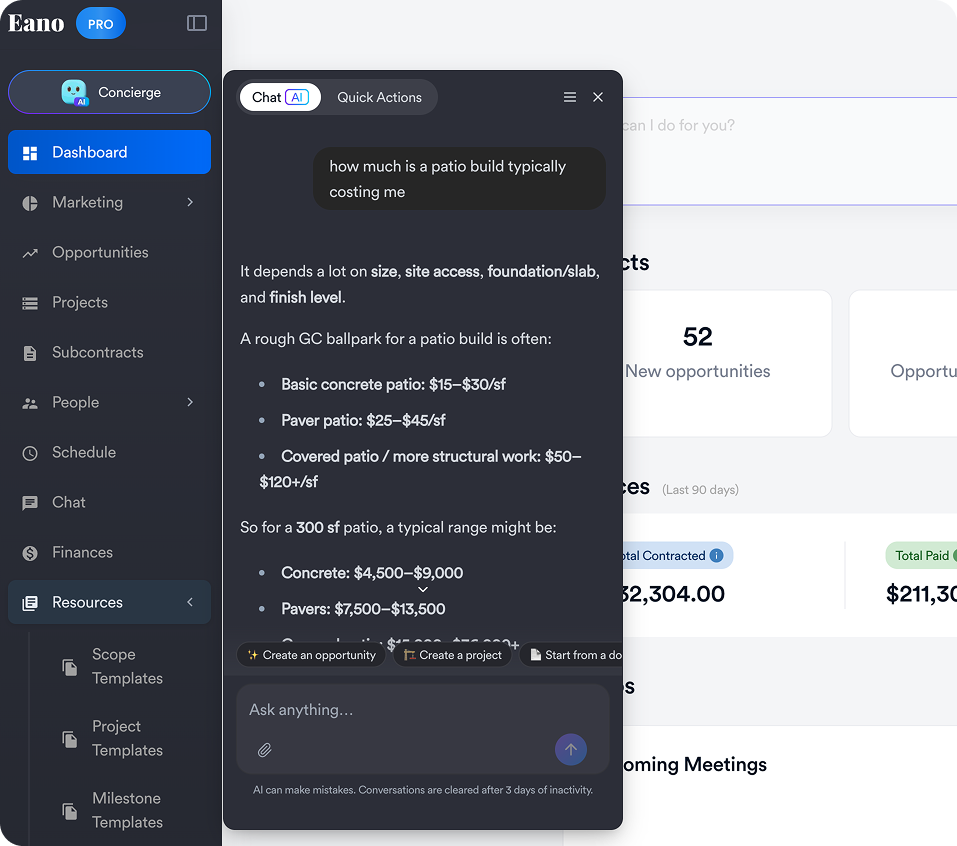
AI introduces another interface: ask for what you need.
A project manager might ask to find a project, pull up plans, locate an invoice, summarize recent activity, or answer a question about project information.
This is one of the areas where general-purpose AI and construction-specific AI differ significantly. A standalone chatbot doesn't automatically know what's happening inside your jobs. AI built into the construction management system can work with the context already there.
5. Create and Organize Daily Logs
Daily logs are valuable because they create a record of what happened onsite. They're also easy to neglect because someone has to document that information at the end of an already busy day.
AI can reduce the administrative side of daily logging by helping turn field inputs into organized documentation.
That could mean using notes, photos, audio, weather information, or eventually a video walkthrough to help document:
- Work completed
- Crews onsite
- Deliveries
- Delays
- Weather impacts
- Client conversations
- Inspections
- Issues requiring follow-up
The goal isn't to invent what happened. It's to make documenting what actually happened easier.
6. Assist With Documents and Project Questions
Construction projects generate a lot of documents, and finding an answer can require opening several files.
AI document tools can help contractors ask questions about plans, specifications, contracts, and other project records rather than searching each document manually.
The important distinction is whether the AI can show where its answer came from.
For high-stakes information, a confident AI answer isn't enough. Contractors should be able to verify the source document.
7. Help Monitor Costs and Job Profitability
AI can also help make sense of financial information already flowing through the project.
Potential applications include categorizing expenses, identifying unusual costs, comparing estimated versus actual performance, and surfacing projects that appear to be moving away from expected profitability.
This is still an area where contractors should be skeptical of vague promises about "predictive AI."
AI cannot fix missing expenses, bad estimates, or incomplete time tracking. Good financial insight still starts with good project data.
AI for Preconstruction vs. AI for Project Management
It helps to separate construction AI into two broad stages.
Preconstruction AI helps contractors understand, price, and win the work. That includes takeoffs, estimating, bid analysis, proposal creation, and document review.
Project management AI helps after the job moves into production. That includes scheduling, task creation, daily documentation, project search, cost management, and risk identification.
Some contractors only need one side of that equation. Others benefit from connecting both.
When the same system handles estimating and project execution, information can move forward with the job rather than being re-entered after the contract is signed.
For a deeper look at the production side, see our guide to AI Construction Project Management: Where AI Actually Helps.
What AI Is Good at—and What It Isn't
The fastest way to get disappointed with AI construction software is to expect it to replace construction experience.
It won't.
AI is particularly good at processing large amounts of information, recognizing patterns, creating drafts, organizing data, summarizing information, and automating repetitive steps.
It is much less reliable when it lacks context or when a decision depends on conditions that aren't represented in the data.
RICS makes a similar point in its 2026 Construction Productivity Report, noting that realizing AI's potential depends on training and integration with existing workflows rather than replacing human expertise wholesale.
That's a useful standard for evaluating AI features: Does this make an experienced contractor faster, or does it ask them to blindly trust an algorithm?
General-Purpose AI vs. Construction-Specific AI
A contractor can already use tools such as ChatGPT or other general-purpose AI systems for plenty of useful tasks.
You can draft an email, rewrite a scope description, brainstorm a checklist, summarize pasted text, or ask general construction questions.
Construction-specific AI becomes more valuable when the task requires access to actual project data or needs to perform an action inside a construction workflow.
For example, there's a big difference between asking AI:
"Create a sample schedule for a kitchen remodel."
and:
"Create a schedule based on the scope of work for the Johnson kitchen project."
The first is generating generic information.
The second requires the AI to understand your actual project and work inside the software where the job is being managed.
What Should Contractors Look for in AI Construction Management Software?
Don't evaluate an AI platform based on the number of times its website says "AI."
Start with the workflow.
Does the AI solve work your team actually does?
Saving five minutes on a task you perform once a month doesn't matter much. Saving 30 minutes on something your estimators or PMs do every day does.
Identify where your company repeatedly loses time and evaluate AI against those workflows.
Is AI integrated into the rest of the system?
This is increasingly important.
A standalone AI estimator may produce an estimate quickly, but what happens next?
Can you turn it into a proposal? Can the approved scope become the project? Can you build the schedule from it? Can actual project costs eventually be compared against what you estimated?
The less information your team has to re-enter, the more valuable automation becomes.
Can you review and edit the output?
Avoid black boxes.
A contractor should be able to review AI-generated quantities, prices, scope, schedules, and documentation before they affect a customer or project.
AI should create a strong starting point, not remove control.
Can you verify where answers came from?
This matters especially with plans, specifications, contracts, and project documents.
If AI tells you something important, you should be able to trace the answer back to its source.
Is it easy enough for your team to use?
RICS found that 46% of respondents identified a lack of skilled personnel as a barrier to construction AI adoption, while 37% cited integration with existing systems.
That suggests the winning tools won't necessarily be the ones with the most sophisticated AI model. They'll be the ones contractors can actually incorporate into existing workflows.
How Eano Pro Uses AI Across Construction Management
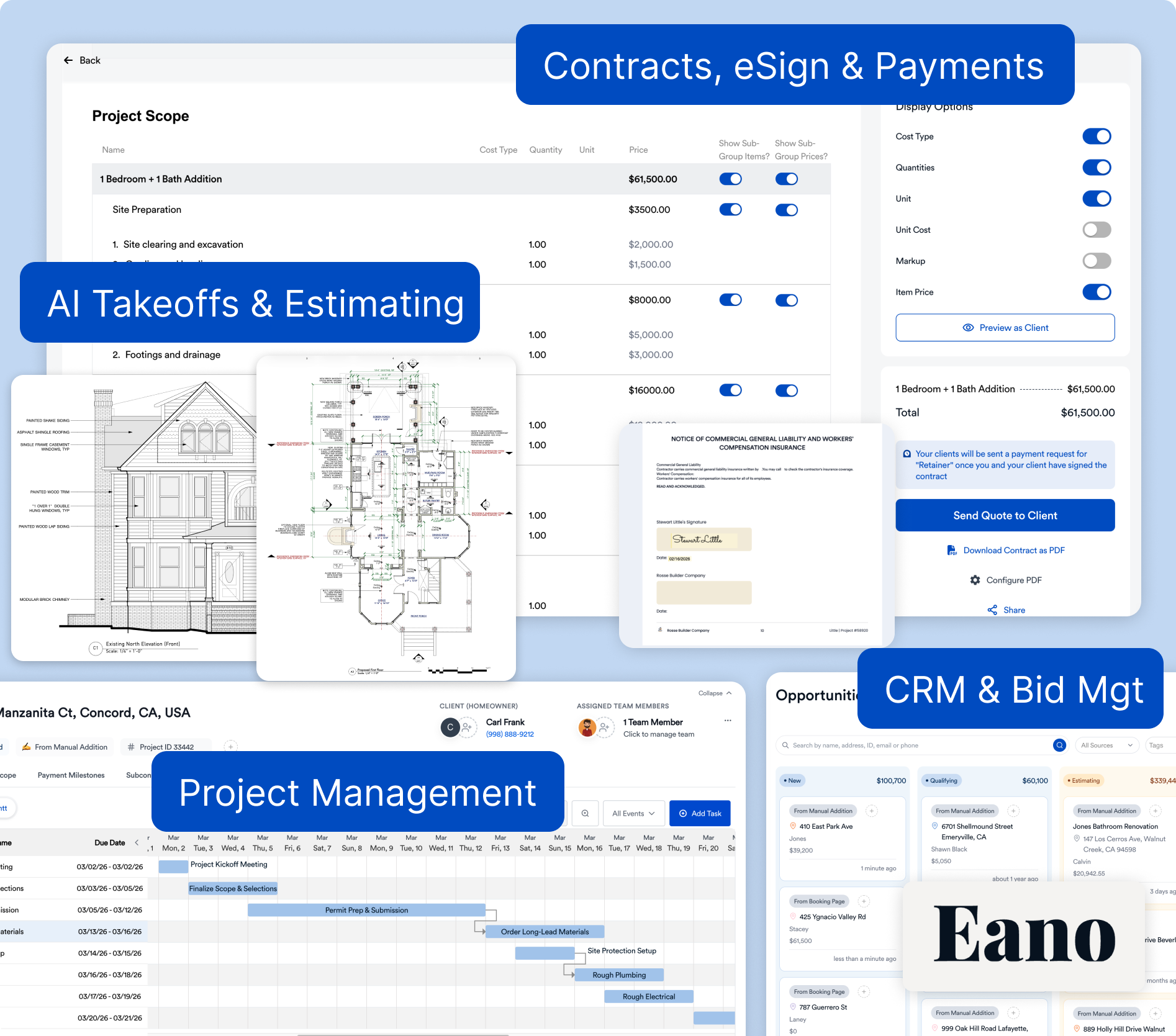
Eano Pro is built around the idea that AI becomes more useful when it can help across the construction workflow rather than operating as a separate tool.
Contractors can use Eano Pro to create estimates, perform AI-assisted takeoffs, build and send proposals, manage projects, generate schedules and tasks, maintain daily logs, track expenses and job financials, and manage client information.
AI capabilities are increasingly connected to those workflows.
For example, contractors can use AI to accelerate takeoffs and estimating during preconstruction, generate project tasks and schedules from scope, and use AI assistance to find and work with project information.
The bigger advantage is continuity.
An estimate isn't the end product. It's the beginning of a job.
The information created while selling the project can continue into the proposal, project schedule, invoices, expenses, and eventual comparison between what you thought the job would cost and what actually happened.
That's the difference between adding isolated AI tools and building AI into a construction management workflow.
Is AI Construction Management Software Worth It?
It can be—but only if it eliminates meaningful work.
A contractor shouldn't buy software simply because it has AI. The better question is:
What will my team no longer have to do manually?
If AI cuts the time required to build an estimate, measure plans, set up a schedule, document a jobsite, or find information across projects, the ROI can be relatively straightforward to evaluate.
If the AI mostly produces summaries nobody needs or adds another application your team has to manage, the value is much harder to justify.
This is especially relevant as vendors race to add AI features. The construction software market is likely to contain everything from genuinely new workflows to existing features with an AI label added to them.
Evaluate the result rather than the label.
Where Is AI Construction Management Going Next?
The first wave of generative AI largely focused on creating text and answering questions.
The next phase is more interesting for contractors: AI that can perform work across connected construction workflows.
Instead of only answering "What should my schedule look like?", an AI system can create the schedule.
Instead of explaining how to build an estimate, it can help build one from project information.
Instead of telling you where to look for a project record, it can retrieve it.
This shift toward action is already visible in major construction platforms. For example, Procore describes its current AI strategy around construction-native agents that can work across project specifications, drawings, submittals, and contracts while retaining human control over actions and approvals.
For residential general contractors, the most useful version of this technology probably won't look like science fiction. It will look like fewer hours spent behind a computer doing work that software can now help handle.
The Bottom Line
AI construction management software combines traditional construction management workflows with AI that can help create, interpret, organize, and act on project information.
Today, some of its most practical applications are estimating, takeoffs, scheduling, document search, project setup, daily documentation, and cost management. The technology is much better suited to accelerating experienced contractors than replacing their judgment.
When comparing systems, don't start by asking which platform has the most AI features. Look at your workflow from lead to completed job and ask where the software can remove manual steps without taking control away from your team.
That's where AI construction management software starts becoming genuinely useful.



.png)