
Construction Communication Software: How to Get Your Jobs Out of the Group Text
Construction communication software is a system that keeps every project conversation (office to field, contractor to subcontractor, and contractor to homeowner) tied to the job it belongs to, alongside the photos, files, schedule changes, and approvals that go with it. Instead of decisions living in personal text threads, voicemails, and inboxes, they live in one searchable record that everyone on the project can see, with the right permissions.
If you run a residential general contracting or remodeling business, you probably don't have a communication problem so much as a communication location problem. People are talking constantly. The trouble is that the conversations are scattered across a dozen places, and nobody can reconstruct what was actually agreed when something goes wrong.
I've spent roughly a decade building and selling software for contractors and field-service businesses, and the pattern is remarkably consistent: the jobs that go sideways rarely fail because someone didn't communicate. They fail because the right information didn't reach the right person in a form they could act on, and there was no record to fall back on. This guide covers what construction communication software should actually do, how to choose between a messaging app and an all-in-one platform, and how to roll it out without your crew and subs ignoring it.
Key takeaways
- Poor communication and poor project information were linked to 48% of all rework on U.S. construction projects in a PlanGrid/FMI study of nearly 600 construction leaders.
- Good construction communication software organizes conversations by project, not by person, and connects them to photos, daily logs, schedules, and change orders.
- Residential contractors need to cover three distinct lanes: office ↔ field, contractor ↔ subs and vendors, and contractor ↔ homeowner. Most tools only handle one or two well.
- Adoption beats features. The best system is the one your subs will use without a training session.
Why Communication Is a Profit Problem, Not a Soft Skill
It's easy to treat communication as a "people" issue. The data says it's a margin issue.
In the 2018 Construction Disconnected study by PlanGrid and FMI, which surveyed nearly 600 construction leaders, researchers found:
- Construction professionals spent more than 14 hours per week on non-optimal activities, including about 5.5 hours looking for project data, almost 5 hours on conflict resolution, and 4 hours on rework.
- 48% of all rework was attributed to poor communication (26%) and poor project information (22%).
- Rework caused by miscommunication and poor project data cost the U.S. industry an estimated $31 billion in 2018.
- More than 75% of companies gave field teams mobile devices, but fewer than one-fifth consistently used apps beyond email and text for project collaboration.
That last finding is the telling one. It's not a hardware problem: almost everyone has a phone in their pocket. The problem is that texts and email weren't built to organize project information.
A follow-up Autodesk and FMI study of more than 3,900 construction professionals estimated that bad data cost the global industry $1.85 trillion in 2020, including roughly $88.69 billion in rework.
Those are industry-wide numbers, but the math shows up on a single kitchen remodel too. A tile change that the homeowner mentioned to your lead carpenter, but that never reached your tile sub or your purchasing, becomes a return trip, a restocking fee, a schedule slip, and an awkward conversation about who pays. That's the cost of a message that lived in the wrong place. (For a deeper look at how these small breakdowns snowball on a real job, see our piece on reducing miscommunication with construction management software.)
The Three Communication Lanes on Every Residential Job
When contractors evaluate construction communication software, they usually think about messaging. But a residential project actually runs on three separate lanes of communication, each with different people, different sensitivities, and different failure points.
A group text can technically cover all three lanes. That's exactly the problem: it mixes internal discussion, sub coordination, and client-facing commitments into one stream with no structure, no permissions, and no reliable history.
Must-Have Features in Construction Communication Software
Here's the checklist I'd use when evaluating any platform. The order matters: the first few items are what separate construction-specific tools from generic chat apps.
1. Project-scoped messaging
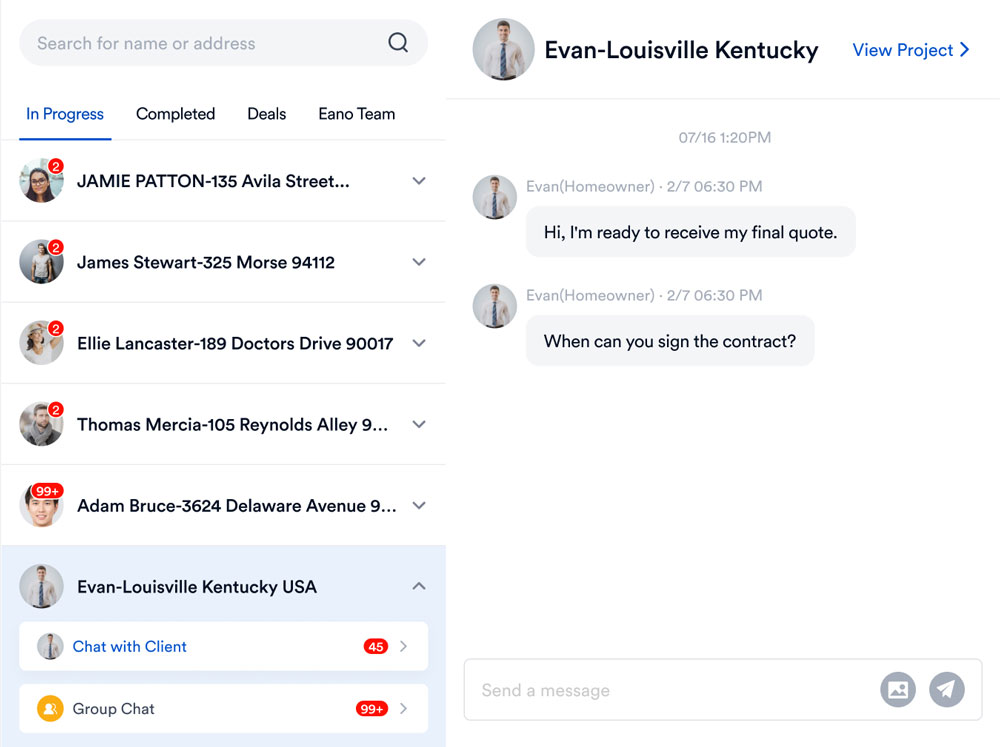
Every conversation should belong to a job. When you open the Smith kitchen, you should see every message about the Smith kitchen, and nothing about the Johnson deck. This is the single biggest upgrade over texting, where threads are organized around people instead of projects.
2. Separate internal and client channels
Your team needs a place to say "the framing is out of square and we need to figure out who's paying for it" without the homeowner reading along. Look for software that separates internal channels from client channels, and ideally lets you keep private notes on a project.
3. A searchable, permanent record
When a dispute comes up six weeks later, you need to find the message where the homeowner approved the upgrade, along with the date and who said it. Message history that's saved and searchable by project is your best defense against "I never agreed to that."
4. Daily logs with photos and voice
Field communication fails when it's inconvenient. The best tools let a superintendent snap photos, dictate a quick note, and publish a daily log in under a minute, without typing paragraphs on a phone with dusty hands. Those logs then become shared context for the office and, when you choose, the client.
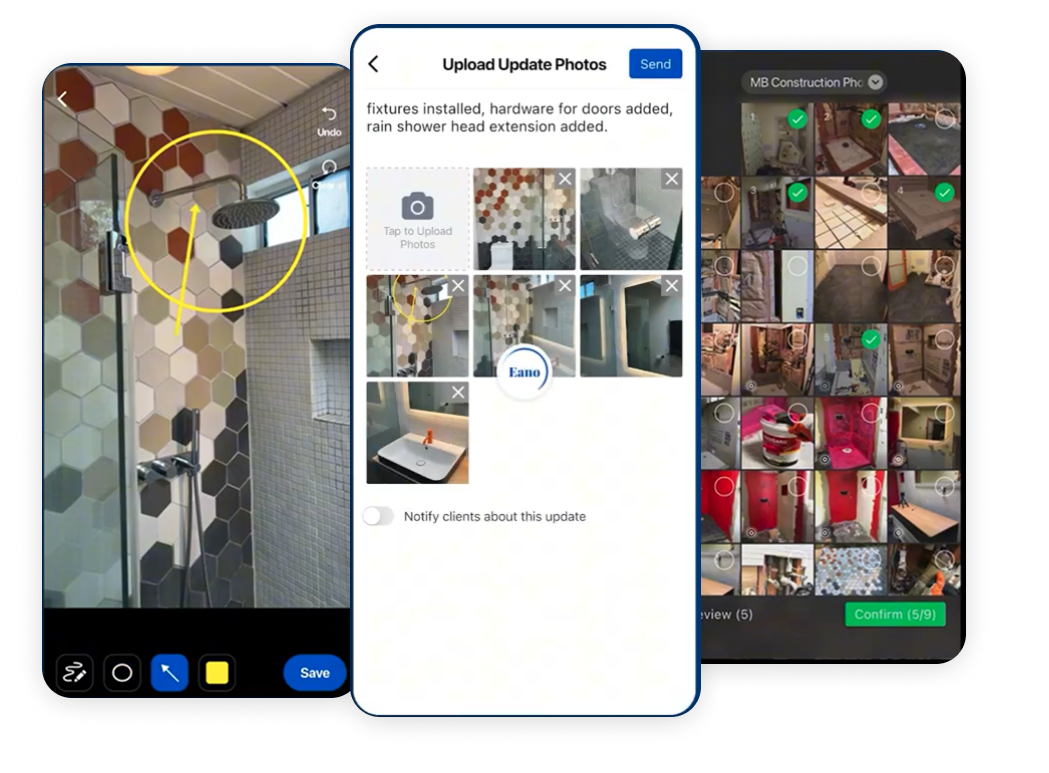
If daily logs are new for your team, our complete guide to construction daily logs walks through what to capture and why.
5. A homeowner portal
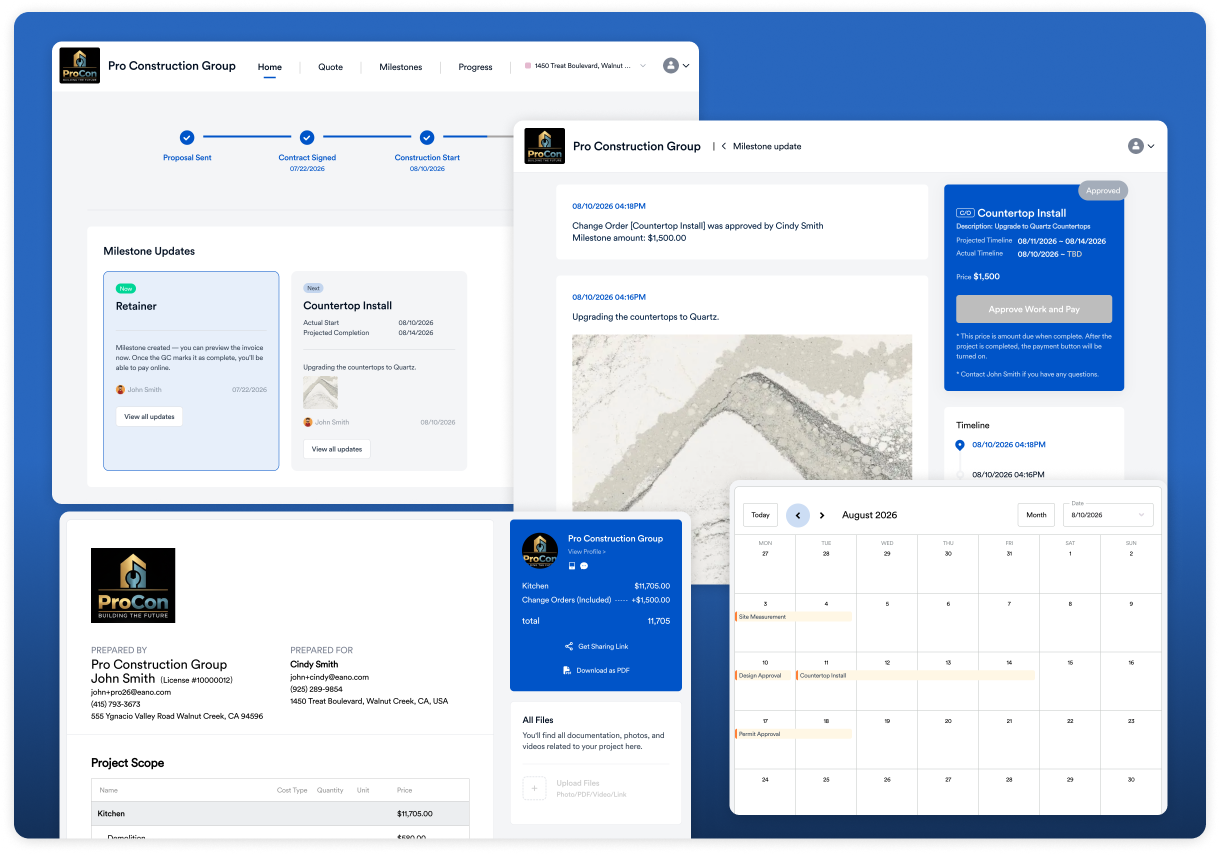
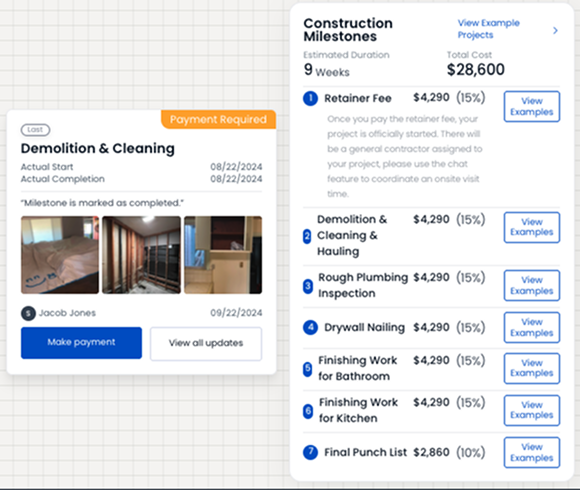
Homeowners don't want more texts. They want to know whether things are on track. A client dashboard that shows milestones, photos, upcoming schedule items, and what needs their approval answers most "just checking in" questions before they're asked, and cuts down on after-hours calls.
6. Change orders and approvals in writing
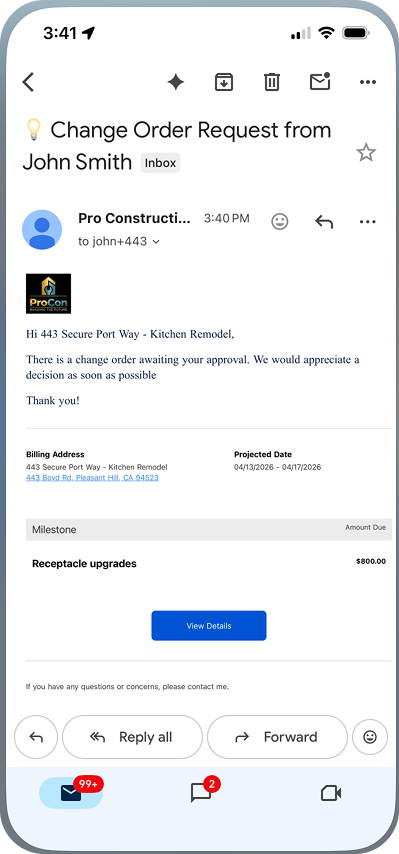
Verbal change orders are one of the most expensive communication failures in residential construction. Your communication system should make it easy to turn a conversation into a documented change order that the client can review and approve, with a notification that reaches them right away.
7. Low friction for subs
Subcontractors work with many GCs. If every one of them requires a new app, a new login, and a training session, your subs will default back to texting you. Evaluate how easily a sub can receive an update, view a file, or respond, and whether the tool meets them on channels they already use.
8. Automatic translation
Many residential crews and trade partners work across English and Spanish, among other languages. Built-in translation removes a real source of misunderstanding and means your bilingual foreman isn't stuck as the full-time interpreter.
9. Connection to the rest of the job
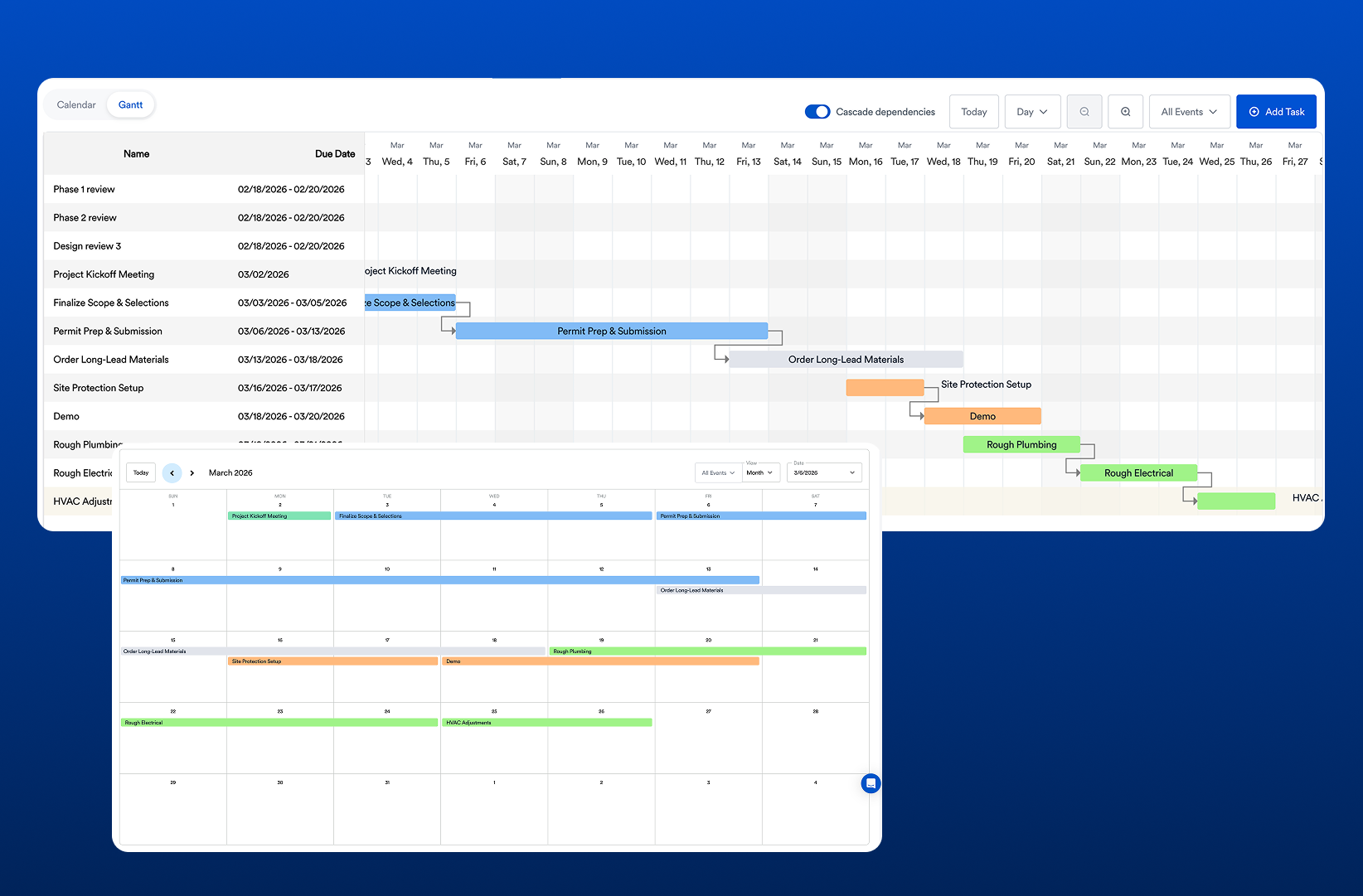
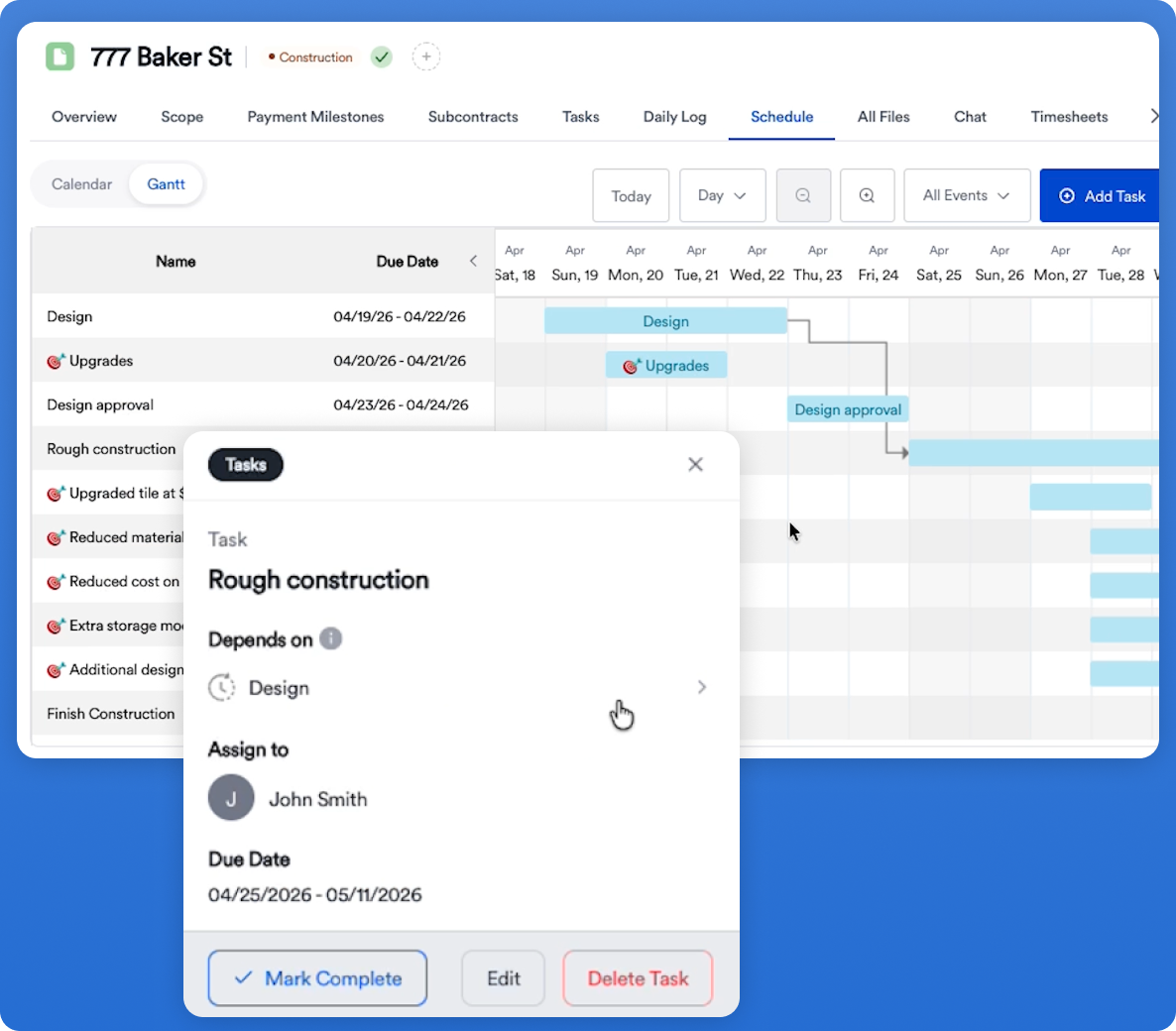
Messages are most useful when they sit next to the schedule, the estimate, the selections, and the budget. A standalone chat app can't tell you that a delayed message is about to push the drywall start date. An integrated platform can put that context in front of you.
Standalone Messaging App vs. All-in-One Construction Platform
This is the real decision most residential contractors face. Here's an honest comparison of the common options.
A useful rule of thumb: if you can still hold every active job in your head, a lighter tool may be enough. Once you're juggling multiple jobs, a handful of regular subs, and homeowners who expect regular updates, communication becomes inseparable from project management, and it pays to have them in the same system. If you're at that stage, our guide to the best construction management software for general contractors compares the leading platforms.
How Eano Pro Handles Construction Communication
Full disclosure: Eano Pro is our product. We've tried to keep the rest of this guide useful no matter which tool you choose, but here's how we approach the problem.
Eano Pro's construction communication software is built into the same platform contractors use for estimating, scheduling, daily logs, and client management, so conversations sit next to the work they're about. Key capabilities include:
- Real-time project messaging with your team, managers, subs, and clients, kept within the context of each project.
- Separate internal and client channels, plus private notes only you can see.
- Automatic translation to reduce miscommunication across language barriers.
- Saved message history, so conversations are available for reference and accountability.
- Daily logs, including logs your team can submit via WhatsApp™, with the option to share them with clients.
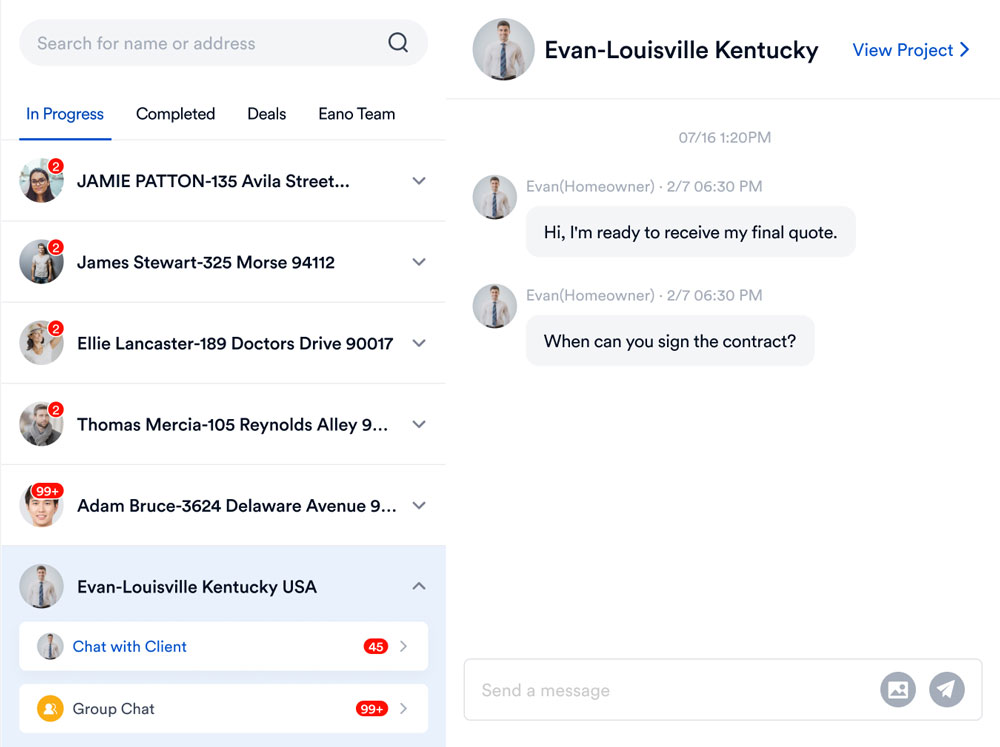
On the homeowner side, the client dashboard gives clients one place to see quotes, milestone photos, invoices, schedules, project progress, chat, and files, with automatic updates on milestones, appointments, and tasks. Here's a quick walkthrough of what homeowners see:
And here's how daily logs work in practice, which is often where field-to-office communication improves first:
A 30-Day Rollout Plan That Your Crew Will Actually Follow
Most communication software fails at adoption, not features. Here's a simple rollout sequence that keeps the change manageable.
Week 1: Start with one job and your internal team
Pick a single active project. Move internal conversations about that job into the platform and set a simple rule: if it affects cost, schedule, or scope, it goes in the project, not a text. Your office manager and lead carpenter should be the first users.
Week 2: Add daily logs
Ask the field lead to post one log per day with photos. Keep the bar low: three photos and two sentences is better than nothing. This gives the office visibility without extra phone calls.
Week 3: Bring in your most reliable subs
Invite two or three trade partners you work with constantly. Share the current plan set and schedule in the platform and send updates there. When a sub texts you a question, answer it and post the answer in the project too, until the habit sticks.
Week 4: Open the client portal
Once your internal process is steady, invite the homeowner. Set expectations at kickoff: "Updates, photos, and approvals will come through your project dashboard, and that's the fastest way to reach us about the job." Then deliver on it with regular milestone updates.
Common Mistakes to Avoid
- Running two systems in parallel indefinitely. A transition period is fine, but if important decisions keep happening in texts, the new system becomes one more place to check instead of the source of truth.
- Inviting the homeowner into internal discussions. Keep client and team channels separate from day one.
- Over-configuring before you start. You don't need perfect templates to begin. Start with messaging and daily logs, then layer on more.
- Ignoring the sub experience. If it's hard for subs to respond, they won't. Test the workflow from their side before rolling it out.
- Leaving change orders verbal. Any conversation that changes scope or cost should end with a documented, approved change order.
How to Tell If It's Working
After 60 to 90 days, look for these signals:
- Fewer "where are we on this?" calls and texts from homeowners.
- Less time spent searching for photos, plan versions, or approvals.
- Fewer return trips and rework items tied to outdated information.
- Change orders approved in writing before the work is done.
- New team members can get up to speed on a job by reading its history instead of asking around.
If you're not seeing movement on at least a few of these, the problem is usually adoption, not the tool. Revisit the "if it affects cost, schedule, or scope, it goes in the project" rule with your team.
The Bottom Line
Construction communication software isn't about talking more. It's about making sure every decision on a job has a home, a timestamp, and an audience that includes exactly the right people. For residential GCs and remodelers, that means covering the office-to-field, sub, and homeowner lanes in one place, and ideally tying those conversations directly to your schedule, logs, and change orders.
If you want to see how that works in a single platform, you can book a demo of Eano Pro.