
Best AI Estimating Software for Residential Contractors (2026): How to Test It on Real Jobs
The best AI estimating software for a residential contractor is the one that turns your real inputs (plans, photos, or a walkthrough video) into an editable, line-item estimate priced with your costs and markup, then carries that estimate into the proposal, contract and job budget without anyone retyping it. Speed on its own is not enough. The tool has to produce a number you would sign your name to.
This guide shows how to test AI estimating tools on your own jobs before you commit, what each type of tool is good at, and where a human still has to check the work. One disclosure up front: Eano builds Eano Pro, one of the tools covered here. We point out where other tools are a better fit, and we recommend running the same test on every option, ours included.
Key takeaways
- Test with your own jobs. Use the same three residential jobs and the same inputs in every tool, and score the output with one rubric.
- Know the category. AI takeoff measures plans, AI estimating turns scope into priced line items, and some platforms also carry the estimate into proposals and job costing.
- Measure edits as well as speed. How many lines you have to fix tells you more than how fast the first draft appears.
- Keep a human on review. AI drafts quickly, but existing conditions, local pricing and scope gaps still need a contractor's judgment.
Why AI estimating is now a mainstream question
Residential contractors are already using AI for estimating. In Houzz's 2025 survey of U.S. construction and design pros, the headline finding for project management was blunt: "Estimate creation is the No. 1 AI application." The same report found that "nearly one-third of construction pros already use AI tools" (source: 2025 U.S. Houzz State of AI: Construction and Design Industry; Houzz sells Houzz Pro, a competing product, so read it with that in mind).
The U.S. Bureau of Labor Statistics sees the same shift from the labor side: "Cost estimation software is improving the productivity of these workers, requiring fewer estimators to do the same amount of work" (BLS Occupational Outlook Handbook: Cost Estimators). For a small remodeling company where the owner is the estimator, that productivity means evenings back and faster replies to homeowners.
What the adoption data says
Houzz surveyed U.S. construction and design professionals registered on its platform in May 2025. Among construction businesses, "Nearly three-quarters of construction businesses of all sizes (74%) report using AI regularly in at least some parts of their workflow. However, only 28% say they use it across many or all areas of their business." On average, businesses already using AI "save more than three hours a week" (Houzz, 2025 U.S. State of AI in Construction & Design; Houzz sells software with AI estimating features). The takeaway for an estimator: most firms are experimenting with AI on individual tasks, and few have connected it to the rest of the job. That gap is where the choice of tool matters most.
What "AI estimating software" actually does
Vendors use "AI estimating" loosely. Before you compare tools, sort them into three jobs (we break this down further in AI takeoff vs. AI estimating vs. AI construction management):
- AI takeoff: reads PDF plans and measures areas, lengths and counts. Example: AI takeoff software that measures walls, openings and floor areas from a plan set.
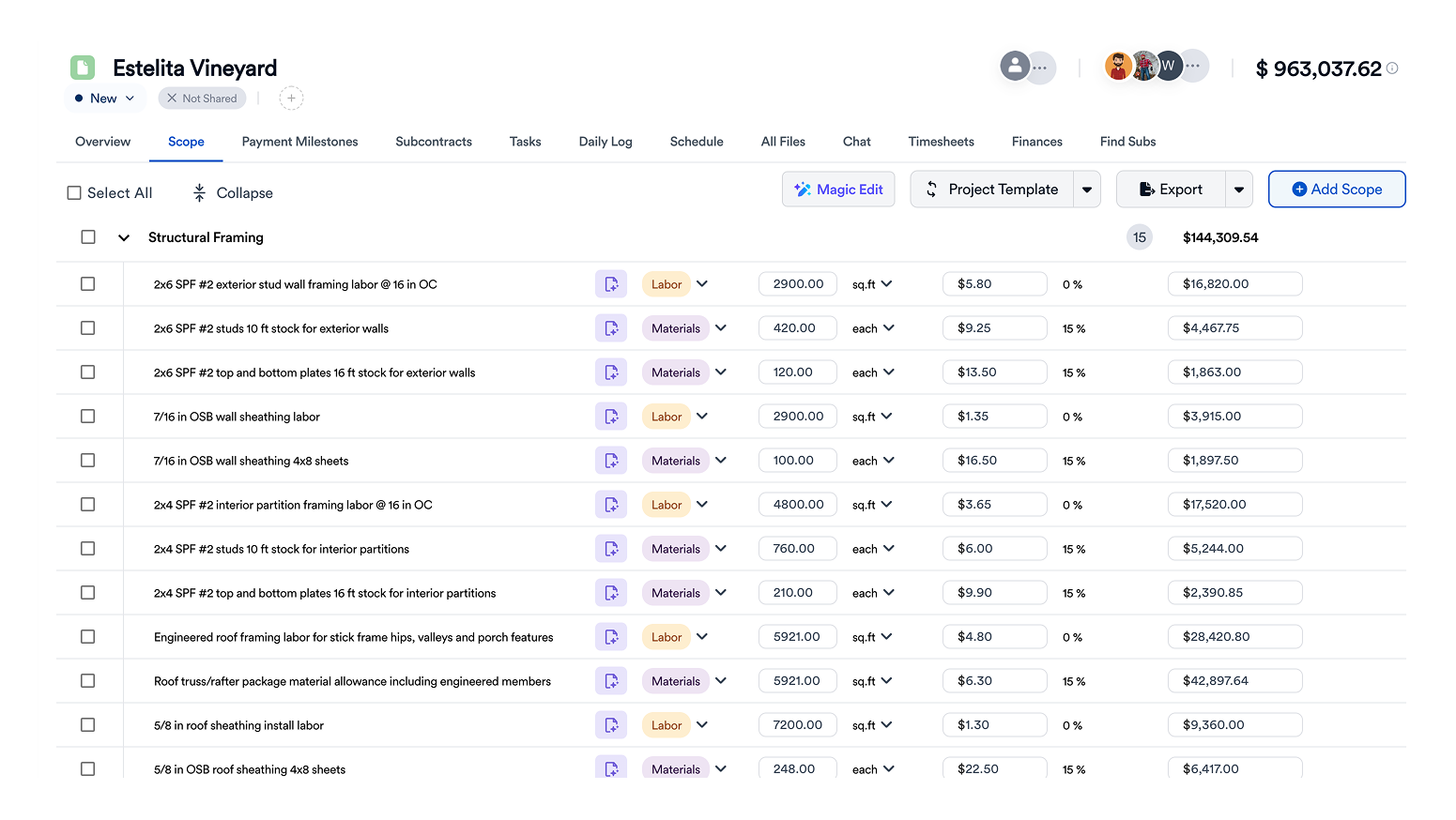
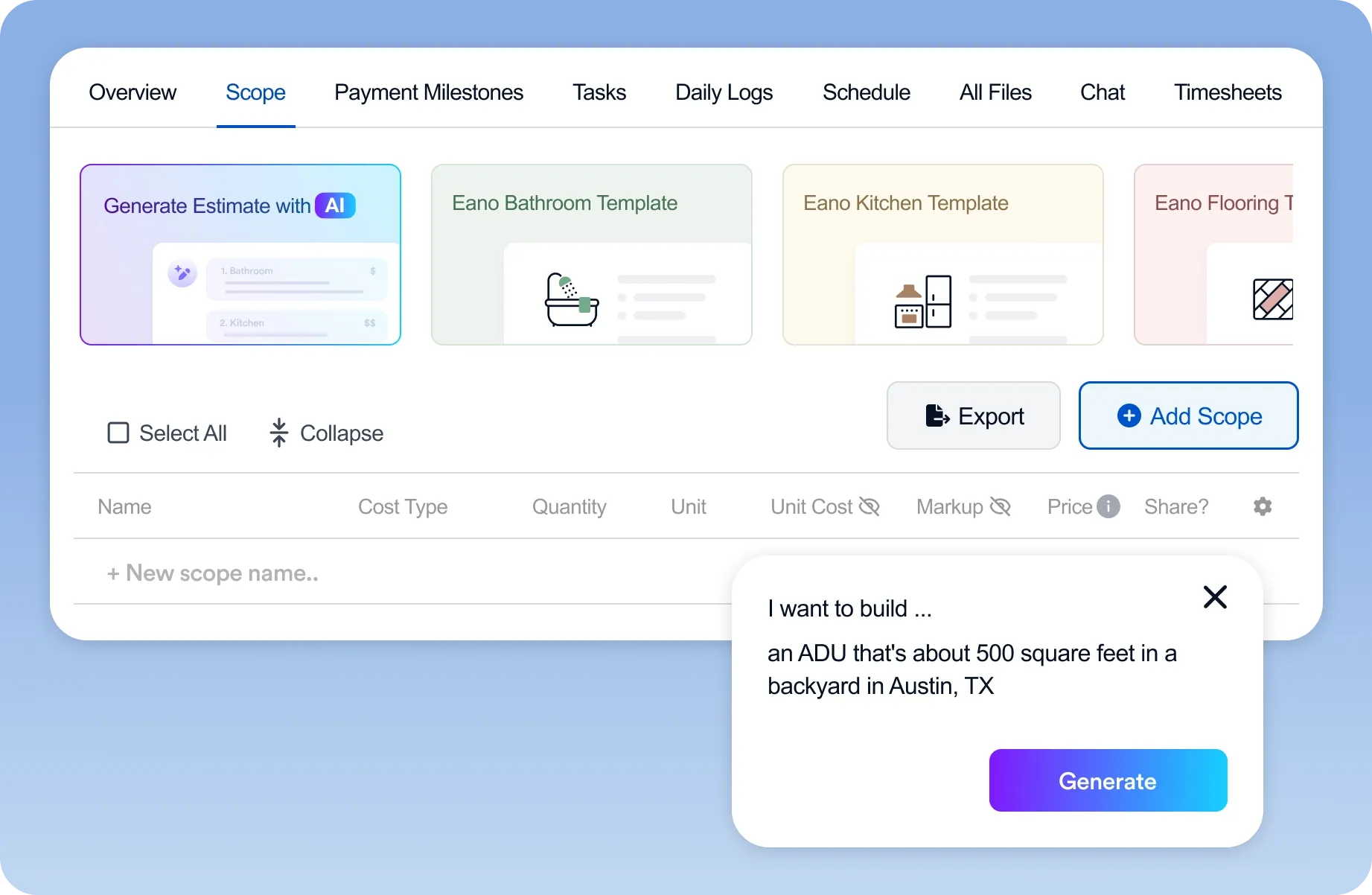
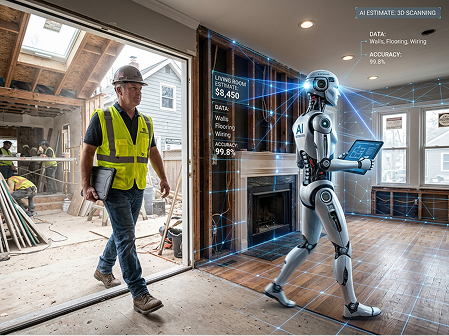
- AI estimating: turns a scope (typed, spoken, uploaded or measured) into priced line items for materials, labor and markup. Example: an AI estimate generator that drafts a kitchen remodel from a short description.
- Estimate-to-job workflow: carries the approved estimate into a proposal, e-signature, schedule, budget and change orders, so nothing gets rebuilt after the sale.
Residential contractors usually need all three. A takeoff-only tool still leaves you pricing in a spreadsheet, and an estimating-only tool still leaves you rebuilding the job somewhere else.
How to test AI estimating software on real jobs
Demos are built to look good. A side-by-side test on your own work is the only reliable comparison. Here is the method we recommend to contractors, and it is the same one we would apply to our own product:
- Pick three recent jobs you already priced by hand, for example a kitchen remodel, a deck, and a small addition or bathroom. You already know what those jobs should cost.
- Give every tool identical inputs: the same plan PDF, the same photos or walkthrough video, and the same written scope.
- Time the first usable draft, from upload to a draft you would start editing.
- Count the edits. Mark every line you had to add, delete or reprice. Missing scope, such as demo, haul-off, protection and cleanup, counts against the tool.
- Check pricing control. Can you load your own cost library, labor rates and markup, or are you stuck with generic prices?
- Produce the client-facing output. Is the proposal something you would send without reformatting it?
- Follow the job after the sale. Does the signed estimate become a budget and change-order baseline, or do you start over?
.png)
Record "last tested" dates. AI products change monthly, so a result from six months ago may already be out of date.
Plans, descriptions, photos or video: which input fits your work
AI estimating tools differ most in what they start from. Match the input to how you actually win work, because a tool built for plan sets will feel slow on a service call, and a description-based tool will miss quantities on a full plan set.
Most residential contractors use more than one input. A remodeler might estimate a kitchen from a walkthrough video, an addition from plans, and a punch-list repair from a phone description. If that sounds like your week, shortlist tools that handle at least two of these. See how video estimating works in our guide to creating construction estimates from videos, or compare takeoff and estimating in AI takeoff vs. AI estimating vs. AI construction management.
Worked example: scoring three tools on one bathroom remodel (illustrative)
The numbers below are hypothetical. They show how to score a trial, not how any named product performed. Suppose your own estimate for a 5 x 8 ft hall bath remodel (demo, new tub-shower with tile surround, vanity, toilet, LVP floor, paint, exhaust fan) came to $18,400 and took 2.5 hours to build.
Tool A produced a draft fastest, but it took the most editing and missed two items that would have cost real money. Tool B was slower to draft and much faster to finish, and its total landed within a few percent of your number. Total time to a sendable estimate is the measure that matters: about 76 minutes for A, 45 for B and 85 for C, against 150 minutes by hand. Run the same scorecard on three jobs before you decide, because one job can flatter any tool.
The main options, by type
Feature sets and prices change often, so confirm current details on each vendor's site before you buy. Here is how the main options line up for residential work:
Eano Pro: estimate-to-job platform for residential contractors
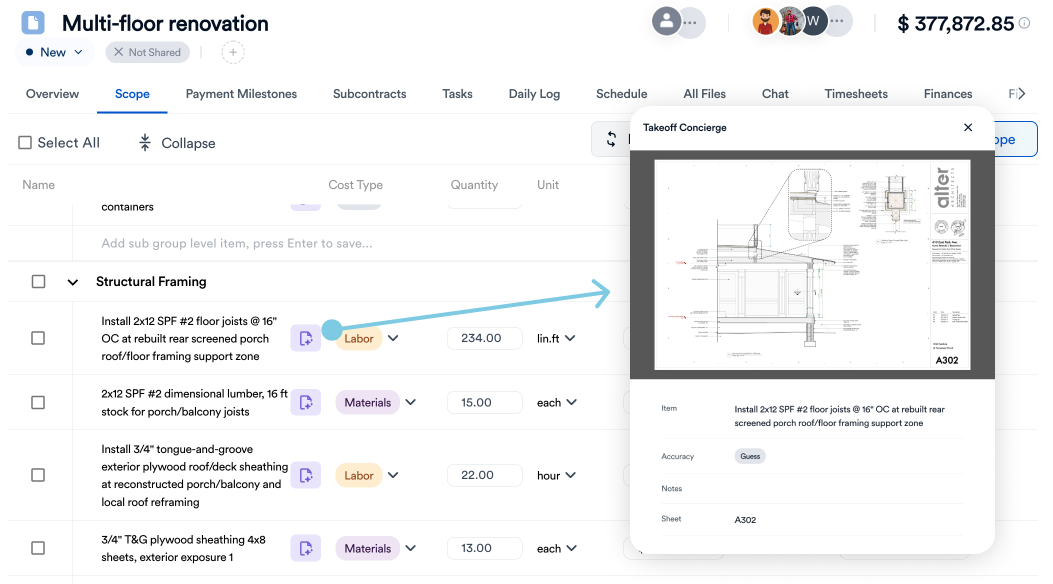
Eano Pro combines an AI estimate generator, AI takeoff from plans, and the option to build an estimate from a walkthrough video, then carries the estimate into proposals, e-signature, scheduling, budgets and change orders. It also drafts estimates across languages for bilingual crews (multilingual AI estimating). Best for: remodelers and residential GCs who want one system after the sale too. Less suited to: large commercial bid teams who only need high-volume takeoff.

AI takeoff specialists (for example Togal.AI and STACK)
These tools focus on measuring plan sets quickly and are popular with commercial estimators and trade contractors who bid from drawings. Best for: plan-heavy bid work. Trade-off: pricing, proposals and job management usually happen in other software. See our Togal AI alternatives comparison for more detail.
AI-first residential estimating tools (for example Handoff)
These are built around generating residential estimates with AI, aimed at smaller remodelers. Compare how far each one goes past the estimate itself. Our Eano Pro vs. Handoff breakdown covers the differences.
Residential estimating and job management platforms (for example Buildxact)
These are established residential estimating platforms with cost libraries and job management. Check how much of the estimate is AI-drafted versus built from templates, and run the same three-job test.
General AI chatbots
ChatGPT and similar tools can help you write scope language, but they don't know your costs, they don't keep a cost library, and they don't produce a priced, signable estimate. See ChatGPT vs. an AI estimate generator. If budget is the main constraint, start with our guide to free AI estimating tools.
Tool types compared at a glance
If you are weighing a general chatbot against a purpose-built tool, our comparison of ChatGPT vs. an AI estimate generator walks through the differences on a real scope.
What Eano Pro customers report
These are self-reported results from Eano Pro customers, quoted from their published stories. They aren't independent benchmarks, but they show what changes day to day when estimating moves to AI.
“After your initial setup, it takes probably about 10–15 minutes. The estimate writes itself essentially, and you just go in there and make sure that all the numbers match.” — Rigo Lopez Reyes, California Pro General Building (Eano Pro customer), whose whole-house estimates "could easily take a couple of hours" before
“What used to take around an hour now takes about 10 minutes.” — Chris Singh, Creative Construction 360 (Eano Pro customer)
“Eano cut our estimating time by about 50% because of the AI.” — In Him Construction (Eano Pro customer)
“I was spending five to ten hours on a single proposal.” — Jason Correia, Level X Flooring (Eano Pro customer), describing his workflow before switching
For new contractors, the biggest benefit is structure. Esteban Saavedra of SAA Construction Corp. built 50+ opportunities, 40+ estimated projects, seven figures in estimate value and 10+ signed projects in his first 12 weeks on Eano Pro. He describes the AI this way: "I can just speak to it, tell it what I need. And it will question me — like, are you sure you want to use this? What finish level?"

Chris Singh of Creative Construction 360, who runs several residential crews, describes the change this way: “It’s the fastest estimating system I’ve ever used. What used to take around an hour now takes about 10 minutes.” Bill Truong of Driven Construction leans on templates: “About 75–85% of our jobs can run off templates we’ve built in the system — it’s made the quoting process much faster and more professional.”
Customers are also candid that AI drafts need review. Dror Iakob of Good Guys Pools says: “I do use the AI estimation mainly to build the projects.” He adds: “After that, I do need to adjust the prices in a lot of cases. Some are perfectly fine, correct.” That is the right expectation for any tool on this list.
Accuracy: where AI estimates still need a human
AI is good at counting, measuring, remembering line items you forget, and formatting. It is weaker on things it can't see: hidden conditions behind walls, access and staging, local pricing quirks, and what the homeowner actually meant. We cover the failure modes in detail in where AI estimating still gets it wrong. In practice:
- Always walk the job or review photos for existing conditions before you send a price.
- Price with your own numbers. Load your labor rates, supplier pricing and markup, and treat AI pricing as a starting point.
- Read every line once. The time saved should go into review, not disappear.
Pre-send review checklist
- Quantities match the plans or your field measurements (spot-check the three largest lines).
- Labor rates are your loaded rates, not a national default.
- Markup and overhead are applied the way you price, and only once.
- Allowances (tile, fixtures, appliances) are named and priced.
- Disposal, protection, permits and cleanup are included.
- Exclusions and assumptions are written into the proposal.
- Total is compared with a similar past job, and any gap over about 10% is explained.
Which tool fits which contractor
- Remodelers without plans: prioritize photo, voice and walkthrough-video inputs, good/better/best options, and e-signature.
- Residential GCs: prioritize plan takeoff plus the estimate-to-budget handoff, sub bids and change orders.
- Specialty trades: prioritize assemblies (one click adds the materials and labor for a whole unit), unit pricing, and fast takeoff on plan sets.
- High-volume commercial bidders: a dedicated takeoff specialist may fit better than an all-in-one residential platform.
Questions to ask in every demo
- Can I upload my own cost items, labor rates and markup, and will the AI use them before any built-in database?
- Which inputs does it accept: plans, photos, video, voice, typed scope?
- Can I see where each quantity came from?
- What happens after the client says yes? Does the estimate become a contract, schedule, budget and change-order baseline without retyping?
- How does it handle a second language on the crew or with clients?
- Is AI usage metered (credits or limits), and what does an extra estimate cost?
- Can I export my data if I leave?
Rolling out AI estimating in your first 30 days
- Week 1: load your cost items, labor rates, markup and two or three templates for your most common jobs.
- Week 2: re-estimate three finished jobs where you know the actual cost. Note every correction.
- Week 3: run live estimates in parallel with your old method. Send the one you trust.
- Week 4: switch new estimates to the tool, keep the pre-send checklist, and review win rate and edit count at the end of the month.
For a deeper look at building templates that make AI drafts accurate, see how an estimating template organizes costs, labor and profit.
How to compare pricing
Compare total cost per estimator per year, what's included (takeoff, proposals, e-sign, CRM, job costing), and what each tool replaces. Adoption matters more than the feature list: in a December 2025 Dodge Construction Network brief, "87% expect transformation, yet only 19% have adapted workflows" (Dodge, AI for Contractors; co-produced with CMiC, a software vendor). Pick the tool your team will actually use every day.
The return usually comes from time saved. Demetrio Luna of DL Construction, an Eano Pro customer who cut estimating time by 50%, puts it simply: "The system pays for itself in the time it saves." See current plans on our pricing page.
Bottom line
Shortlist two or three tools, run the same three real jobs through each, and score them on draft time, edits needed, pricing control and what happens after the sale. If you want to see how Eano Pro handles your jobs, run your next estimate through Eano Pro AI Estimate. Upload plans, photos or a walkthrough video and check the result against your own numbers.
.png)