
AI Takeoff vs. AI Estimating vs. AI Construction Management: What’s the Difference?
AI takeoff, AI estimating, and AI construction management solve different parts of a contractor’s workflow. AI takeoff extracts quantities from plans. AI estimating turns quantities, scope, labor, materials, and pricing inputs into an estimate. AI construction management connects those preconstruction activities with proposals, scheduling, project execution, cost tracking, and other operational workflows.
The practical difference is less about which technology is more advanced and more about where your current bottleneck occurs and what must happen to the information afterward.
AI Takeoff vs. AI Estimating vs. Construction Management at a Glance
A typical residential project moves through a chain similar to:
Lead → Plans and scope → Takeoff → Estimate → Proposal → Awarded project → Schedule → Production → Job costing → Closeout
Takeoff and estimating occupy specific parts of that chain. Construction management software covers a broader portion of it.
The distinction matters because improving one step does not necessarily improve the entire process. A GC can generate quantities quickly and still lose time rebuilding those quantities into an estimate, converting the estimate into a customer proposal, or recreating the job budget after the contract is signed.
AI Takeoff Answers the Quantity Question
AI construction takeoff uses artificial intelligence to identify, count, or measure components shown on construction drawings.
For a residential project, that might include flooring area, countertop lengths, doors and windows, wall surfaces, fixtures, or other measurable plan elements. The resulting quantities become inputs for estimating.
Suppose the plans show 1,250 square feet of flooring. That quantity is useful, but it is not yet a bid. Someone still needs to determine the appropriate material, labor requirements, waste assumptions, subcontractor costs, overhead, markup, and other project-specific costs.
This is where the boundary between takeoff and estimating becomes important.
For contractors whose biggest preconstruction bottleneck is manually tracing drawings, counting components, or transferring plan measurements into spreadsheets, AI takeoff can target that specific workload.
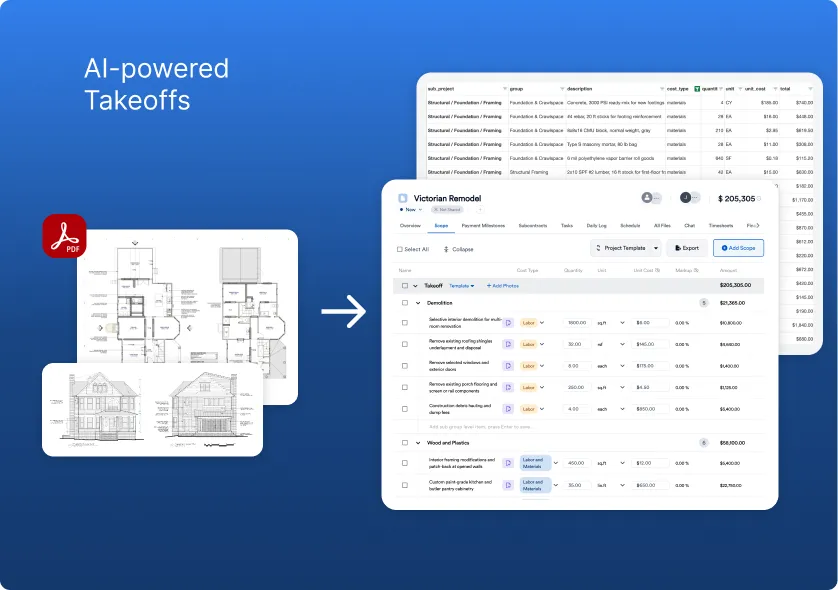
Eano’s AI takeoff workflow, for example, accepts drawings and plans and uses them to produce itemized estimating information. Eano’s current product page states that most itemized estimates from its plan-upload workflow are ready within 15 minutes. That is an Eano first-party product claim rather than an independent industry benchmark.
AI Estimating Turns Scope Into a Price
Estimating starts where quantity extraction leaves off.
An estimator has to translate the project scope into a financially usable estimate by considering materials, labor, equipment, subcontractors, assemblies, waste, overhead, markup, and project-specific assumptions.
Using the flooring example, the workflow becomes more like:
1,250 sq. ft. flooring quantity → material and labor requirements → unit costs → waste and related scope → overhead and markup → customer price
AI estimating can assist with parts of that process, but the estimator still needs to review what the system produces. Plans can be incomplete. A drawing revision can change quantities. Existing conditions may not appear on the plans. A line item can be technically correct while failing to account for how the contractor actually intends to build the job.
That makes AI-generated estimates a working starting point rather than an automatic substitute for estimating judgment.
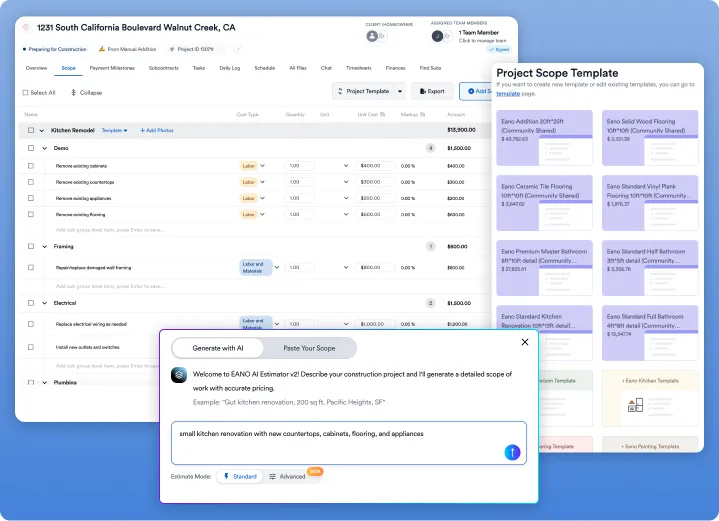
Eano’s AI estimating software supports estimate generation from project information and plan uploads. Its broader platform also allows estimates to sit within the same workflow as proposals and project management rather than ending as an isolated preconstruction document.
The Bigger Problem Is Often the Handoff
For many contractors, the important question is not whether takeoff or estimating is faster in isolation. It is how many times the same project information has to be recreated before the job is finished.
Consider this workflow:
Plans → Takeoff tool → Estimating spreadsheet → Proposal software → Scheduling system → Project-management tool → Accounting
Each arrow can become a manual handoff.
If quantities have to be copied into an estimating spreadsheet, scope rebuilt inside a proposal, and budget information entered again after the project is awarded, the business has accelerated one activity while leaving the rest of the workflow fragmented.
Information handoff is not merely a software concern. The National Institute of Standards and Technology’s General Buildings Information Handover Guide discusses the cost and operational consequences of searching for, validating, recreating, and transferring building information when it is not readily available to the people who need it. Although the research covers the broader capital-facilities industry rather than residential contractors specifically, the underlying problem is familiar: information loses value when every stage of a project has to reconstruct what the previous stage already knew.
For a small residential GC, that issue can be especially practical. The estimator, salesperson, project coordinator, and owner may be the same person. Re-entering information is not merely an inconvenience; it takes time away from selling work, coordinating subcontractors, reviewing jobs, and dealing with customers.
Where Construction Management Software Changes the Equation
Construction management software addresses a broader operational problem than either takeoff or estimating alone.
Instead of asking only how drawings become quantities or quantities become prices, it considers what happens when an estimate becomes a real project.
An integrated workflow might look like:
Lead → estimate → proposal → signed job → project budget → schedule → field activity → changes → costs → payments
The value is continuity.
When the approved estimate can remain useful during project execution, the PM has a reference point for the original scope and budget. When a scope change occurs, the team can understand it in relation to what was originally estimated. When actual costs begin arriving, the contractor has something meaningful to compare them against.
This is why AI takeoff and AI estimating should not automatically be treated as alternatives to construction management software. They can instead function as capabilities inside a broader construction-management system.
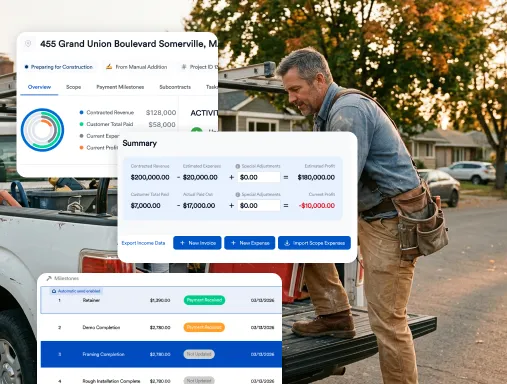
Eano takes this approach. Its current residential construction management platform connects estimating with CRM, proposals, contracts, scheduling, project activity, cost tracking, invoicing, and payment milestones. The site also describes workflows for turning project scope into scheduled tasks and tracking expenses against projects.
Choosing Software Based on the Actual Bottleneck
The best place to start is not a feature checklist. Follow one recently completed project from lead to closeout and identify where your team spent time recreating, checking, or chasing information.
If the estimator spends hours tracing drawings and counting the same types of plan elements repeatedly, takeoff is probably the first workflow to investigate.
If quantities are already available but pricing a job requires extensive spreadsheet work, repetitive line-item creation, or repeated estimate revisions, estimating deserves more attention.
The problem is broader when the estimate itself is reasonably efficient but everything after it becomes disconnected. If staff recreate scope for proposals, manually build schedules after award, search for the original estimate when reviewing a change order, or maintain separate project-cost spreadsheets, the bottleneck has moved beyond estimating.
That is when construction management software becomes the more relevant category.
The scale of construction operations also makes administrative efficiency consequential. According to the U.S. Bureau of Labor Statistics’ August 2026 employment data, residential building construction employed about 924,000 people, while residential specialty trade contractors employed about 2.35 million. These figures are not a measure of software adoption, but they illustrate the size of the workforce involved in coordinating residential construction work. For an individual GC, the technology question is therefore not simply how quickly AI performs a measurement; it is whether the resulting information remains usable as the project moves from estimating into production.
What to Test Before Choosing an AI Construction Platform
A product demo should follow a project through the workflow rather than focusing only on the most impressive AI output.
Start with a real drawing set and see what the software detects. Check quantities that materially affect your price. Then follow those quantities into the estimate.
Once the estimate is complete, keep going.
Can the estimator adjust assumptions, labor, costs, and markup? Can the estimate become a client-ready proposal without being rebuilt? If the customer approves it, what information carries into the project? Can the original scope or budget still be referenced when the PM is reviewing costs or a change?
Also test revisions. Residential jobs rarely remain exactly as they were first drawn or discussed. A useful system should allow a human to review and correct AI output rather than treating it as unquestionable.
Integration matters when an all-in-one platform is not realistic for your business. In that case, evaluate whether data can move between systems cleanly through integrations, APIs, or usable exports. The goal is not necessarily to own fewer applications; it is to reduce unnecessary duplication between them.
What Eano’s First-Party Evidence Shows
Eano’s current site states that 20,000+ general contractors use Eano Pro. Its AI takeoff and estimating pages also publish several contractor profiles, including customers described as having hundreds or thousands of completed projects.
One customer quote on Eano’s homepage is more useful for this particular comparison because it addresses the operational problem directly. Mark Kullberg of Gordon A. Kullberg, Inc. says the platform “probably saves me 15 or more hours per estimate.”
That should not be interpreted as a universal time-saving benchmark. It is one customer’s reported experience. What makes the example relevant is the workflow behind it: Eano allows project information to begin with plans, prompts, spreadsheets, PDFs, emails, or other project files and then carries estimating information into downstream construction-management processes.
For another GC evaluating the same technology, the useful question is therefore not whether they will also save 15 hours. It is which manual steps in their own estimating and project handoff could disappear if the information stayed connected.
AI Takeoff vs. AI Estimating vs. AI Construction Management: The Decision
AI takeoff is the narrower tool: use it when extracting quantities from drawings is the primary constraint.
AI estimating goes further by turning scope and quantities into a priced estimate. It becomes relevant when building, adjusting, and preparing estimates consumes more time than measuring the plans themselves.
Construction management software addresses the larger workflow when the problem is no longer confined to preconstruction. It connects information created during sales and estimating with proposals, schedules, project execution, cost tracking, and other parts of the business.
For residential GCs evaluating AI, that distinction is more useful than asking which category is “better.” Trace the information through an actual job and identify where it stops flowing.
That is usually where the real software problem begins.