
AI Estimate Generator for Construction: 3 Ways to Get a Usable Estimate in Minutes
An AI estimate generator for construction is software that turns the information you already have (a project description, a recorded site walkthrough, or a set of plans) into a line-item draft estimate with scope, tasks, materials, labor, and pricing that you review and send. The best ones don't replace your judgment. They replace the blank spreadsheet, so you start every estimate from a structured draft instead of from scratch.
That distinction matters because "AI estimate generator" gets used for very different tools. Some just format a quote template. Some are general chatbots. And some are built for construction, with takeoffs, cost templates, and a path to a signed proposal. This guide explains the difference and the three practical ways contractors use AI to generate estimates today.
Key takeaways
- An AI estimate is only as good as its input. The three that work best are a description or existing files, a site walkthrough video, and PDF plans.
- Construction-specific generators build scope and quantities; generic "free estimate generators" mostly format documents.
- Treat every AI estimate as a first draft. Review quantities, pricing, exclusions, and allowances before sending.
- The biggest payoff comes when the estimate flows straight into a proposal and project, without re-entry.
What an AI Estimate Generator Actually Does
Under the hood, a construction AI estimate generator follows the same steps an experienced estimator does, just faster:
- Captures the job: reads a description, files, a walkthrough, or plans.
- Builds the scope: breaks the project into phases and tasks, such as demo, rough-in, install, and finish.
- Generates line items: lists the materials, labor, and subcontracted work for each task.
- Applies quantities and pricing: from measurements, takeoffs, or your saved templates and markup.
- Hands you a draft: you adjust, add, or remove items, then send it as a quote or proposal.
Construction AI Generators vs. Free Template Tools vs. Chatbots
If you search for an AI estimate generator, you'll find three very different kinds of tools:
| Tool type | What it does well | Where it falls short |
|---|---|---|
| Free estimate template generators | Produce a clean, branded quote document quickly | No construction scope, quantities, or cost logic; you still supply every number |
| General AI chatbots | Brainstorm scope, draft descriptions, explain line items | No access to your cost templates, no measured takeoff, and no link to proposals or projects |
| Construction AI estimate generators | Build scope and line items from job inputs, use your templates and markup, and turn into a proposal | Still need your review; quality depends on the input you give it |
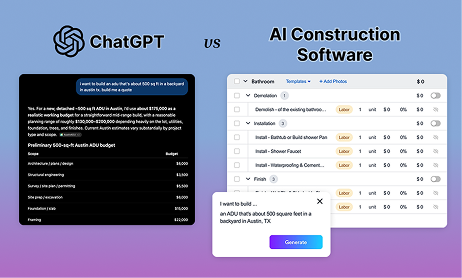
We compare the chatbot option in more detail in ChatGPT vs. an AI estimate generator for construction.
3 Ways to Generate a Construction Estimate With AI
1. From a description or your existing files
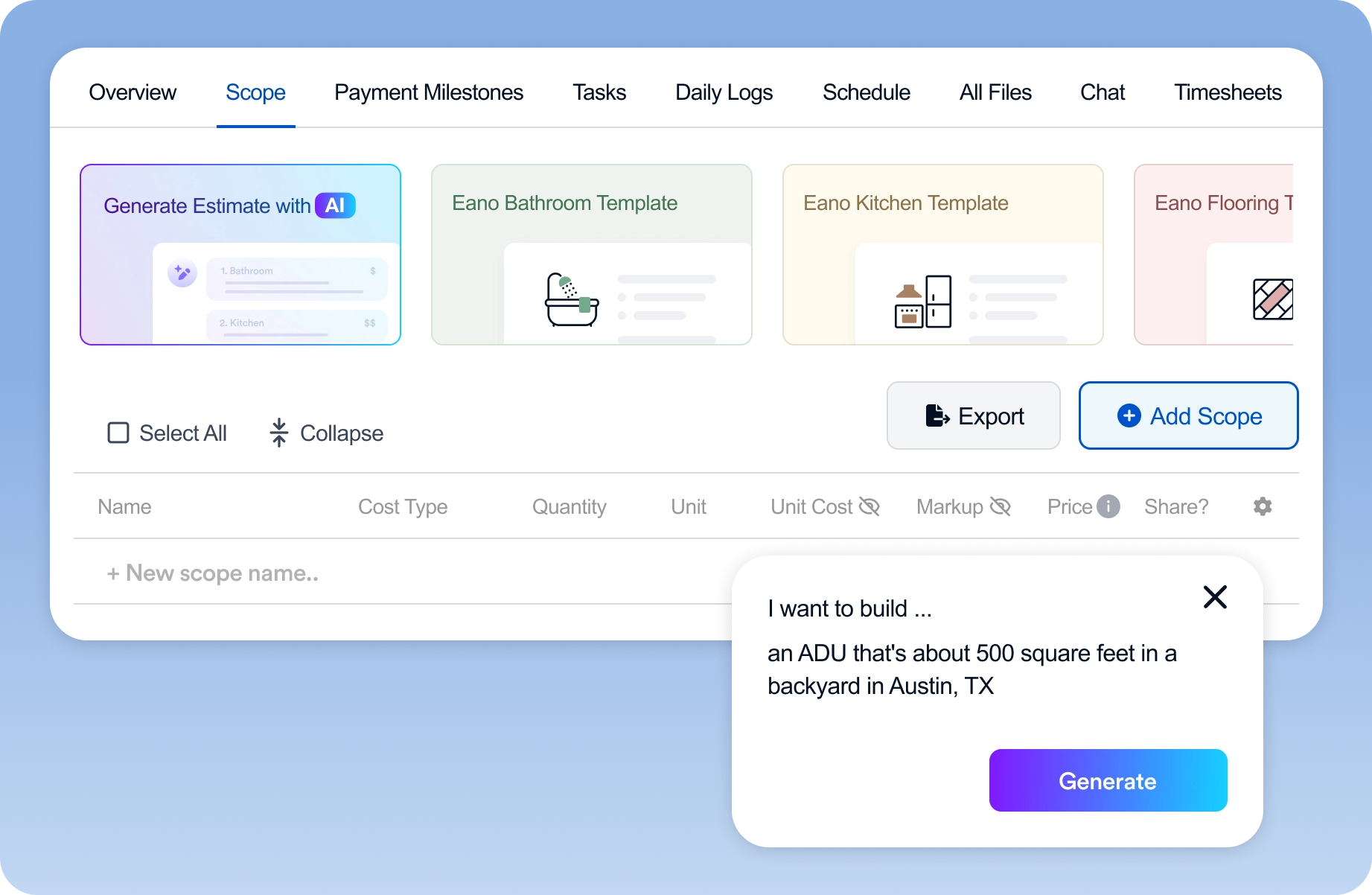
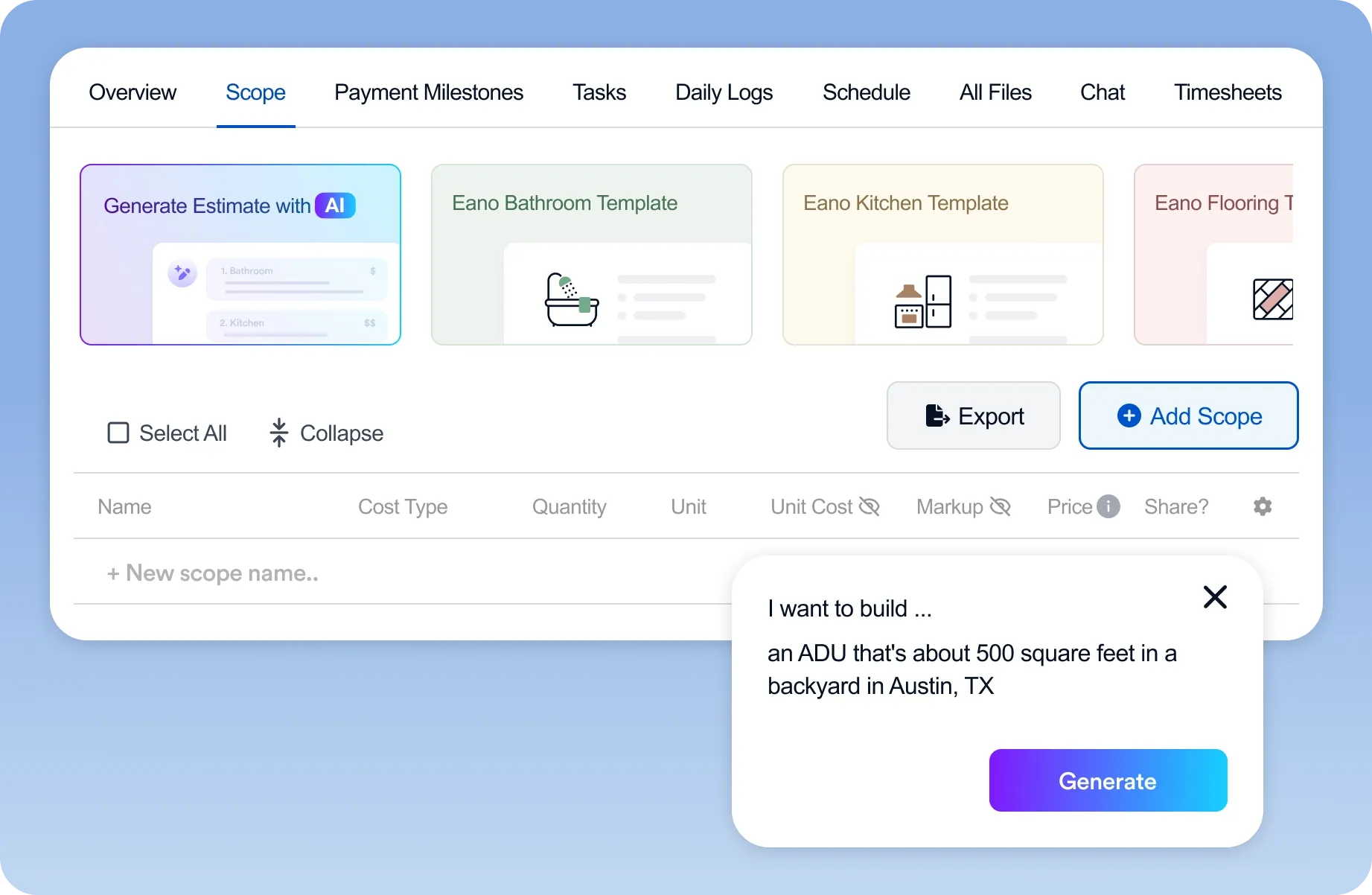
The fastest starting point is simply describing the job. With Eano's AI estimate generator, you describe the project or pick from tested templates, and the AI returns a detailed list of tasks, materials, and labor costs that you can customize before sending.
You can also upload what you already have (spreadsheets, inspection reports, Xactimate files, screenshots, or even handwritten notes) and let the AI turn them into a structured estimate.
Best for: repairs, small remodels, jobs you've done many times, and leads you've scoped over the phone.
2. From a site walkthrough video
Most residential estimates start with a walkthrough, and that's where details get lost. With the AI video estimator, you narrate a walkthrough on your phone, capturing video and photos as you go. The AI turns what you said and showed into a structured scope of work and line-item estimate, often before you leave the driveway.
The process has three steps: record the job site while you walk with the client, let the AI create the scope, then review and update materials, labor costs, and margins.
Best for: remodels, repairs, and additions where you meet the client on site. For tips on turning that walkthrough into a signed job the same day, see our guide to using an AI quote generator for contractors.
3. From PDF plans
When you have drawings, quantities should come from the plans, not from memory. AI takeoff software reads PDF construction drawings (floor plans, elevations, and architectural plan sets), detects elements like walls and openings, extracts quantities, and exports them into your estimate.
Best for: new construction, additions, and larger remodels with architectural plans.
.png)
Here's a short walkthrough of AI takeoffs in Eano Pro:
Which Input Fits Which Job?
| Situation | Start with | Tool |
|---|---|---|
| Repair or small remodel scoped by phone | Description or template | AI estimate |
| Insurance or inspection-driven job | Uploaded report or Xactimate file | AI estimate |
| Remodel with an on-site client meeting | Narrated walkthrough video | AI video estimator |
| New build or addition with drawings | PDF plans | AI takeoff |
| Larger remodel with plans and existing conditions | Plans + walkthrough | AI takeoff + AI video estimator |
The most accurate estimates often combine inputs: plans for measured quantities, and a walkthrough for existing conditions the drawings don't show.
What a Good AI-Generated Estimate Should Include
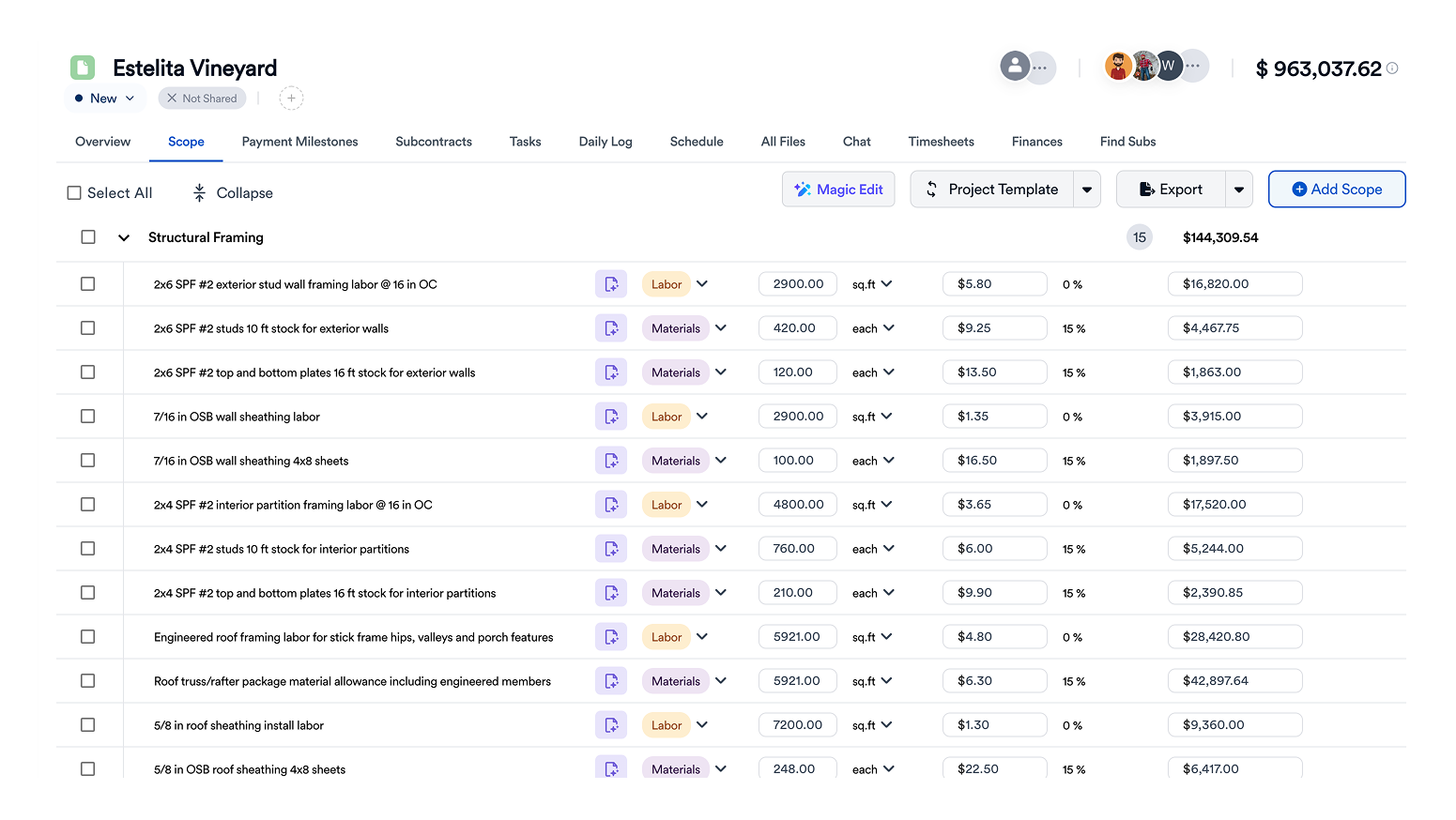
Whatever tool you use, the draft it produces should give you enough structure to review quickly:
- A written scope of work the client can understand
- Phases or categories (demo, framing, plumbing, electrical, finishes)
- Line items separating materials, labor, and subcontracted work
- Quantities and units tied to measurements or takeoffs
- Your markup and margin, not a generic number
- Allowances for selections the client hasn't made yet
- Exclusions and assumptions
Your Review Checklist Before Sending an AI Estimate
AI gets you to a draft fast. You're still the estimator. Before any AI-generated estimate goes to a client, check:
- Quantities: spot-check a few against plans or your own measurements.
- Local pricing: confirm material and labor costs reflect your market and suppliers.
- Site conditions: access, existing damage, code upgrades, and anything the input couldn't show.
- Scope gaps: permits, disposal, protection, cleanup, and punch list.
- Allowances and exclusions: stated clearly, so change orders later are expected, not disputed.
- Margin: make sure the final number reflects your overhead and profit targets.
For a deeper look at where AI estimating is reliable and where it isn't yet, see AI construction estimating software: what it gets right and wrong.
From Generated Estimate to Signed Job
Generating the estimate is only half the value. The rest comes from what happens next: in Eano Pro, the estimate becomes a branded proposal the client can sign online, and the signed scope carries into the project schedule and budget, so nothing is retyped.
Try an AI Estimate Generator on Your Next Job
The best way to judge any AI estimate generator is to run a real job through it. Start with the input you already have:
- A description or files: Eano AI estimating
- A site visit: Eano AI video estimator
- A set of plans: Eano AI takeoff software
Comparing full platforms rather than single tools? See our guide to the best construction management software for general contractors.