
What Is Construction Site Management Software?
Construction projects are full of moving parts. There are schedules to coordinate, crews to manage, materials to track, clients to update, and paperwork that never seems to stop. When even one part slips, the whole job can feel like it is wobbling. That is where construction site management software comes in.
At its simplest, construction site management software is a digital system that helps contractors, builders, and project managers organize daily work from one place. Instead of relying on sticky notes, text threads, scattered spreadsheets, and phone calls, teams can track tasks, updates, documents, and progress in a single platform. For busy contractors, that can mean fewer mistakes and fewer surprises.
If you are trying to figure out what makes the best construction management software, the answer is usually not just one feature. It is the combination of visibility, speed, communication, and control. The best systems make it easier to run jobs without adding more admin work.
And that matters more than ever. According to the U.S. Bureau of Labor Statistics, the construction industry continues to employ millions of workers across the country, which means a lot of coordination across projects, teams, and timelines. In an environment that large, small breakdowns add up fast. Good software helps reduce that friction.
What construction site management software actually does
Construction site management software is designed to help manage the day-to-day realities of a job site. It typically gives contractors tools to:
- Assign and track tasks
- Manage schedules and deadlines
- Share plans, drawings, and documents
- Communicate with crews and clients
- Log progress photos and updates
- Track changes, issues, and approvals
- Keep project information organized in one place
In practice, this means a project manager can see what is happening on a job without having to chase down five different people. A foreman can check the latest schedule instead of guessing. A client can get updates without repeated follow-up calls. The software becomes a central source of truth.
That is the real value. It is not just about technology for technology’s sake. It is about making sure everyone knows what they need to do, when they need to do it, and what comes next.
Why contractors use it
Most contractors do not adopt software because it sounds interesting. They do it because the old way starts to break down as soon as jobs get bigger, crews get busier, or clients expect more transparency. Paper files get lost. Messages get buried. Schedules change and no one is sure who got the memo.
Software helps by creating structure. It gives teams a way to standardize communication, document progress, and keep the job moving. That can be especially helpful for general contractors juggling multiple trades and overlapping deadlines.
It also helps protect margins. Every missed detail costs time, and time costs money. If a material delivery is late, a schedule is not updated, or a client request gets overlooked, the impact can show up quickly in the budget. Construction site management software helps catch those issues sooner.
Features that matter most
Not all platforms are built the same. Some are loaded with features that sound impressive but do little for day-to-day fieldwork. Others are simple and practical, which is often exactly what contractors need. When evaluating software, look for tools that help your team work faster and with less confusion.
Here are a few features that usually matter most:
1. Scheduling tools
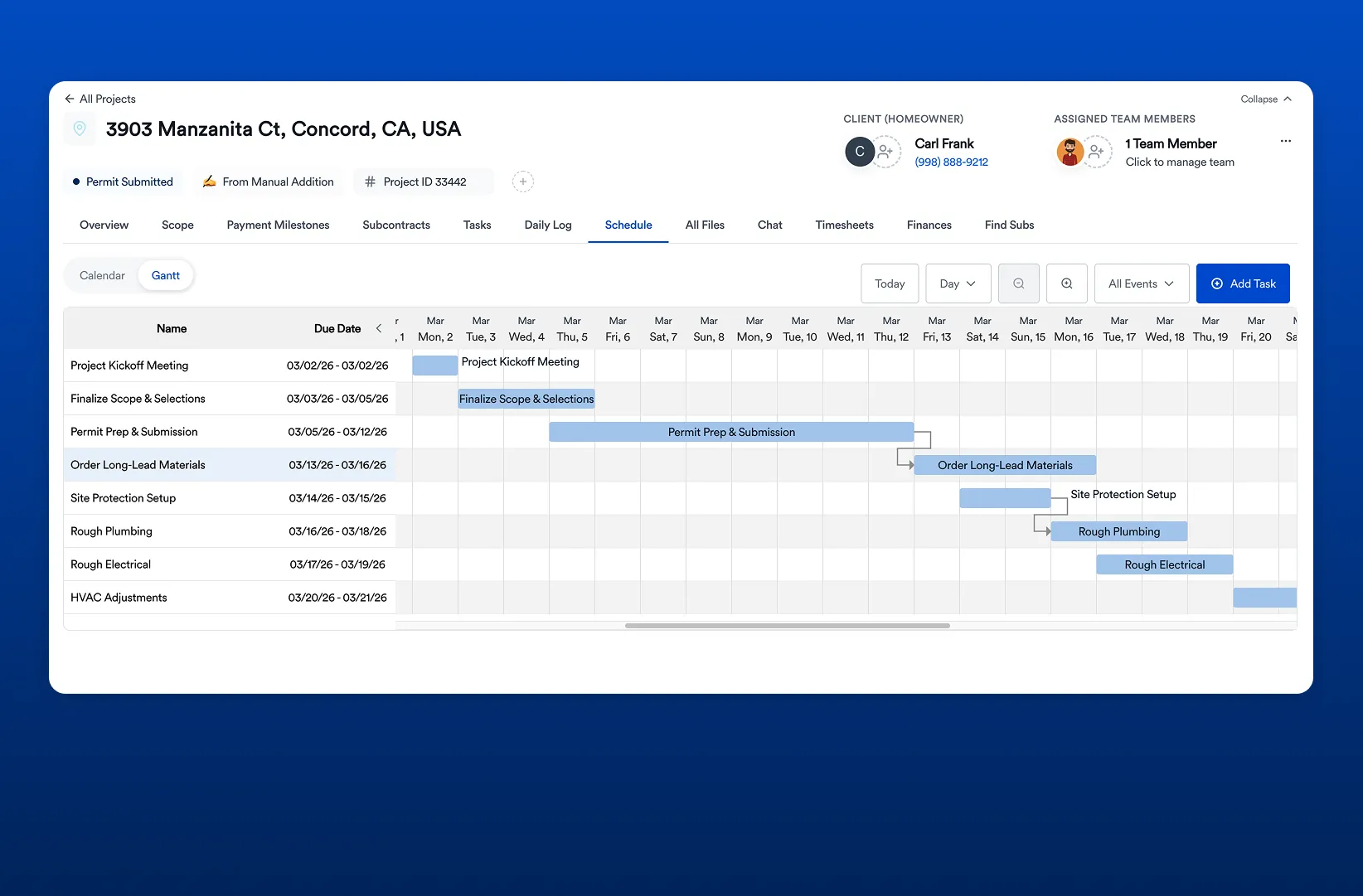
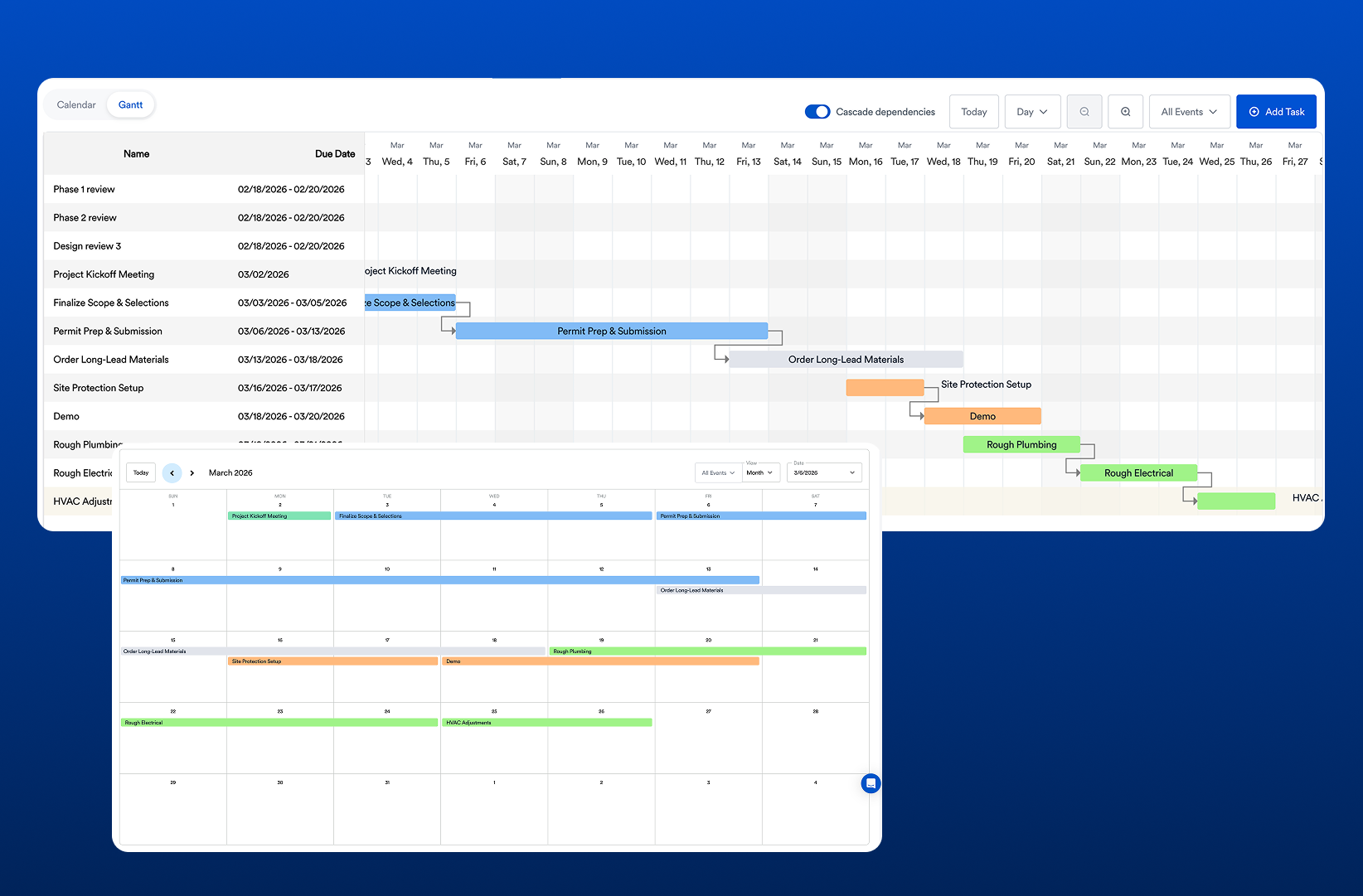
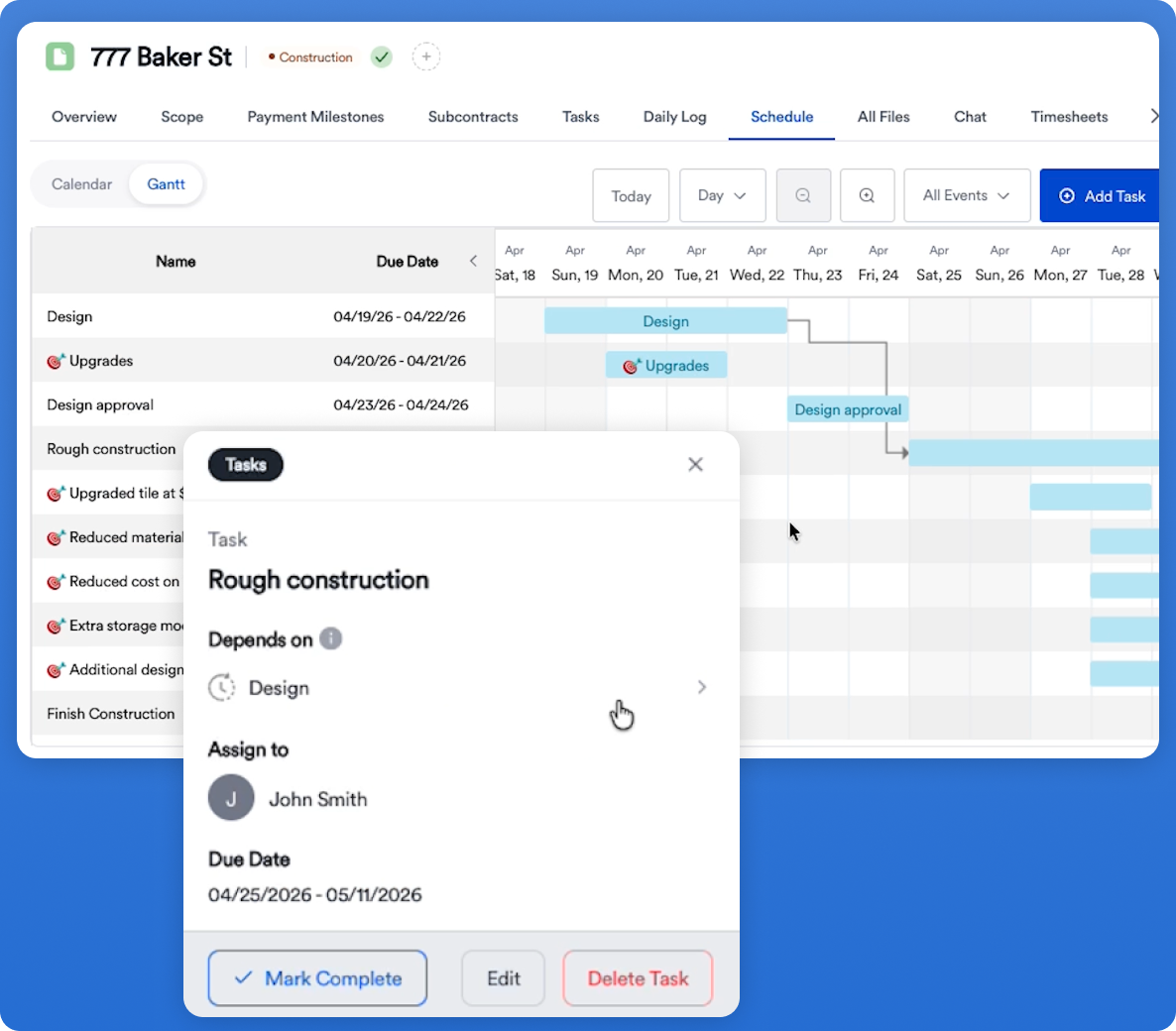
A clear schedule is the backbone of any project. Good software should make it easy to build timelines, adjust deadlines, and see what is coming next. If a change happens, the team should be able to see it quickly.
2. Communication tools
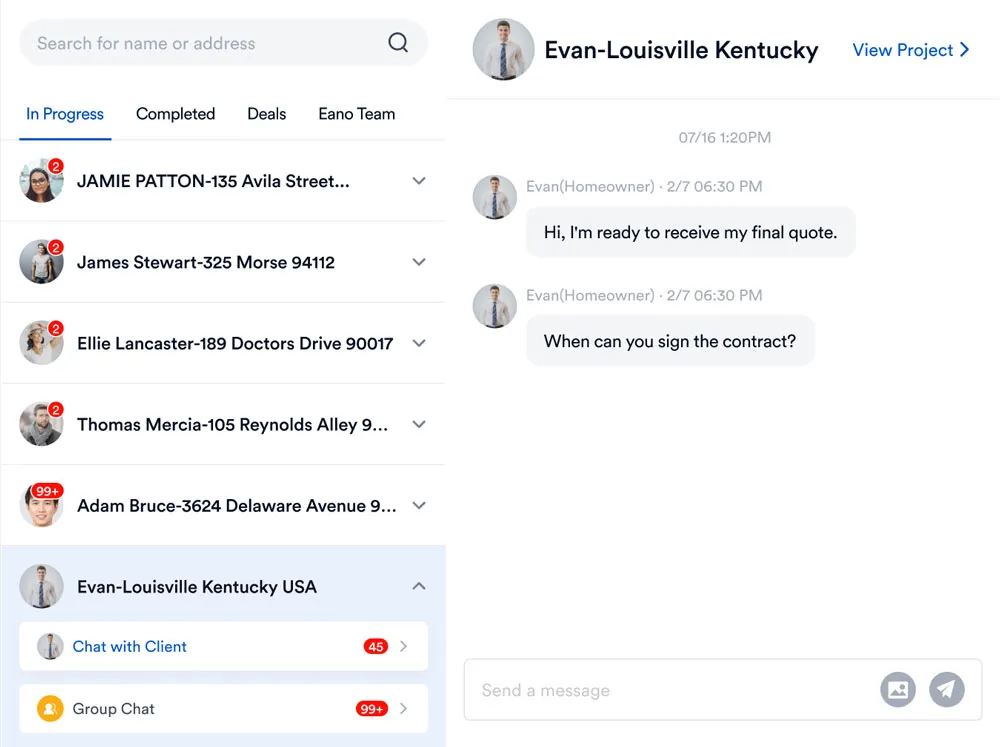
Construction teams need a reliable way to share updates. Whether it is a message, a note, or a status change, communication should stay connected to the project instead of floating around in separate apps.
3. Document management
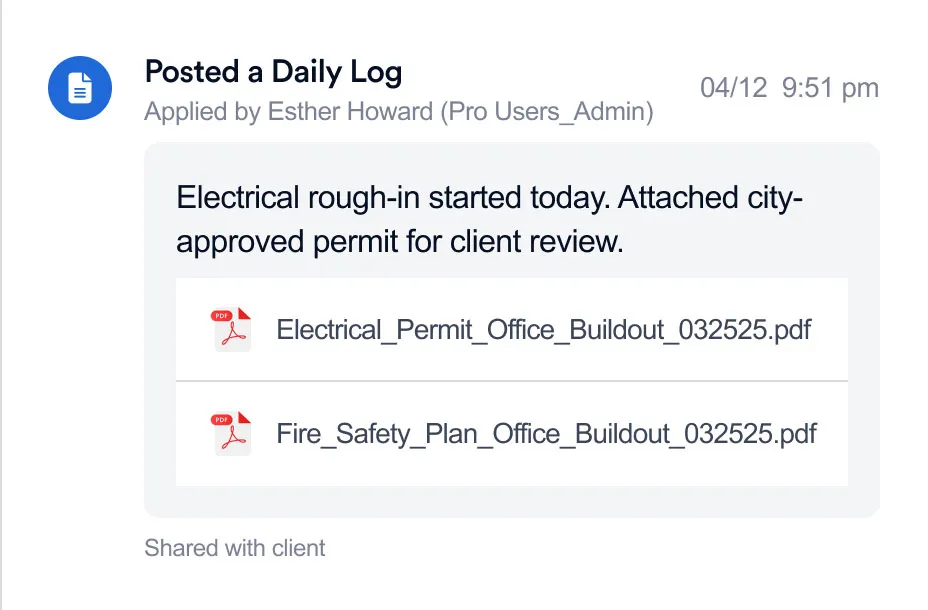
Plans, permits, contracts, and inspection records all need a home. Software that stores documents in an organized way saves time and reduces the chance of working from the wrong version.
4. Progress tracking
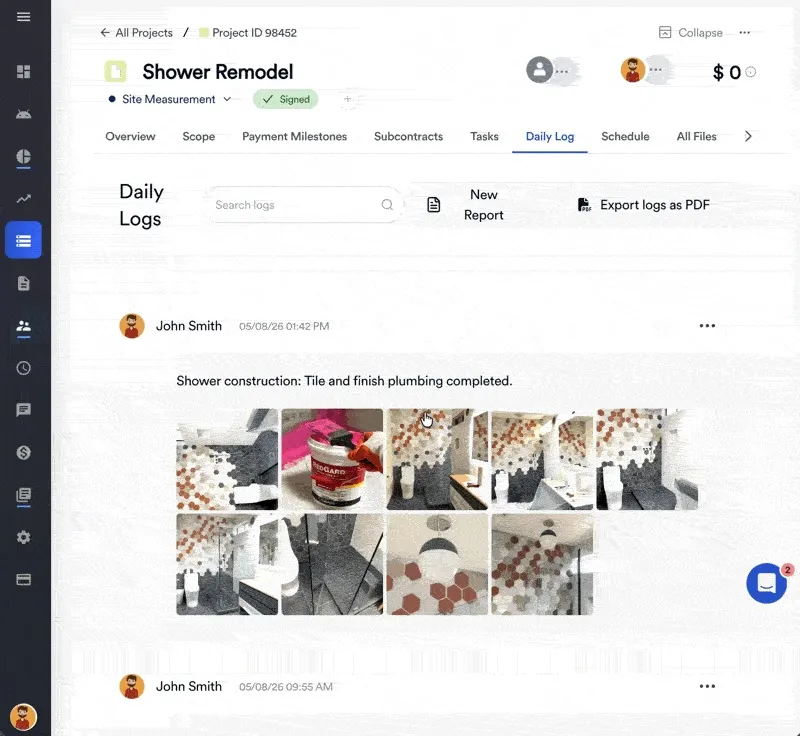
Photos, checklists, and daily logs help teams understand what has been completed and what still needs attention. This can also be helpful for client reporting and internal accountability.
5. Mobile access
Field teams are not always at a desk. Mobile-friendly software makes it easier for crews to update tasks, upload photos, and review details from the job site.
How it supports better project outcomes
One of the biggest benefits of construction site management software is that it reduces uncertainty. When everyone has the same information, projects tend to move more smoothly. Fewer things fall through the cracks. Decision-making gets easier. Teams spend less time cleaning up avoidable mistakes.
That can lead to stronger outcomes in several ways:
- Faster communication between office and field
- Better visibility into job progress
- More consistent client updates
- Less rework caused by missed information
- Improved accountability across teams
For contractors, these improvements do more than save time. They can improve reputation. Clients notice when a job feels organized. Crews notice when the process is clear. And businesses notice when projects finish with fewer headaches.
Where Eano Pro fits in
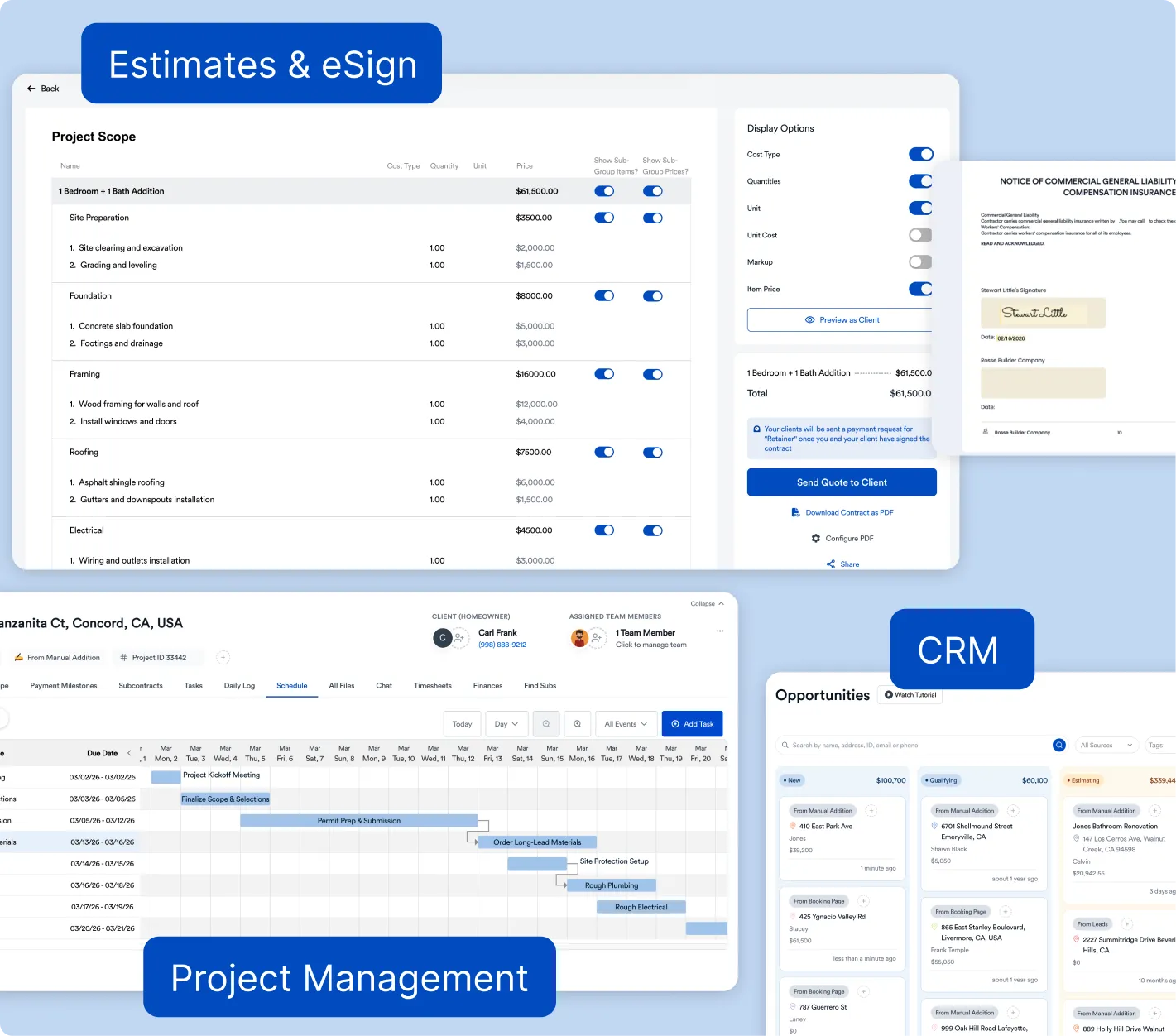
For general contractors who want a more streamlined way to manage projects, Eano Pro is built to help make that possible. It brings structure to the parts of construction that often become messy: communication, scheduling, document sharing, and project coordination.
Instead of jumping between tools, Eano Pro helps contractors keep everything in one place. That can be especially useful for small and growing teams that need a practical system without a steep learning curve. It is designed to help you stay organized, keep projects moving, and spend less time buried in admin work.
That is important because not every contractor needs a massive enterprise platform. Sometimes what a team really needs is a simple, dependable workflow that supports how they already operate. Eano Pro can help bridge that gap by giving general contractors a cleaner way to manage the job from start to finish.
It also supports a more professional client experience. When information is organized and updates are easier to share, clients feel more confident in the process. That confidence can make a real difference, especially on longer or more complex projects.
How to choose the right software
If you are shopping for software, focus less on flashy demos and more on fit. The best platform is the one your team will actually use. A complicated system that nobody adopts is not helpful.
Ask these questions before choosing:
- Is it easy for field and office teams to use?
- Does it help reduce back-and-forth communication?
- Can it organize documents and schedules in one place?
- Will it work well for the size of jobs we handle?
- Does it make reporting and updates simpler?
If the answer to most of those is yes, you are probably looking in the right direction.
If you're ready to compare specific options, see our breakdown of the best construction management software for general contractors.
Final thoughts
Construction site management software is not just another business tool. It is a way to bring order to a job that naturally involves change, pressure, and a lot of coordination. The right system helps contractors stay on top of schedules, communicate clearly, and keep projects moving with fewer interruptions.
For many teams, that is the difference between constantly reacting and actually running the job with confidence. If you are ready to make day-to-day operations simpler, Eano Pro is worth a closer look. It is designed to help general contractors manage projects more efficiently, keep teams aligned, and deliver a smoother experience from the first update to the final walkthrough.