
What Are the Key AI Features in Construction Management Software
Construction has always been a business of coordination. Between estimates, schedules, subcontractors, materials, change orders, and client expectations, there are a lot of moving parts that need to stay aligned. When even one piece slips, the ripple effect can cost time, money, and trust.
That is why artificial intelligence is showing up everywhere in construction software. The best construction management software is no longer just a digital filing cabinet or a place to store project notes. It is becoming a decision-making partner that helps contractors spot issues sooner, work faster, and reduce the kind of daily friction that slows projects down.
For many general contractors, remodelers, and design-build teams, the real value of AI is not flashy automation. It is the practical help that makes each day easier. AI can sort information, predict delays, flag missing documents, and streamline communication so teams spend less time chasing details and more time building.
According to McKinsey’s research on construction productivity, large projects often take 20% longer to finish than scheduled and can run up to 80% over budget. Those are not small misses. They are the kind of overruns that can put pressure on the whole business. AI features are not a magic fix, but they can help reduce the blind spots that lead to those outcomes.
Why AI matters in construction management
Construction is full of information, but not all of it is organized in a way that helps people act quickly. Daily logs, emails, drawings, estimates, photos, permits, and change requests can live in separate places, making it hard to see the full picture.
AI helps by connecting dots. It learns from patterns in project data and uses that information to surface what matters most. That might mean warning you about a likely delay before it happens, suggesting a more realistic schedule, or helping you find the right document in seconds instead of minutes.
The real advantage is that AI removes some of the guesswork. Instead of relying only on gut feel or manual review, teams get software that can process information at scale and bring important items to the front.
Key AI features to look for in construction management software
1. Smart scheduling and timeline prediction
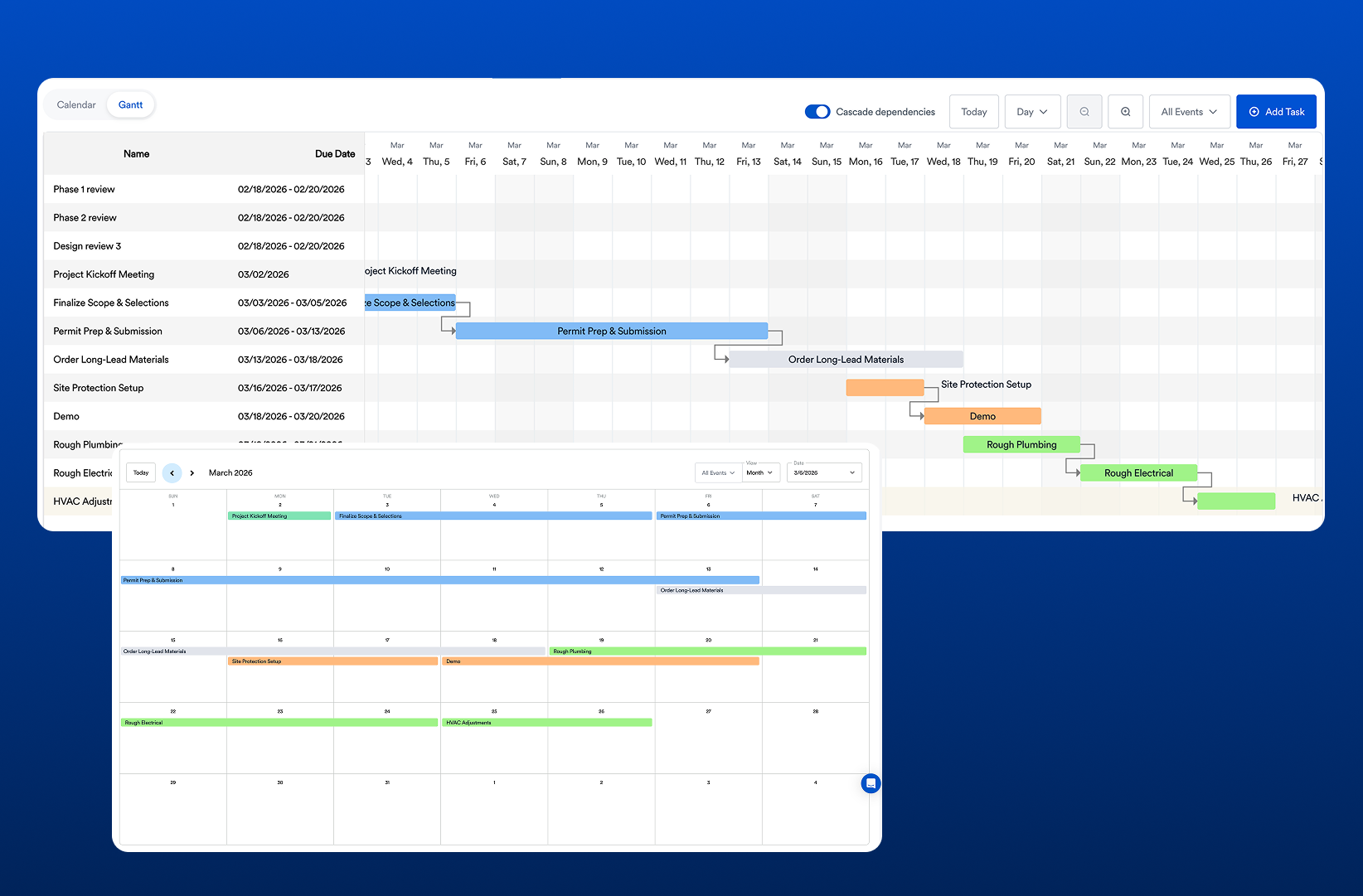
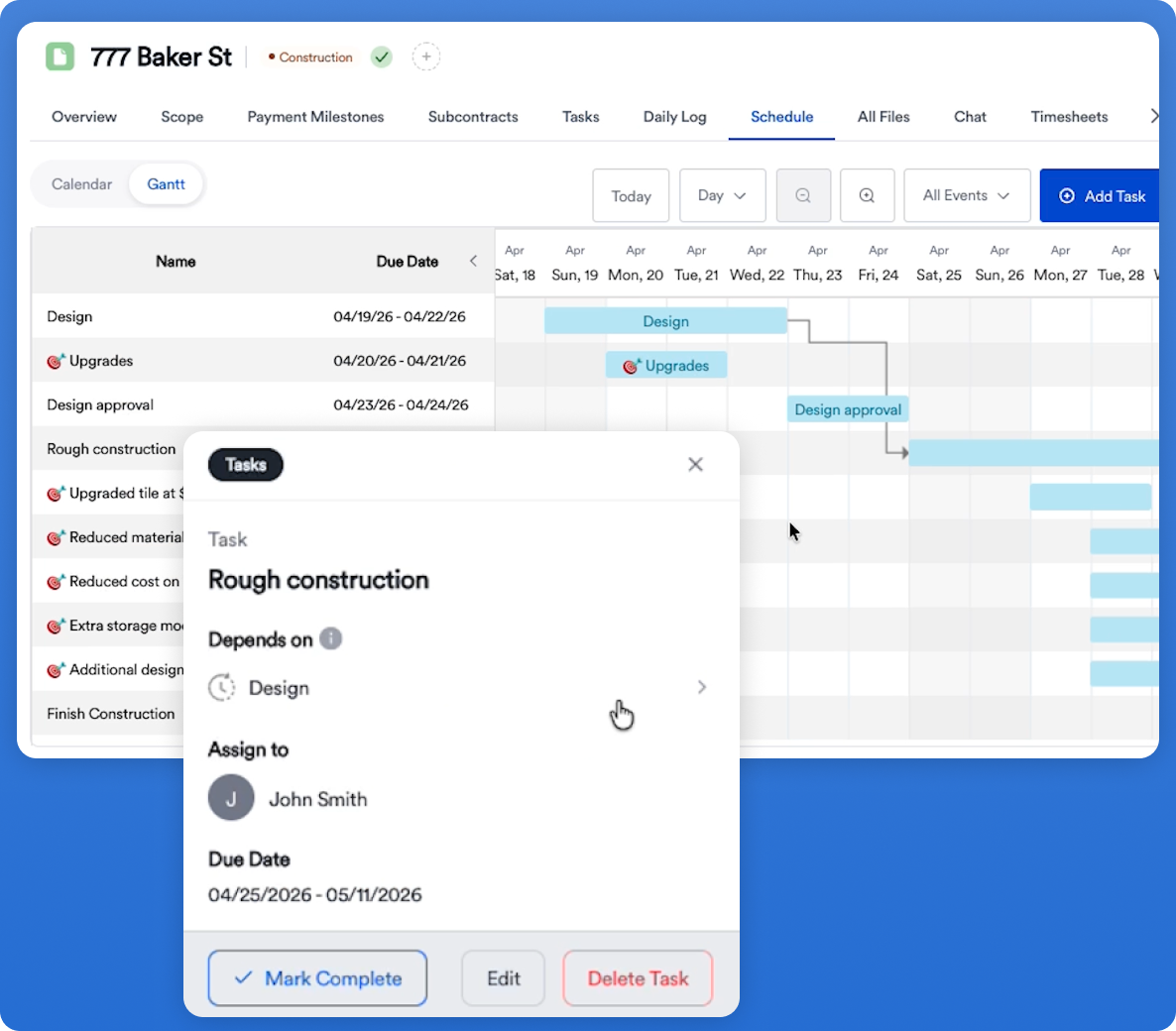
Scheduling is one of the hardest parts of construction. A single delayed delivery or missed inspection can throw an entire sequence off. AI scheduling tools analyze past project patterns, current progress, labor availability, weather trends, and dependencies between tasks to help forecast where delays are likely.
This does not mean the software replaces a project manager. It means the manager gets better visibility. If framing is running late, AI can help show how that affects drywall, inspections, and finishing work. That makes it easier to adjust before a minor issue becomes a major disruption.
For contractors, that kind of foresight can protect margins and improve client communication. It also helps teams set realistic expectations instead of making promises they cannot keep.
2. AI-assisted estimating and takeoff support
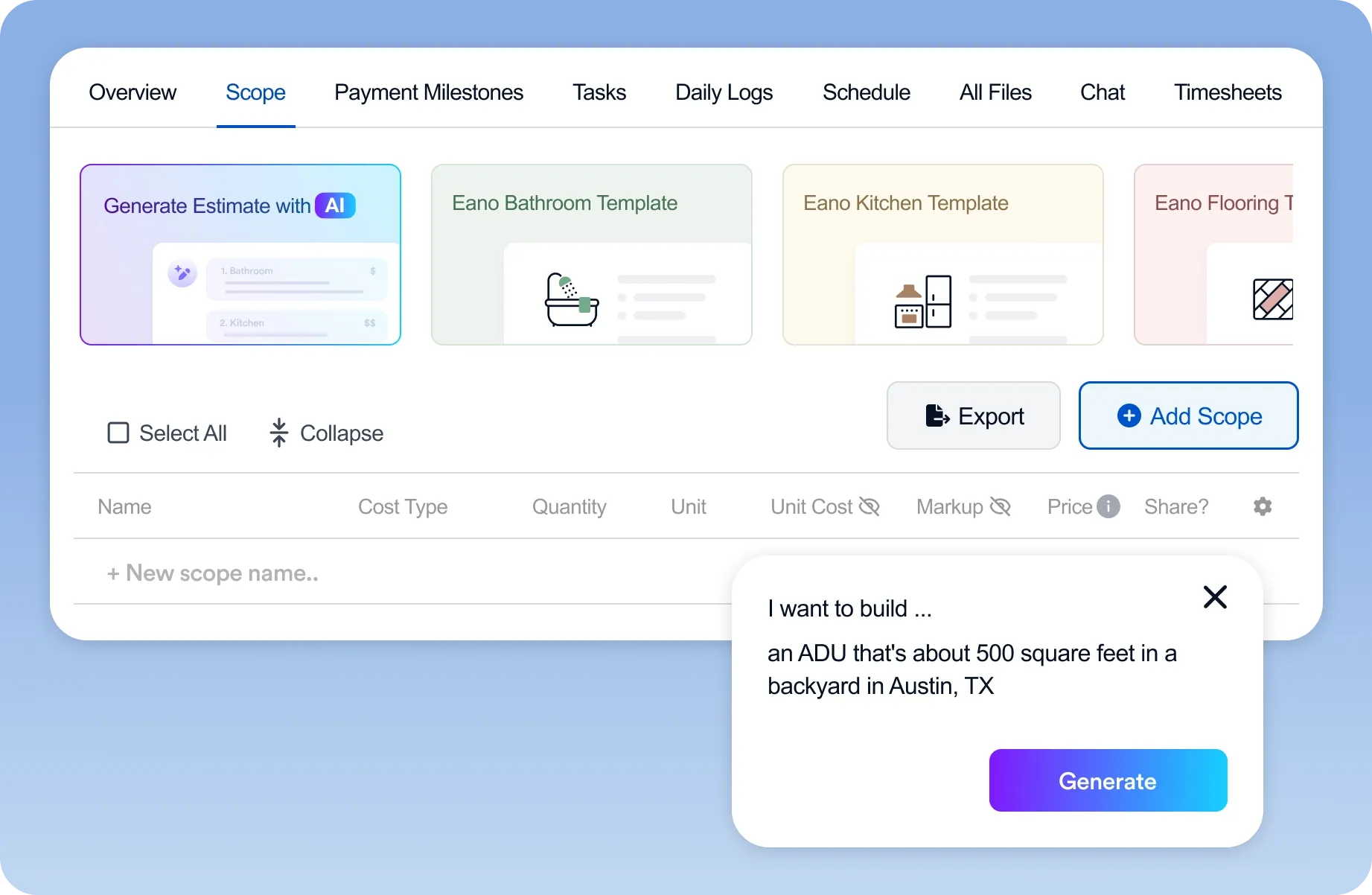
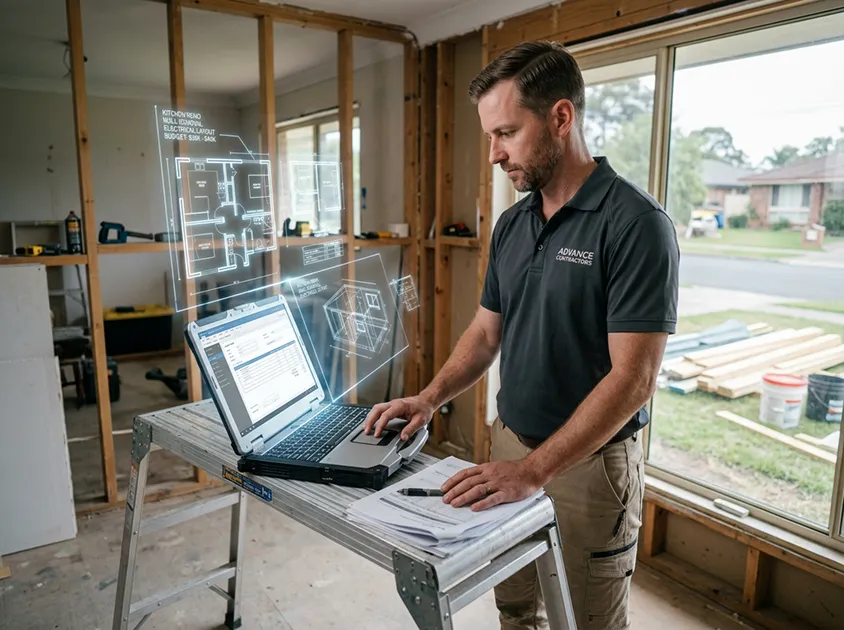
Estimating is another area where AI is making a real difference. Instead of starting from scratch every time, AI can review historical data, identify cost patterns, and suggest more accurate material and labor assumptions.
.webp)
Some platforms also use AI to assist with digital takeoffs by recognizing objects and measurements from plans. That saves time during preconstruction and reduces the chance of overlooked scope items.
Better estimating means fewer surprises later. If your software can help you catch underpriced labor or missing materials early, you are in a stronger position before the job even starts.
3. Document organization and search
Anyone who has spent time hunting through folders for the latest drawing set knows how frustrating document chaos can be. AI-powered search tools help teams find what they need faster by understanding context, not just keywords.
That might mean locating all change orders tied to a specific subcontractor, finding the latest permit update, or pulling up photos from a certain phase of the project. Some systems can even summarize long documents so users do not need to read every line to understand the key points.
This matters because speed is not just convenient in construction. It prevents costly mistakes. Working from the wrong version of a plan can create rework, delays, and confusion on site.
4. Risk detection and issue flagging
One of the most promising uses of AI is risk detection. The software can monitor project data and flag patterns that may indicate trouble, such as repeated schedule slippage, missing approvals, budget creep, or inconsistent field updates.
Instead of waiting until the end of the month to discover a problem, project teams can address it as it develops. That creates a more proactive management style and helps supervisors make faster decisions.
For example, if labor hours are climbing faster than expected on a bathroom remodel, AI can help bring that trend to light early. That gives the team time to review scope, reset expectations, or adjust crew allocation before the issue expands.
5. Automated communication and task follow-up
Construction projects involve constant back-and-forth. Someone needs to confirm an RFI, approve a selection, respond to a client question, or remind a subcontractor about a deadline. AI can help automate those repetitive touches without making communication feel cold or robotic.
Smart notifications can remind team members when action is needed. AI can also summarize conversations so everyone sees the key takeaway without scrolling through a long email thread.
The best systems use automation to support human communication, not replace it. That balance helps keep jobs moving while still preserving the personal touch clients expect from a good contractor.
6. Progress tracking with visual intelligence
Many construction platforms now use photos, site updates, and visual data to help track progress. AI can compare images over time, identify whether work is on track, and help teams document completion more consistently.
This is valuable for both internal coordination and client transparency. When everyone can see progress clearly, there is less room for disagreement about what was completed, what is pending, and what still needs attention.
Visual intelligence also supports better accountability. If a team can review site conditions in a structured way, it becomes easier to keep the project aligned from start to finish.
7. Forecasting and budget intelligence
Forecasting is where AI can quietly save a business a lot of pain. By analyzing project trends, AI can help predict future cost overruns, timeline risks, and resource bottlenecks.
That means project leaders can use current data to make smarter decisions about staffing, purchasing, and cash flow. If a project is trending over budget, software can help identify why earlier in the process instead of after the damage is already done.
Budget intelligence is especially useful for contractors juggling multiple projects at once. It gives owners and managers a clearer view of which jobs are healthy and which ones need attention.
How Eano Pro fits into the picture
Not every contractor needs a giant enterprise platform filled with features they will never use. For many teams, the best solution is software that feels practical, easy to adopt, and built around real project work. That is where Eano Pro stands out.
Eano Pro helps contractors organize projects, manage communication, and keep critical information in one place. It supports the kind of day-to-day workflow that reduces confusion and helps teams stay on top of deadlines, documents, and client updates. For businesses that want the benefits of smarter construction management without the complexity of a bloated system, Eano Pro can be a strong fit.
It is especially useful for teams that value clarity. If your current process depends too much on spreadsheets, email chains, and memory, Eano Pro can bring more structure to the way you manage work. That structure makes it easier to use AI-driven insights effectively because the underlying project information is easier to capture and review.
In other words, good AI works best when the software itself is organized. Eano Pro helps create that foundation.
What AI cannot do well on its own
It is worth being honest about the limits of AI. Construction is not a perfectly predictable environment, and software cannot replace field experience, judgment, or strong leadership.
AI is best at supporting decisions, not making every decision for you. It can highlight a pattern, but a seasoned contractor still has to determine what it means in the real world. Weather, subcontractor performance, client changes, and jobsite conditions all require human judgment.
The smartest teams use AI as an assistant. They rely on it to save time, reduce administrative burden, and improve visibility, but they still keep people at the center of the work.
How to choose the right AI-enabled construction software
If you are comparing options, start by looking at your biggest pain points. Do you lose time on scheduling? Are estimates inconsistent? Are documents hard to find? Do project updates get lost in email?
The best software will solve the problems you feel every week, not just impress you in a demo. Look for tools that are easy for your team to use, support collaboration, and fit the way you already work.
Also consider whether the platform helps you scale. A good system should make small jobs easier and larger jobs more manageable. If the software creates more admin work, it will not last long in the field.
Final thoughts
AI is quickly becoming a practical advantage in construction management software. The most useful features are not abstract or futuristic. They are the ones that help contractors schedule better, estimate more accurately, find information faster, spot risks earlier, and keep everyone aligned.
That is the real promise of AI in construction: not replacing the people doing the work, but giving them better tools to do it well. For contractors who want a simpler, more organized way to manage projects, Eano Pro offers a helpful path forward.
If you are evaluating software now, focus on the tools that save time in the real world. The best platform is the one your team will actually use, trust, and grow with.