
Introducing the Ultimate Project Management Solution
Introducing the Ultimate Project Management Solution
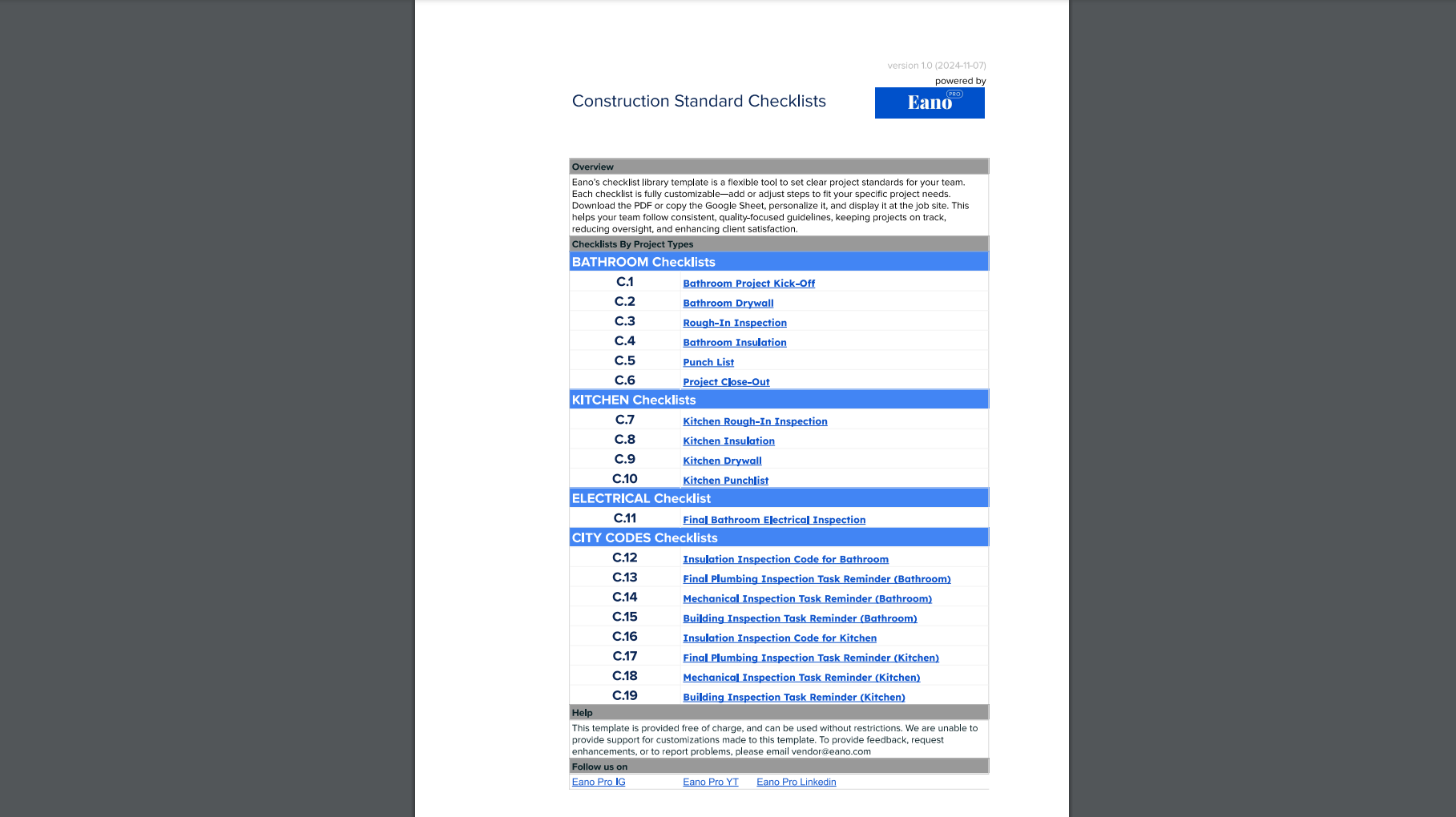
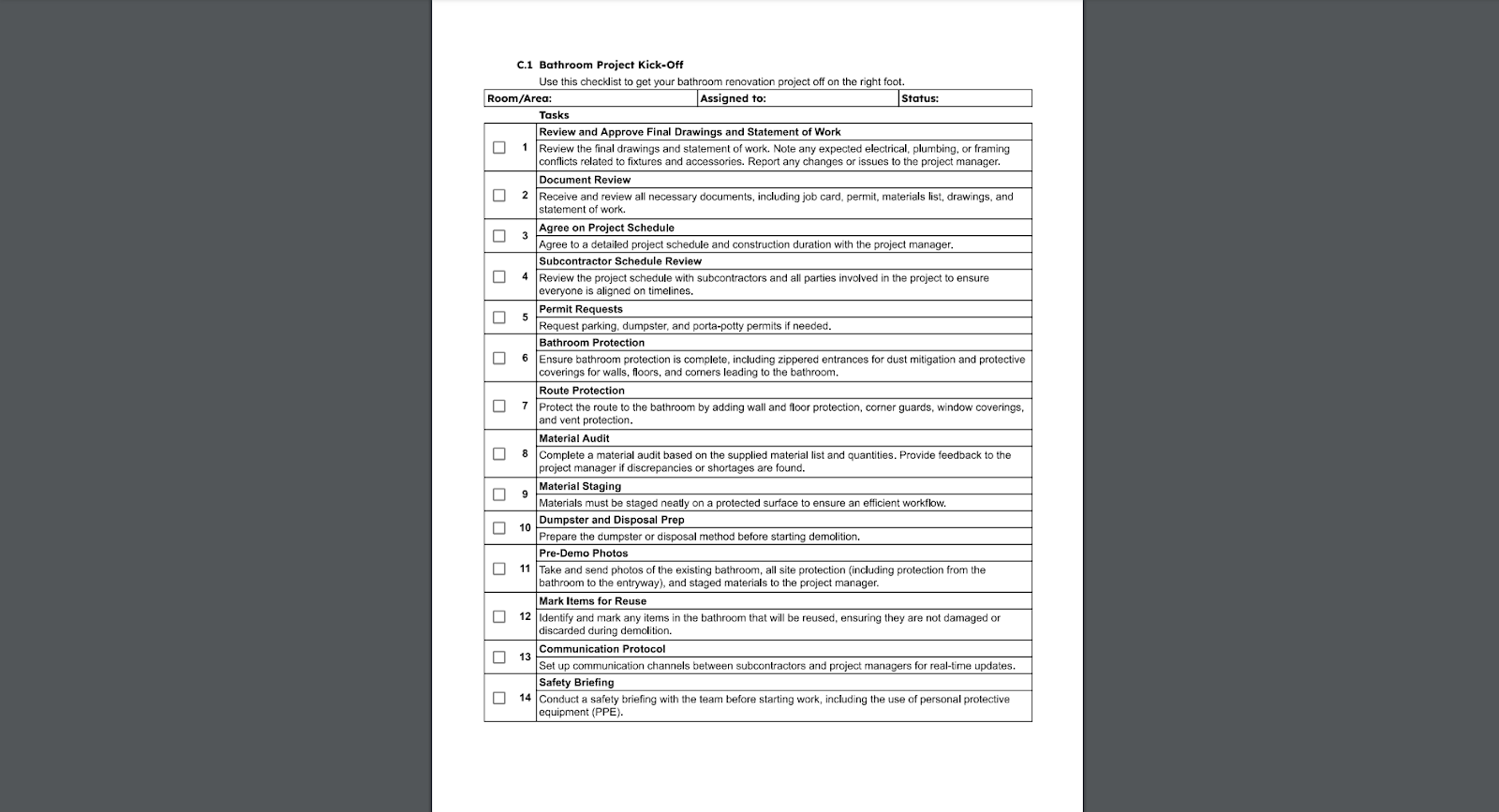
Eano Pro's Project Walkthrough Template is a game-changing resource for general contractors navigating the complex landscape of residential construction projects. This free, downloadable Excel and PDF template provides a comprehensive solution designed to streamline project management from start to finish.
The template offers contractors a powerful toolkit with several key advantages:
- Comprehensive checklists across multiple project categories
- Customizable frameworks for different construction types
- Consistency across projects with the use of a systematic template
What Makes This Template Unique?
Project management in residential construction requires precision, adaptability, and comprehensive oversight. Our template addresses these critical needs by providing a structured approach to project tracking and quality control.
Comprehensive Coverage
The template spans critical project areas, including:
- Bathroom renovations
- Kitchen remodels
- Whole-home builds
- Electrical systems
Each project category is carefully designed to provide contractors with a detailed roadmap of essential tasks and milestones. By breaking down complex projects into manageable components, the template ensures nothing falls through the cracks.
Structured Project Phases
Contractors will appreciate the template's detailed breakdown of project phases:
- Project kick-off
- Drywall installation
- Rough-in inspections
- Final quality control
- City code verification
How to Use the Template?
Implementing the Eano Pro Project Walkthrough Template is straightforward and intuitive. Contractors can easily integrate this tool into their existing workflow, reducing administrative burden and focusing on delivering high-quality construction projects.
The process is simple:
- Download the free Excel/PDF file
- Select your specific project type
- Customize checklist items
- Track progress in real-time
- Ensure comprehensive quality control
What are the Benefits?
The template goes beyond simple task tracking. It provides a comprehensive solution that addresses multiple pain points in project management for general contractors.
Key benefits include:
- Reduces project management overhead
- Standardizes workflow processes
- Minimizes potential compliance risks
- Improves communication with clients and subcontractors

Get Your Free Template
Open the Google Sheet HERE
Open the PDF Version HERE
Open the Google Sheet link and make a copy of the document to your drive. You can then customize your copy to fit your project needs. Another option is to get the print-ready PDF version.
You can also copy and paste these links:
Google Sheet: https://docs.google.com/spreadsheets/d/1ujmyymkwzriapaLSsqsBGqVYFBfy_uKdnrlQ7rV0tAo/edit?usp=sharing
PDF Version: https://drive.google.com/file/d/1nej8sAFz6VgoWlarL7rzKMUSvsrASnUt/view?usp=drive_link
Take control of your construction projects with Eano Pro's comprehensive Project Walkthrough Template.