
Free Takeoff Software for Mac: The Best Options for Contractors
Finding construction takeoff software for a Mac is harder than it should be.
A lot of estimating software was originally built around Windows desktop workflows, which leaves Mac contractors choosing between browser-based software, virtualization, limited trials, or buying another computer just to measure plans.
The good news is that the situation is improving. Cloud-based takeoff software can now run directly in Safari or Chrome, and AI is changing the workflow further by helping contractors extract quantities from uploaded plans instead of manually measuring every item.
If you're looking for free takeoff software for Mac, here's what to look for, what "free" actually means, and how to choose an option that won't create more work once you start bidding larger projects.
Can You Do Construction Takeoffs on a Mac?
Yes. You don't need a Windows PC to perform digital construction takeoffs anymore.
The biggest change has been the move from installed desktop applications to browser-based construction software. If the takeoff application runs in a web browser, your operating system becomes much less important.
That means a contractor can potentially:
- Upload PDF construction plans from a Mac
- Measure areas and linear footage
- Count doors, windows, fixtures, and other items
- Organize quantities by trade or scope
- Export takeoff information
- Use quantities to build an estimate
Some newer platforms also use AI to analyze plans and automate parts of the takeoff process.
This is particularly useful for contractors using Apple Silicon Macs because some older construction applications were designed specifically around Windows.
Why Is Takeoff Software for Mac So Hard to Find?
Construction estimating software has a long history as desktop software.
Many of the industry's established tools were developed when construction offices overwhelmingly used Windows PCs. Even as Macs became more common among contractors, designers, architects, and smaller construction businesses, some takeoff products remained tied to Windows.
One notable example is Bluebeam Revu for Mac. Bluebeam ended support for Revu for Mac in 2023, pushing Mac users toward its newer cloud-based workflows instead.
Other legacy construction applications may require Windows, virtualization software, or a separate PC.
That's why contractors searching for Mac takeoff software should pay close attention to one distinction:
Does "works on Mac" mean the software actually runs on macOS, or does it mean you can make it work by running Windows on your Mac?
For most small and midsize contractors, browser-based software is the simpler option.
What Does "Free Takeoff Software" Actually Mean?
This is where things get confusing.
A Google search for free takeoff software can produce dozens of options, but "free" can mean several very different things.
Completely Free
You can continue using the software without paying.
These tools are relatively uncommon, especially once you need advanced measurement, collaboration, estimating, or AI functionality.
Free Plan
The software has a permanent free tier but limits something such as projects, pages, storage, exports, users, or features.
This can work well if you only perform occasional takeoffs.
Free Trial
You get access to the product for a limited period, often 7, 14, or 30 days.
This is useful for evaluating a product but isn't really "free takeoff software" if you need it for ongoing estimating.
Free Takeoff With Paid Advanced Features
Some software lets you perform basic plan measurements for free but charges for advanced features such as AI, estimating, assemblies, exports, or unlimited projects.
Before choosing a tool, check what happens after the free period ends.
Free Takeoff Software for Mac: Options to Consider
The best option depends on whether you want traditional manual takeoff, AI-assisted takeoff, or simply a way to measure occasional PDF plans.
Pricing and free-plan availability can change, so check each provider's current terms before choosing software.
Current listings confirm several approaches are available. EzTakeoff runs in a browser on Mac, PC, and iPad; Kreo advertises Mac compatibility without installation; and Protakeoff offers separate Apple Silicon and Intel Mac installers with a 30-day trial. Capterra also lists cloud-based STACK as Mac-compatible with a free trial.
1. Eano Pro: Free AI Takeoff Software for Mac
.png)
If your goal isn't simply measuring a PDF but getting from plans to an actual construction estimate, AI takeoff is worth considering.
Traditional digital takeoff still requires you to trace areas, click individual items, measure linear footage, and organize the resulting quantities.
AI changes that workflow.
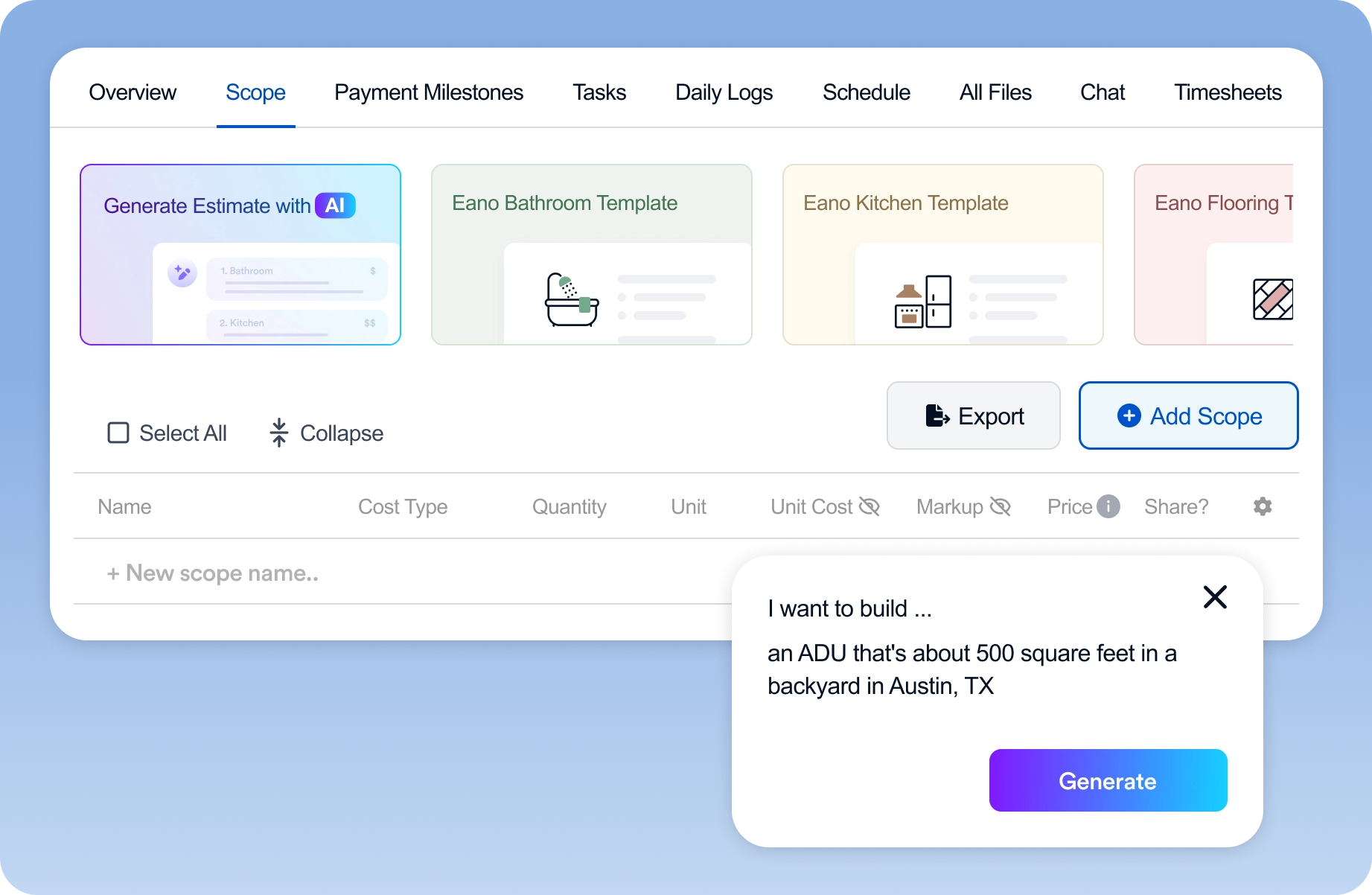
With Eano Pro, contractors can upload construction plans and use AI-assisted takeoff to help identify quantities from the drawings. Those quantities can then become part of the broader estimating workflow instead of living in a disconnected takeoff application.
This is especially useful for residential general contractors and remodelers who aren't running a dedicated estimating department.
Rather than:
Plans → manual takeoff → spreadsheet → estimating software → proposal
the goal is a more connected workflow:
Plans → AI takeoff → estimate → proposal
Because Eano Pro is browser-based, Mac users don't need to install Windows or maintain a separate estimating computer.

2. EzTakeoff: Browser-Based PDF Takeoffs on Mac
EzTakeoff is another option specifically targeting contractors who want PDF takeoff without Windows-only desktop software.
It runs in the browser and supports Mac, Windows, and iPad. Its core workflow includes measuring lengths, areas, and counts from PDF plans. The company currently advertises the ability to register and start free.
The advantage is simplicity: open the software in your browser rather than worrying about operating-system compatibility.
For contractors primarily looking to measure drawings, that may be enough.
3. Kreo: AI-Assisted Takeoffs on Mac
Kreo is a browser-based construction takeoff platform with AI-assisted features.
Because it doesn't require installation and supports both Windows and Mac, it's another example of how cloud software has largely removed the operating-system problem from digital takeoff. Kreo currently promotes a free way to try its takeoff workflow.
It's worth comparing if AI-assisted quantity extraction is more important to you than having a traditional Mac desktop application.
4. STACK: Cloud Takeoff and Estimating
STACK is an established cloud-based construction takeoff and estimating platform.
Because the software runs in the cloud, contractors aren't limited to a Windows-only desktop installation. Current software listings describe STACK as Mac-compatible and offering a free trial rather than a permanently free full product.
STACK may make more sense for companies looking for a broader commercial estimating platform than contractors simply trying to perform an occasional free takeoff.
5. Protakeoff: Desktop Takeoff Software for Mac
Not everyone wants browser-based software.
Protakeoff offers dedicated Mac installers, including versions for Apple Silicon and older Intel Macs.
Its current 30-day trial includes plan measurement, AutoCount review, drawing overlay comparison, estimating templates, and exports to formats including PDF, Excel, and CSV.
If keeping takeoff work in a desktop application is important to you, this is the type of option to evaluate.
6. Construction Takeoff: A Native macOS Option
There's also a native macOS application literally called Construction Takeoff.
The current Mac App Store listing describes tools for calibrated lengths, areas, distances, counts, markups, measurement organization, and data exports. It requires macOS 14.6 or later.
However, this one illustrates why it's important to distinguish free software from inexpensive software.
The current U.S. App Store listing prices the app at $24.99, so it shouldn't be considered free takeoff software.
For contractors who strongly prefer native Mac applications over browser software, though, it may still be worth comparing.
Should You Use Free Takeoff Software or a Free Trial?
A free tool can make perfect sense when you're doing a small number of takeoffs.
For example, maybe you receive a set of plans twice a month and primarily need to calculate flooring areas, count fixtures, or measure linear footage.
You probably don't need an expensive estimating platform just to do that.
The equation changes as estimating volume increases.
If you're bidding several projects every week, saving even 30 minutes per takeoff can add up quickly. At that point, automation, reusable assemblies, AI quantity extraction, estimating integration, and standardized cost data may matter more than whether the takeoff tool costs $0.
That's why contractors should evaluate takeoff software based on time per completed estimate, not simply subscription price.
What to Look for in Free Takeoff Software for Mac
Before uploading your first real project, test the software against the work you actually estimate.
Start with a real plan set and see whether you can comfortably calibrate drawings, measure areas and linear footage, count objects, organize quantities, move between sheets, and export or transfer your results.
Then look beyond measurement.
Ask what happens after the takeoff is finished.
If you calculate 1,840 square feet of flooring, do you still have to manually type that quantity into another spreadsheet? Then move it into estimating software? Then turn the estimate into a proposal?
A free takeoff tool can save 20 minutes measuring plans while creating another 20 minutes of data entry elsewhere.
The strongest workflow connects the takeoff to what comes next.
Manual Takeoff vs. AI Takeoff on Mac
Traditional digital takeoff is already a major improvement over paper plans and scale rulers, but much of the process is still manual.
The estimator opens a plan, calibrates it, selects a measurement tool, traces an area or line, counts objects, labels the quantity, and repeats.
AI takeoff tries to reduce that repetition.
Instead of manually measuring every relevant component, AI analyzes the plan and helps identify quantities that the estimator can review.
The important word is review.
AI doesn't eliminate the need for someone who understands construction. Plans can be incomplete, revisions can conflict, scales can differ between sheets, and scope decisions still require human judgment.
The advantage is giving the estimator a faster starting point.
Do You Need a Mac-Native Takeoff App?
Probably not.
There's a difference between software that is native to macOS and software that works well on a Mac.
A native application is installed directly on the computer and specifically developed for macOS.
A browser-based application runs through Chrome, Safari, or another browser. That means the same application can generally run on a MacBook, Windows PC, or other supported device.
For many contractors, cloud-based software has an additional benefit: you're not tying your estimating workflow to one computer.
You can start reviewing plans at the office, open the project from your MacBook at home, or access information from another device without transferring local files back and forth.
What About Bluebeam for Mac?
This question still comes up because Bluebeam has long been associated with digital plan review and takeoffs.
Bluebeam discontinued Revu for Mac, so contractors looking for the traditional desktop Revu experience can't simply install the current Windows application natively on a modern Mac.
That's one reason browser-based alternatives have become more important for Mac contractors.
If your primary goal is construction takeoff rather than general PDF markup, it's worth evaluating software specifically around the estimating workflow instead of trying to recreate a Windows setup on macOS.
What About Togal AI on Mac?
Togal AI is another browser-based takeoff platform that works on macOS without a Windows workaround, so Mac compatibility alone usually isn't a reason to look elsewhere. Cost, per-user pricing, and how far the platform carries you past the takeoff itself are more common reasons contractors compare alternatives. See our Togal AI alternatives comparison for a fuller breakdown of pricing and workflow differences.
The Cheapest Takeoff Software Isn't Always the Cheapest Workflow
Free is appealing, especially for a small construction company.
But software price is only one cost.
Imagine a contractor completing four estimates per week. If manual takeoff and transferring quantities into an estimate adds an extra hour to each project, that's more than 200 hours of estimating work over a year.
The more useful question becomes:
How quickly can I get from a plan set to a reviewed estimate?
For occasional takeoffs, a simple free PDF measurement tool may be exactly what you need.
For contractors estimating regularly, AI-assisted takeoff or software that connects takeoff quantities directly to estimates can create significantly more leverage.
A Better Mac Takeoff Workflow
For contractors using Macs, the modern workflow doesn't need to involve buying a Windows laptop or maintaining complicated virtualization software.
You can upload plans directly from your Mac, use browser-based or Mac-compatible software to perform the takeoff, review the quantities, apply labor and material costs, and turn the resulting estimate into a proposal.
And with AI takeoff, even some of the repetitive measurement work can be reduced.
That's ultimately more important than whether the application was technically "built for Mac."
The goal isn't to find construction software with an Apple logo next to it.
It's to get from plans to an accurate estimate with as little repetitive work as possible.