Construction Receipt Template
Turn Receipts Into Organized Job Costs
Use the free PDF and spreadsheet for remodels, repairs, installations, subcontractor work, service calls, and other construction projects.
.png)
Why Managing Construction Receipts Matters
Construction receipts are more than proof of purchase—they help contractors understand where project money is actually going. Keeping receipts organized makes it easier to track material, equipment, subcontractor, and other job costs against the budget, while also creating a reliable paper trail for bookkeeping, reimbursements, client questions, and tax records.
When receipts are consistently tied to the right project and expense category, you get a much clearer picture of job profitability and are less likely to lose track of costs that quietly eat into your margin.
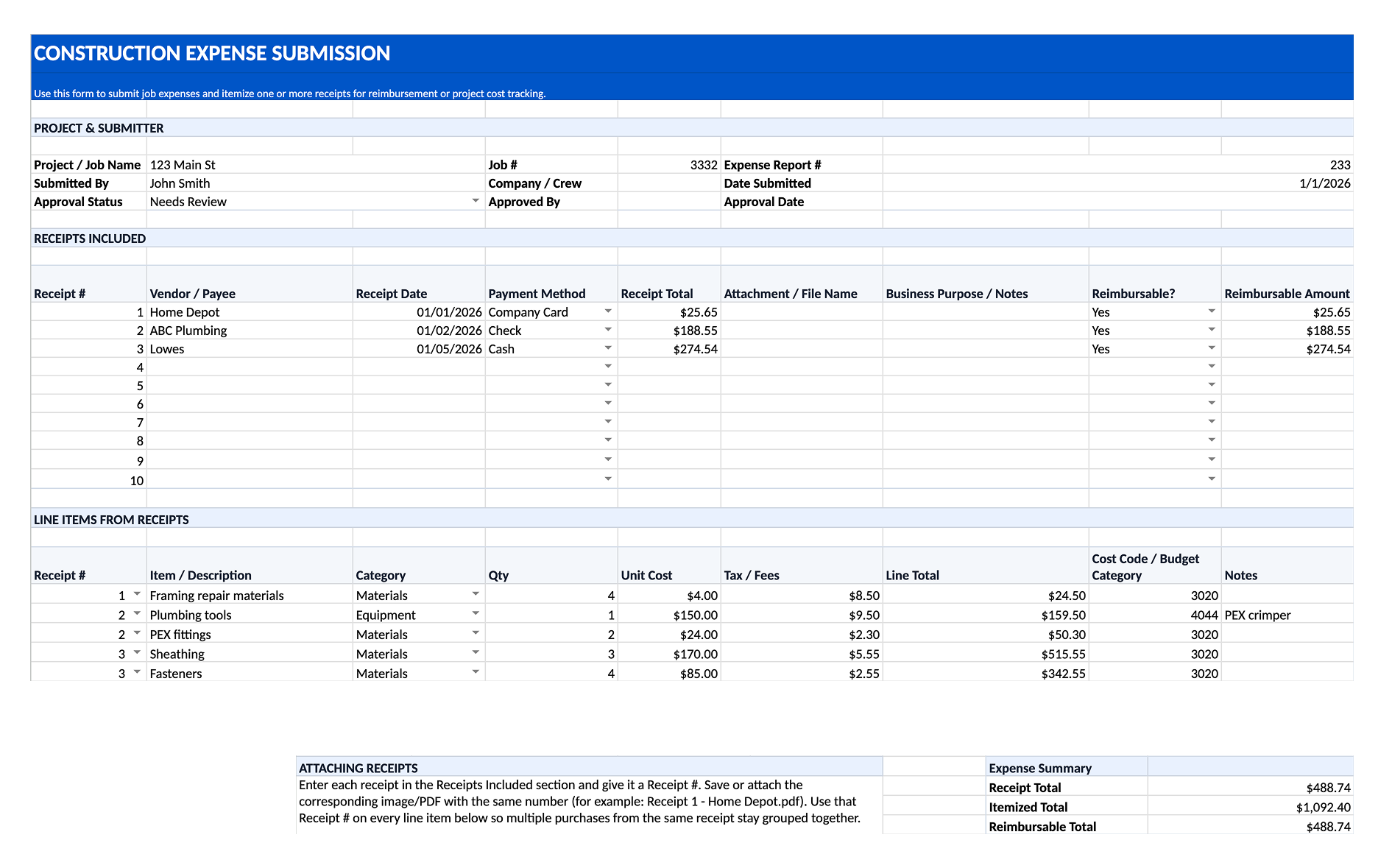
Construction Receipt Template Spreadsheet or PDF?
Both formats can work, but they serve slightly different purposes. A PDF construction expense form is useful when a crew member or employee needs to document a purchase, attach the corresponding receipts, and submit everything for approval.
A spreadsheet is better for larger or multi-receipt submissions because you can itemize purchases, categorize expenses, assign costs to a project or cost code, and automatically total everything in one place. Many construction companies use both: the PDF for simple field submissions and the spreadsheet when accounting needs more detailed job-cost information.
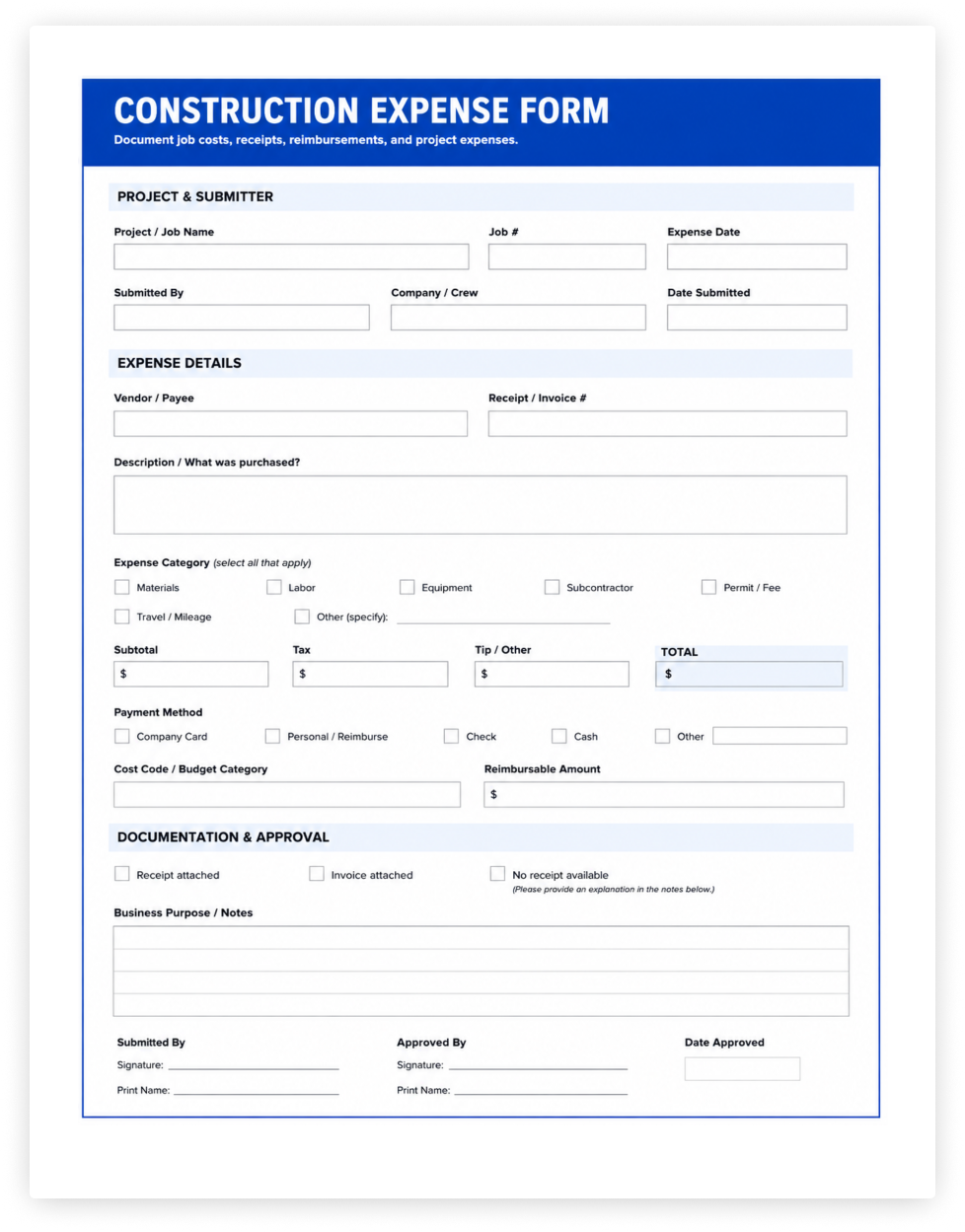
What’s Included in the Construction Expense Template
This template is built for construction companies that need a simple way for employees, crews, or subcontractors to submit job-related expenses for review and reimbursement.
It includes:
- Google Spreadsheet
- PDF printout form (linked from sheet)
- Project, job number, submitter, and approval information
- A receipt log for tracking multiple receipts in a single expense submission
- Vendor, receipt date, payment method, and receipt total fields
- A place to reference the attached receipt image or PDF
- Business purpose and reimbursement details for each receipt
- Detailed line-item entry for purchases shown on each receipt
- Expense categories for materials, labor, equipment, subcontractors, permits, travel, fuel, meals, and other costs
- Cost code or budget category fields for job-cost tracking
- Quantity, unit cost, tax, fees, and calculated line totals
- Approval status and reviewer information
- Automatic totals for submitted expenses, itemized costs, and reimbursable amounts
Each receipt is assigned a receipt number, which can then be used to connect individual line items back to the correct receipt. This makes it easier for accounting teams to review multi-receipt submissions without losing the detail behind each purchase.