
Why Landscaping Companies Need a Simpler Tech Stack
Build Your Tech Stack Around the Way Landscape Projects Actually Run
Unlike many construction trades, landscape contractors coordinate living materials, weather-dependent schedules, subcontractors, and multiple phases that often overlap. A single backyard renovation might include demolition, grading, irrigation, drainage, concrete, retaining walls, planting, lighting, and final cleanup.
Each phase depends on the previous one finishing on time.
Instead of buying a separate app for every department, build your technology stack around the core workflows your team performs every day.
| Landscape Workflow | Common Challenge | Better Solution |
|---|---|---|
| Estimates & Proposals | Rebuilding every quote from scratch | Reusable templates with AI-assisted estimating |
| Plant & Material Tracking | Forgotten or duplicate orders | Centralized job documentation tied to each project |
| Crew Scheduling | Weather changes force constant rescheduling | Live schedules that update everyone instantly |
| Change Orders | Clients request upgrades during installation | Digital approvals that automatically update project totals |
| Job Cost Tracking | Labor and material costs exceed estimates | Real-time budget tracking throughout the project |
Eliminate the Software That Doesn't Add Value
Many landscape companies unknowingly create more work by connecting too many disconnected systems.
One platform handles estimates.
Another schedules crews.
QuickBooks manages invoices.
Text messages become project management.
Photos live in employees' phones.
None of these tools talk to each other.
The result is duplicate data entry, missed updates, and office staff constantly chasing information.
Instead, look for software that allows your team to estimate, schedule, manage projects, communicate with crews, and invoice clients from a single platform.
The Real Cost of a Fragmented Stack
It's easy to underestimate how much a disconnected stack actually costs, because the cost doesn't show up as one big line item — it shows up as dozens of small ones scattered across the week. An estimator re-keys a quote into a separate invoicing tool. A crew lead texts a photo that never makes it into the official job file. A change order gets verbally approved on site but never formally logged, so it either goes unbilled or turns into an argument at closeout.
None of those moments feels expensive in the moment. Added up over a season, across every active job, they're often the difference between a landscape company that runs lean and one that needs an extra office hire just to keep the paperwork from falling behind the work.
Signs Your Stack Has Grown Too Complex
It's not always obvious from the inside that a tech stack has become a liability rather than a help. A few signs tend to show up consistently in landscape companies that have outgrown their current setup:
- The same client or job information gets typed into more than one system
- Office staff spend part of every day reconciling numbers between tools instead of working ahead
- New hires need training on four or five separate apps just to do their job
- Nobody is fully sure which system holds the "real" version of a schedule or budget
- Crews call the office for information that should already be on their phone
If two or more of those sound familiar, it's usually not a sign you need another app. It's a sign the apps you already have aren't talking to each other, and adding a sixth tool to fix a five-tool problem rarely works.
Give Crews Everything They Need Before They Arrive on Site
Landscape crews shouldn't have to call the office asking:
- Which plants are being installed today?
- Did the client approve the paver upgrade?
- Which irrigation plan are we following?
- Has the retaining wall layout changed?
- Who's bringing the skid steer?
A centralized platform keeps current drawings, job notes, site photos, material lists, and daily tasks available from a mobile device, helping crews spend less time waiting for answers and more time completing work.
Why Landscape Construction Management Software Makes the Biggest Difference
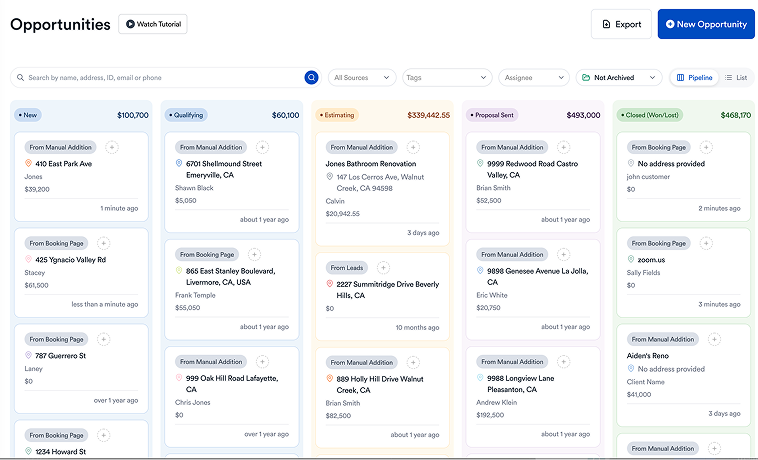
Purpose-built landscape construction management software brings estimating, scheduling, project management, job costing, and client communication together in one system.
Instead of switching between multiple apps throughout the day, your office and field teams always work from the same information.
With one platform you can:
- Generate professional landscape proposals faster
- Schedule installation crews and subcontractors
- Track irrigation, hardscape, planting, and lighting phases
- Document site progress with photos and daily logs
- Manage change orders as clients upgrade materials
- Monitor labor and material costs throughout the project
- Send invoices without recreating project information
This creates smoother handoffs between sales, production, and accounting while reducing costly communication mistakes.
Choosing a single platform now helps you avoid the tech headaches that come from stitching together too many apps. Your crew gets clarity on work orders, your office team can handle billing faster, and you see the big picture in real time.
For more detail on how these tools work, check out this option for landscape construction management software. And if you're comparing platforms across the broader construction management category — not just landscape-specific tools — our guide to choosing construction management software covers what to look for regardless of trade.
Where Estimating Fits Into a Simpler Stack
Estimating deserves special attention when you're consolidating tools, because it's usually the workflow that touches the most other systems — pricing feeds the proposal, the proposal feeds the contract, and the contract feeds the job budget. If estimating lives in its own disconnected spreadsheet, every one of those downstream steps inherits the same manual re-entry problem.
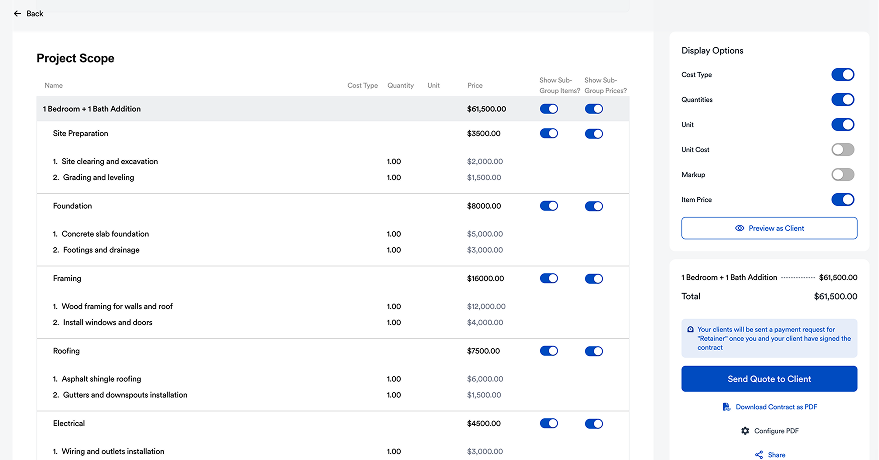
Eano Pro's AI Video Estimator is one way to shrink that first step. Walking a property with a phone camera and generating a structured estimate from that footage means the numbers start inside the same platform that will build the proposal, schedule the crew, and track the job cost — instead of starting in a notebook and getting re-typed three separate times before the job even begins.
How Eano Pro Helps Landscape Contractors Stay Organized
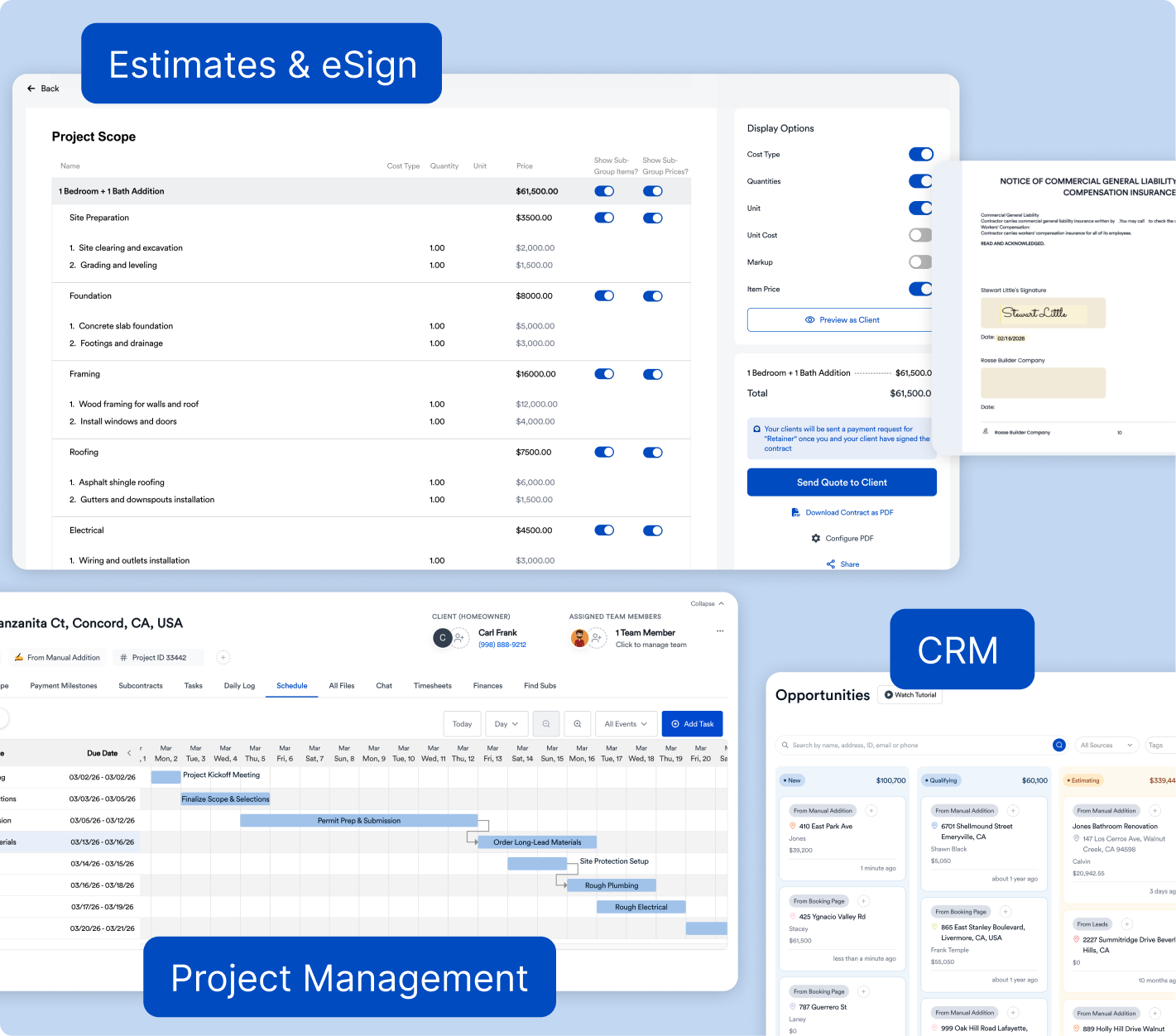
Eano Pro was built to simplify residential construction workflows, making it a strong fit for landscaping companies handling everything from patio installations and outdoor kitchens to irrigation systems and complete backyard transformations.
Rather than juggling separate tools for estimating, scheduling, client communication, and project tracking, Eano Pro brings everything together in one connected platform.
Landscape contractors can:
- Build detailed estimates using templates or AI, including AI Video Estimator for fast, on-site scope capture
- Track client selections for pavers, lighting, plants, and finishes
- Schedule crews across multiple active projects
- Monitor job costs as labor and material prices change
- Capture field updates and photos from mobile devices
- Turn approved estimates directly into active projects and invoices
Whether you're managing five projects or fifty, having one system reduces administrative work and gives your entire team better visibility into every job.
Build a Tech Stack That Can Grow With Your Business
As your landscaping company grows, adding more software isn't always the answer. Often, the biggest gains come from simplifying your processes and eliminating unnecessary tools.
Start by:
- Mapping your workflow from lead to final payment.
- Identifying where information gets entered more than once.
- Choosing software that combines estimating, scheduling, project management, and invoicing.
- Making sure your crews can access job information from the field.
- Reviewing your technology stack every season as your business evolves.
A simpler tech stack means less time managing software and more time delivering beautiful outdoor spaces.
Consolidating doesn't have to happen all at once, either. Most landscape companies do it one workflow at a time — moving estimating and proposals onto a single platform first, since that's usually where the most duplicate data entry happens, then folding in scheduling and job costing once the team is comfortable. Trying to replace every tool in the same week tends to overwhelm a crew that's also trying to keep jobs moving; a phased switch gives everyone time to actually adopt the new system instead of just tolerating it.
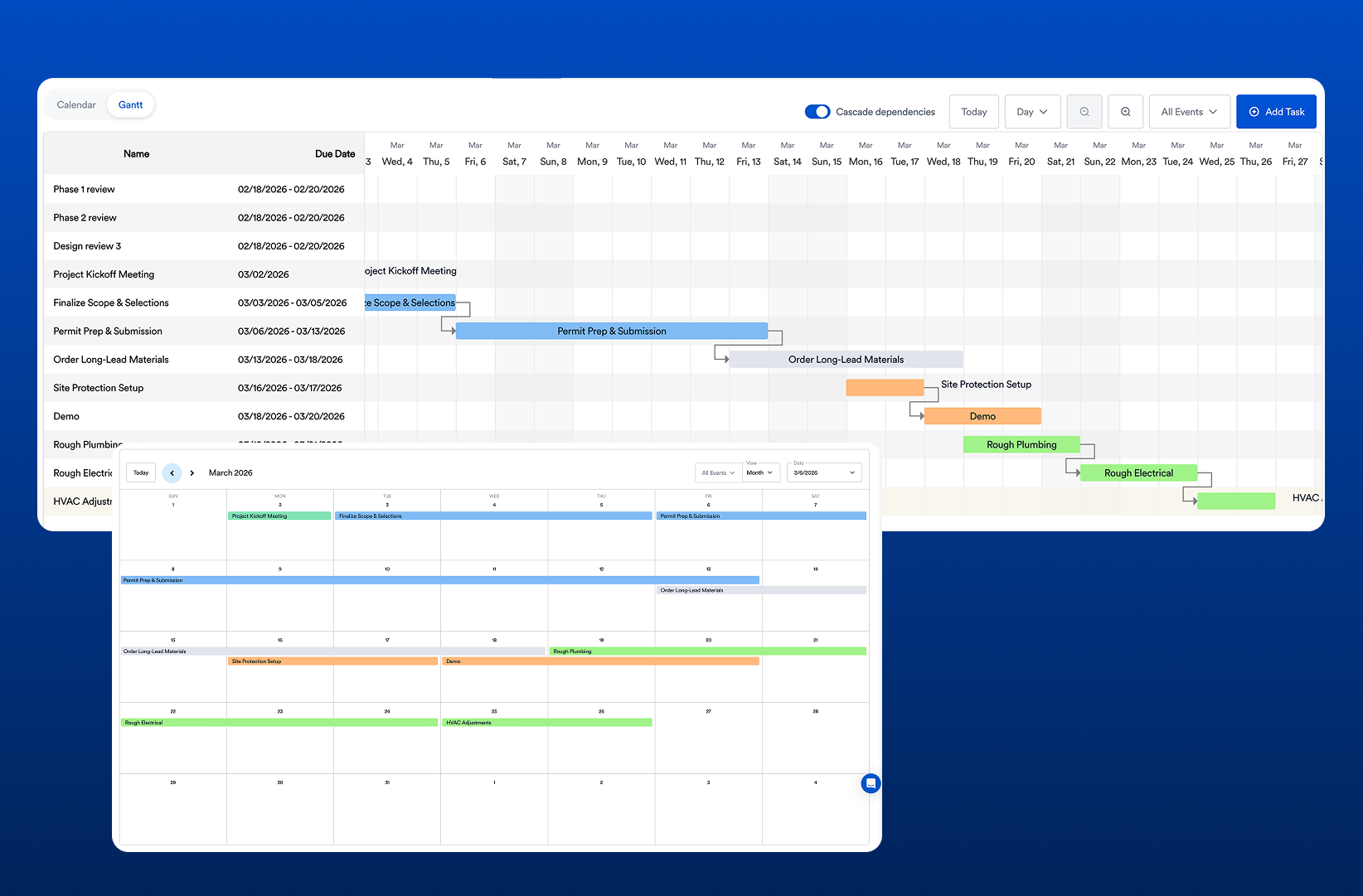
Eano Pro: Built for Landscape Contractors
Eano Pro is built to take the friction out of building and maintaining your tech stack. It doesn't overload you with extras — instead, it delivers clear tools for estimating, scheduling, and tracking every job from start to finish. With cloud-based access, field crews and office staff stay on the same page.
If you're tired of toggling between apps and losing track of job details, it's time to see how Eano Pro can fit into your workflow.
Ready to simplify your landscape business? Book a demo today.