
Google Local Services Ads Now Charge for Missed Calls: What Contractors Should Do
Starting October 1, 2026, Google Local Services Ads (LSA) can charge advertisers for missed calls during business hours when the caller stays on the line for more than 20 seconds. For contractors who can't always pick up while they're on a roof, under a sink, or meeting a client, that means paying for leads you never actually talked to. The fix is simple in principle: make sure every LSA call during your listed hours gets answered.
Below is what changed, what's still unclear, and seven steps to take now.
Key takeaways
- Missed calls during business hours can now be charged as valid leads if the caller waits more than 20 seconds.
- Follow-up calls from the same customer can also be charged, once within a 15-day window.
- Your business hours setting now directly affects what you pay for.
- Answering every call, with your team, a backup, or an AI sales assistant, is the most reliable protection.
What Changed
According to Google's notice to advertisers, reported by Search Engine Roundtable and PPC Land:
- Missed calls: "Missed calls during business hours will now be charged as valid leads if a user stays on the line for more than 20 seconds."
- Follow-up calls: if an initial call doesn't qualify as a charged lead, follow-up calls between your business and the same customer that meet the valid lead criteria will be charged. Google's Ads Liaison clarified that advertisers are charged only once for follow-up calls within 15 days of the initial interaction.
- Key-press routing: if your phone system requires the caller to press a key to be routed, the 20-second timer starts after the key press, and there's no charge if the caller doesn't press a key.
- Spam protection: Google said it is adding new safeguards against robocalls and spam, without detailing how they'll work.
Previously, charged calls generally included answered calls and voicemails left by customers. Google frames the change around customers expecting to connect quickly with a trusted local professional, and rewarding responsive businesses.
What's still unclear
As of the effective date, reporting noted several open questions: exactly when the 20-second timer starts on a standard call, how voicemail interacts with the new rule, and how disputes for invalid missed-call charges will work. Check the notifications in your own LSA account and Google's LSA help documentation, since details may differ by category and account.
Why This Hits Contractors Hard
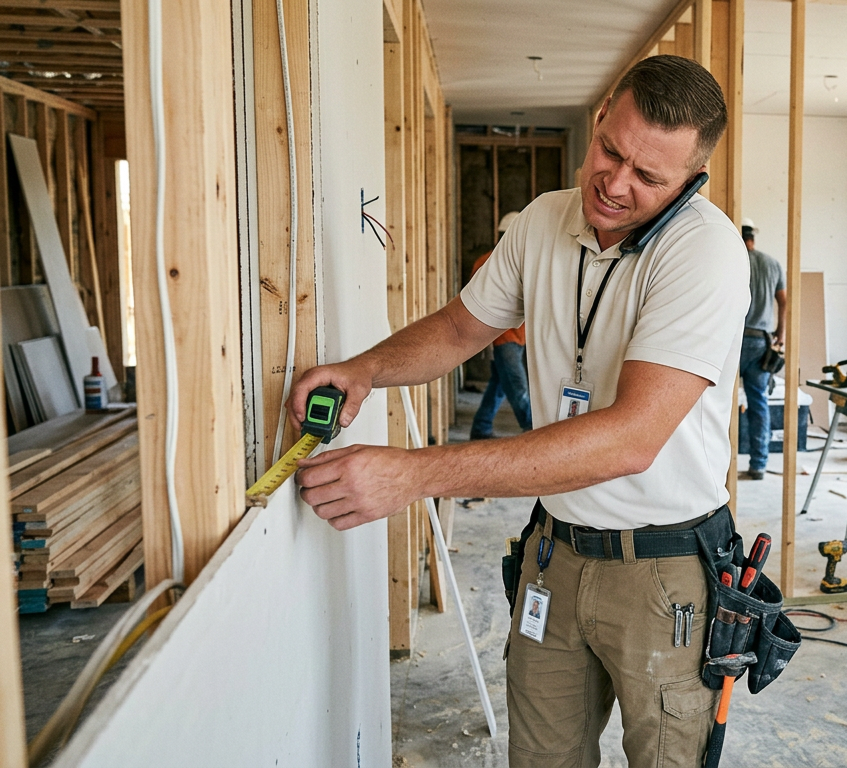
Most contractors miss calls for a good reason: they're doing the work. But under the new policy, a homeowner who calls during your listed hours, waits 20 seconds, and hangs up can count as a paid lead, even though you never spoke. That homeowner is also likely to call the next contractor on the list. You pay for the lead and your competitor gets the job.
We covered why response speed decides who wins residential jobs in the five-minute rule. This policy puts a direct price on slow response.
7 Steps Contractors Should Take Now
1. Fix your LSA business hours
Your listed hours now define when missed calls can be charged. Set them to match when someone can actually answer, not when you'd like to be available. If nobody answers before 8 a.m. or during your Saturday job, don't list those hours.
2. Measure your missed-call rate
Pull your LSA lead history and call logs to see how many calls go unanswered and when. Most contractors are surprised by the number, and it tells you exactly where coverage is needed.
3. Route calls to a backup
If the owner or estimator can't answer, calls should ring through to someone who can: an office manager, a second line, or a service.
4. Answer every call with an AI sales assistant
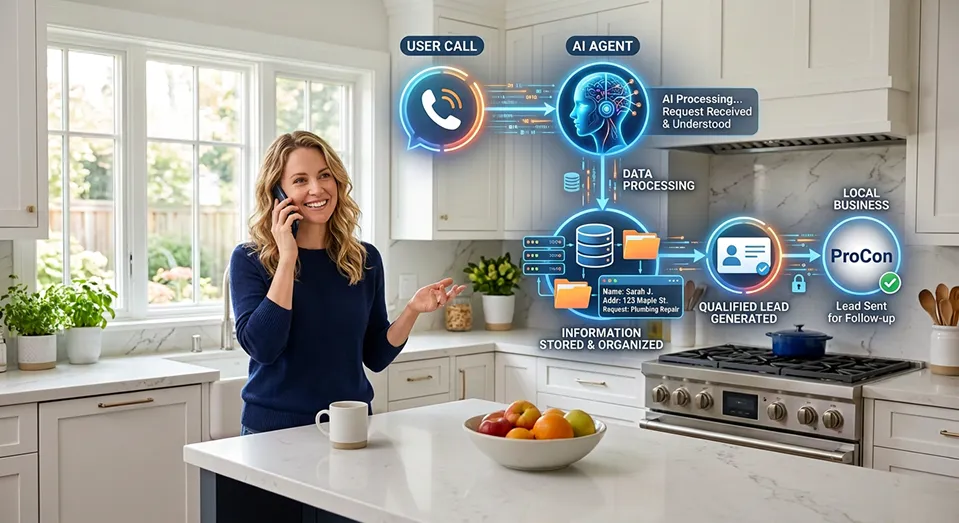
The most reliable way to stop paying for missed calls is to never miss one. Eano's AI sales assistant answers incoming and after-hours calls, qualifies the homeowner and project, collects customer information, and records and summarizes every conversation. It then creates a new opportunity in your CRM, generates a draft scope of work, and builds a draft estimate using your pricing, so a call you would have missed becomes a lead you can close.
Our full guide to the AI sales assistant for contractors walks through how it works and the ROI of answering more calls. You can also compare approaches in our posts on AI receptionists and AI answering services.
5. Consider key-press routing carefully
Because the timer starts after a key press, a simple "press 1 for new projects" menu can reduce charges for callers who hang up before engaging. The trade-off is friction: some real customers won't press anything. Test it, and make sure whatever happens after the key press is a fast answer.
6. Call back immediately, every time
Follow-up calls with the same customer can be charged once within 15 days, so a fast callback isn't just good service; it helps you get value from a lead you're already paying for.
7. Review charges and budget monthly
Watch your cost per lead and charged-lead volume after October 1. If costs rise without more booked jobs, tighten your hours, improve coverage, or adjust your budget. Flag charges you believe are invalid through your LSA account.
The Bottom Line
Google is now pricing in responsiveness. Contractors who answer every call during their listed hours will get more value from Local Services Ads; contractors who don't will pay more for less. If you can't staff the phone all day, an AI sales assistant that answers, qualifies, and logs every caller is the most direct way to turn a new cost into new jobs.