Contractor Toolkit: 12 Free Tools to Run Your Construction Business
Key Takeaways
- The right tools can save hours every week across estimating, scheduling, and communication
- Free tools are a great way to get organized—but they often break as your business grows
- Contractors who centralize workflows (instead of juggling tools) move faster and make fewer mistakes
- Start simple, but choose tools that won’t hold you back later
Running a construction business today means wearing a lot of hats. You’re estimating jobs, coordinating crews, managing clients, tracking costs, and trying to stay profitable—all at the same time.
And while there’s no shortage of software out there, not every contractor is ready to commit to a full system right away. That’s where a solid toolkit of free tools can make a real difference.
The challenge? Most contractors end up duct-taping together spreadsheets, apps, and notes just to get through the day.
This guide breaks down 12 free tools that can help you run your construction business more efficiently—whether you’re just getting started or looking to tighten up your workflow.
To be clear, unlike many other articles I've seen, I will only share truly free products and not free trials to avoid feeling duped.
Estimating & Pricing Tools
1. Construction Estimate Templates (Google Sheets / Excel)
A solid estimate template is the foundation of your business. It helps you:
- Break down labor, materials, and overhead
- Apply markup consistently
- Track projected vs. actual profit
Free templates are a great starting point, especially if you’re still figuring out your pricing structure.
Where it works well:
Small teams, early-stage contractors, simple jobs
Where it breaks down:
- Manual entry errors
- Version confusion
- No connection to proposals or jobs
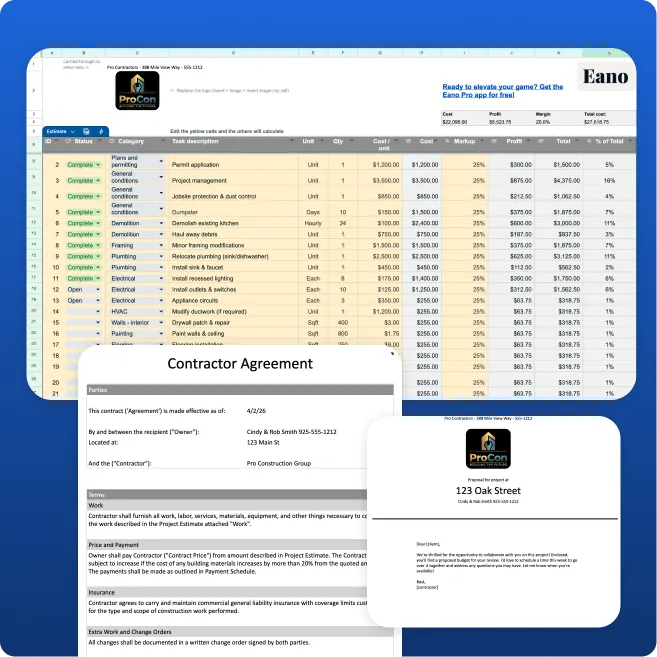
Download the Construction Estimating Template from Eano
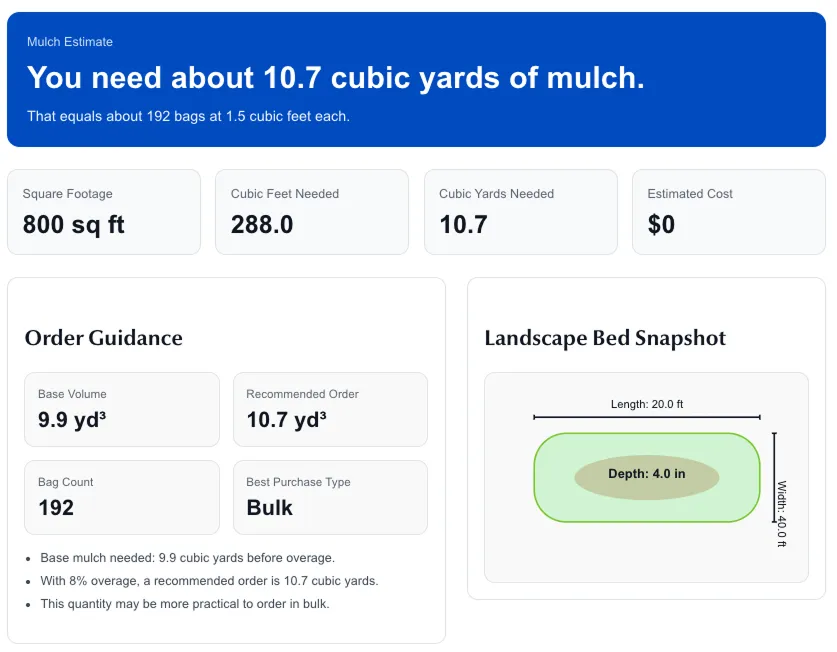
2. Material Cost Calculators
Online calculators for materials like:
…can help you quickly estimate quantities without doing manual math.
They’re especially useful in the field when you need a quick ballpark.
Limitations:
They don’t tie into your actual estimate or pricing—so you’re still doing double work.
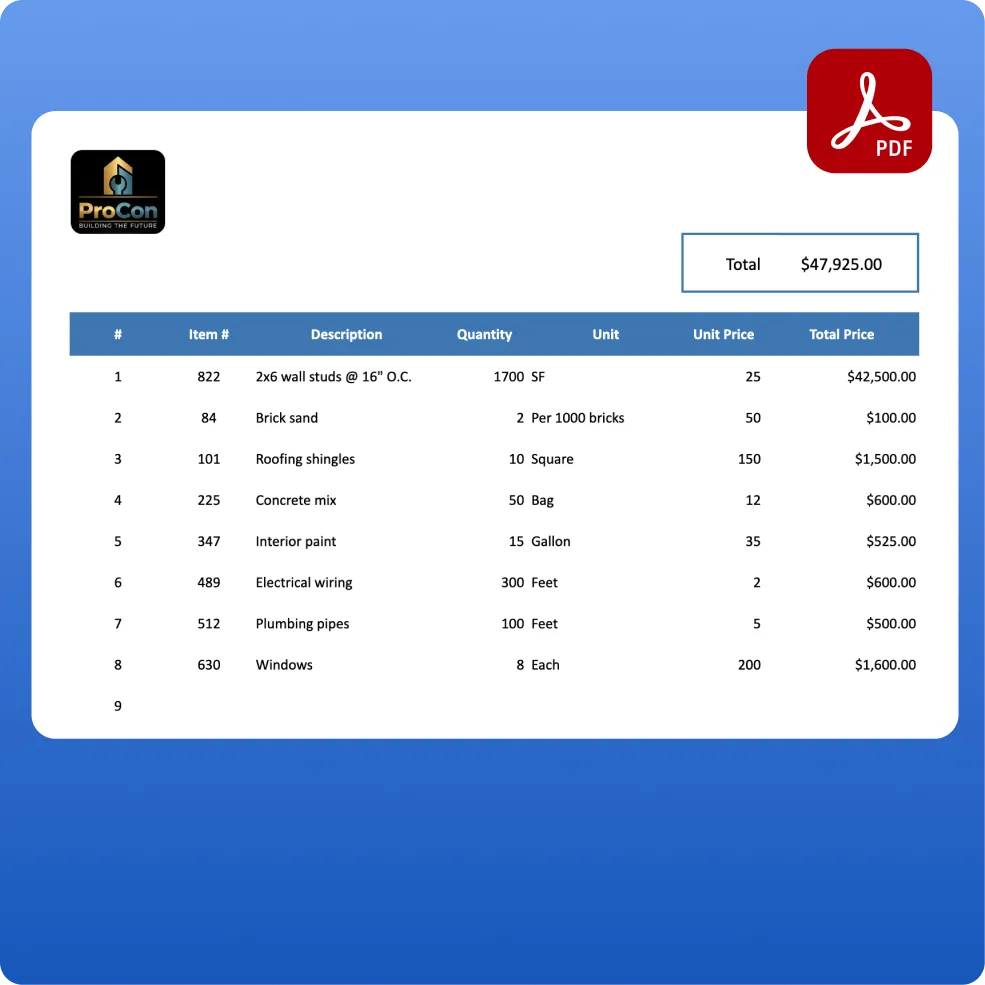
3. Takeoff Tools
Some takeoff tools offer free tiers or trials that let you:
- Upload plans
- Measure dimensions
- Calculate quantities
These can speed up your estimating process—but most don’t connect directly to pricing or proposals unless you upgrade.
What you'll need to do is get an old fashioned spreadsheet to help you plan out those material calculations here. It's free forever and you can expand on it with formula adjustments.
Project Management & Scheduling Tools
4. Google Calendar
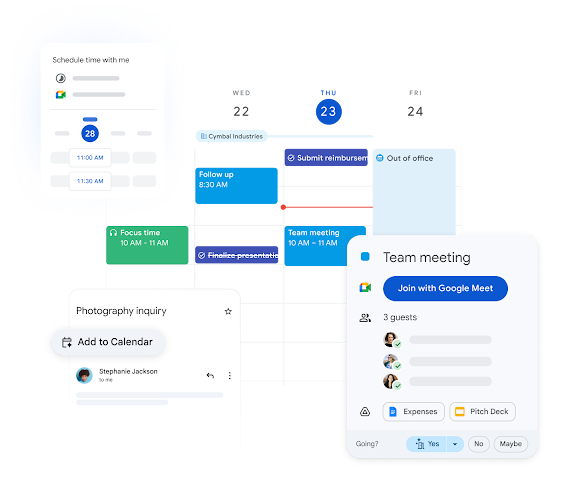
Simple, free, and surprisingly effective.
Use it to:
- Schedule jobs
- Block out crew time
- Set reminders for deadlines
Get setup here with Google Calendar.
Downside:
No connection to jobs, budgets, or project details.
5. Task Management Spreadsheet
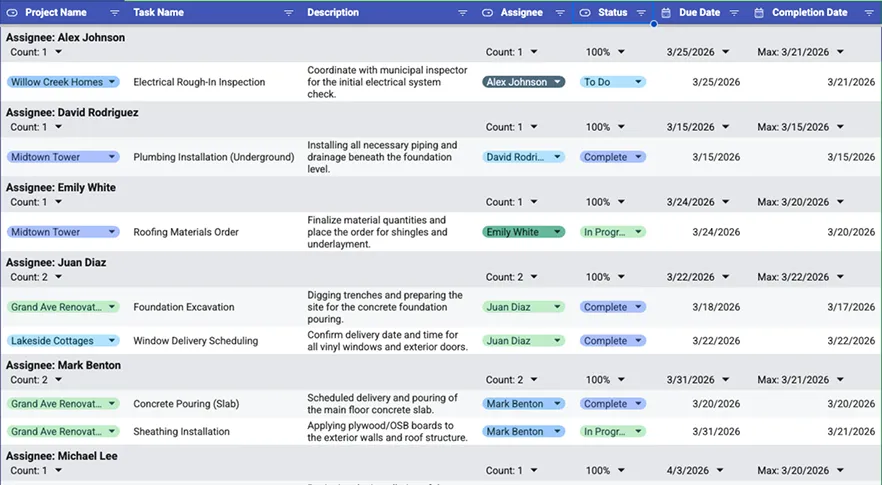
Managing tasks is the heart of running a job. You need to know what to do and who's doing it, so a basic way to track these thing is through a spreadsheet. Track:
- Tasks
- Project stages
- To-dos for your team
It’s great for visual thinkers and simple workflows.
Download the free Task Management Sheet here.
Where it struggles:
Construction projects are more complex than a basic task board—especially when you’re juggling multiple jobs.
6. Jobsite Photo Apps
Apps like Eano Pro and CompanyCam (free tier) let you:
- Capture jobsite photos
- Organize them by project
- Share updates with your team
This helps with documentation and communication, especially in the field. The catch is it will come at a cost, so what you can do is just use your trust phone.
The downside is that pictures belong to projects and your phone can become an unprofessional wasteland of irrelevant photos when you're trying to show a client something specific to their project. Until you're ready for something like Eano Pro, where you can upload pictures to the client portal, stick to your phone so they are ready to go with you are.
Communication & Client Management
7. Gmail + Email Templates
Email is still a major part of construction workflows.
You can use templates for:
- Proposal follow-ups
- Change order communication
- Project updates
Problem:
Important details get buried in long email chains.
8. WhatsApp / Text Messaging
Quick and easy communication with:
- Crews
- Subcontractors
- Clients
Reality:
It works—until it doesn’t.
You lose track of decisions, approvals, and important updates.
9. Google Drive / Dropbox
Store and share:
- Plans
- Documents
- Photos
- Contracts
This is essential for keeping everything accessible.
Limitation:
Files aren’t tied to your workflow—just stored.
Financial & Operations Tools
10. QuickBooks (Free Trial / Basic Use)
Most contractors rely on QuickBooks for:
- Invoicing
- Expense tracking
- Basic financials
It’s a powerful tool—but it’s often disconnected from estimating and project execution. I can't find a free tool, but it's worth a shot. Once you're up and running, you can integrate with Eano Pro.
11. Time Tracking Apps (Free Versions)
Apps like Harvest or basic time trackers help you:
- Track crew hours
- Monitor productivity
- Improve labor cost accuracy
Challenge:
Time data often doesn’t connect back to your estimates or job costing like Eano Pro's timesheets for crews.
12. Proposal Templates (Word / PDF)
Many contractors start with:
- Word docs
- PDF templates
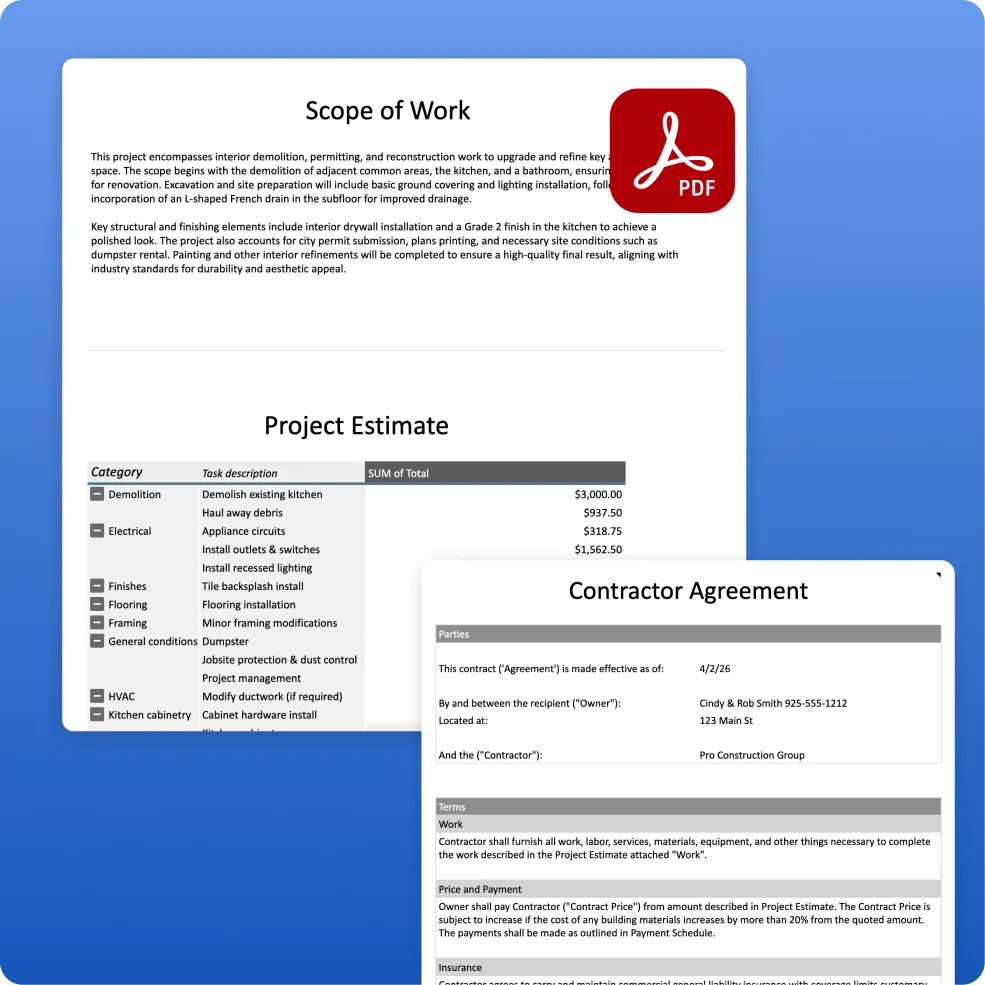
They work—but they’re manual. Eano provides a great proposal spreadsheet absolutely free of charge you can download here. Run with this until you're ready to upgrade to Eano Pro, where you can create estimates from AI, and generate professional templated proposals that can be eSigned.
Every update means:
- Editing documents
- Re-sending files
- Managing versions
This slows everything down.
The Real Problem: Too Many Tools, Not Enough Connection
Each of these tools solves a small piece of the puzzle.
But here’s what happens over time:
- You’re copying data from one tool to another
- Information gets outdated
- Mistakes slip through
- You spend more time managing tools than running jobs
The biggest issue isn’t the tools themselves—it’s that they’re not connected.
When Free Tools Start Holding You Back
Free tools are great early on. But as your business grows, the cracks start to show:
- Estimates don’t match actual costs
- Proposals take too long to send
- Job details are scattered across apps
- Communication gets messy
- You lose visibility into your projects
At that point, it’s not about saving money—it’s about saving time and protecting your margins.
A Smarter Approach: One System That Connects Everything
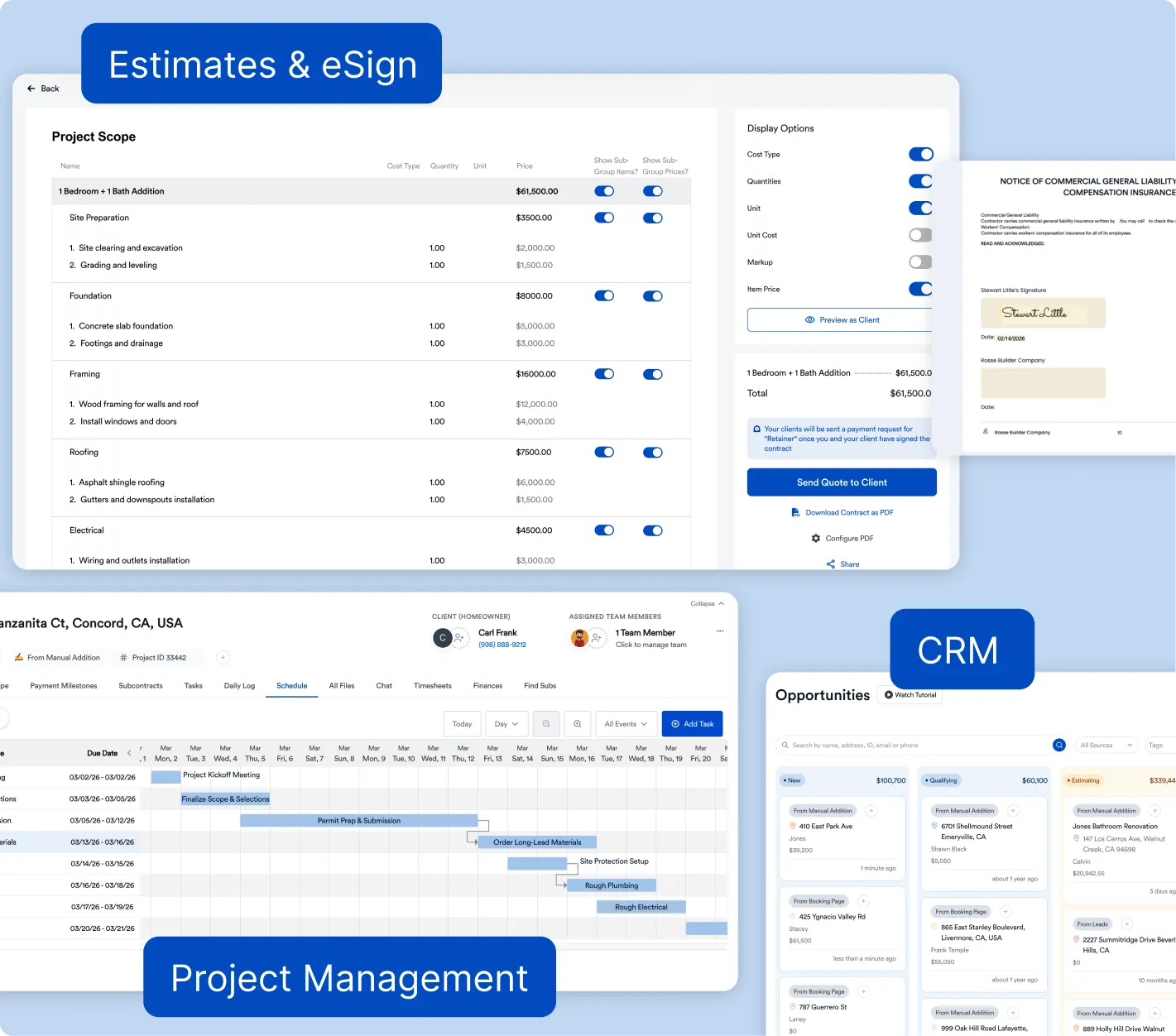
This is where modern platforms like Eano Pro come in.
Instead of juggling:
- spreadsheets
- emails
- scheduling apps
- document storage
…you can run everything from one place.
With Eano Pro, you can:
- Build estimates quickly (with AI-assisted workflows)
- Turn estimates into client-ready proposals instantly
- Track jobs, schedules, and costs in real time
- Manage client communication through a centralized dashboard
- Keep your entire team aligned—from office to field
The biggest difference is connection.
Your estimate isn’t just a number—it becomes:
→ your proposal
→ your project plan
→ your financial baseline
No double entry. No confusion. No missed details.
Start Simple—But Think Ahead
You don’t need to switch everything overnight.
In fact, many contractors start with:
- a few free tools
- a basic estimating template
- simple scheduling
That’s fine.
But as your business grows, the goal should be to:
- reduce manual work
- eliminate duplication
- improve accuracy
- move faster
The contractors who scale successfully aren’t the ones using the most tools—they’re the ones using the right system.
Build Your Toolkit the Right Way
Free tools can absolutely help you:
- get organized
- improve efficiency
- win more jobs
But they’re just the starting point.
If you find yourself:
- re-entering the same data
- chasing down updates
- fixing mistakes
- spending too much time on admin
…it might be time to upgrade your toolkit.
Final Thoughts
Running a construction business is hard enough—you shouldn’t have to fight your tools too.
Start with what works. Use free tools to build your process.
But don’t get stuck there.
The right system can help you:
- send estimates faster
- win more jobs
- keep projects on track
- and actually grow your business