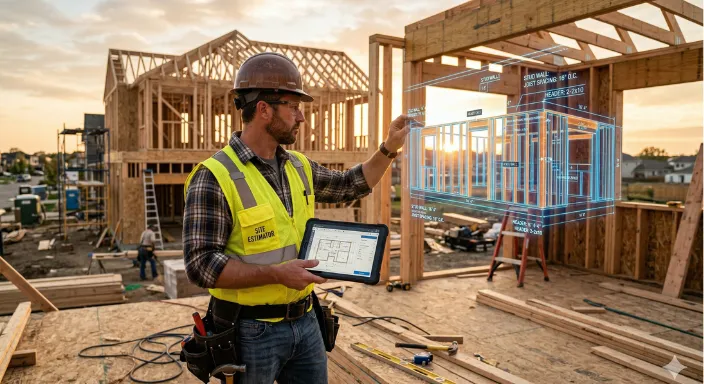

AI Construction Takeoff Software: What It Gets Right and Where It Still Falls Short
If you're a contractor who's been around long enough to be skeptical of technology that promises to solve your estimating problems, that skepticism is reasonable. AI takeoff tools have real capabilities that are genuinely changing how estimating works in some parts of the industry. They also have real limits that the marketing tends to minimize. The contractors who get the most out of them went in knowing both sides.
Here's the honest picture.
The Strong Side: What AI Takeoff Does Well
Repetitive residential plans.
This is the strongest use case for current AI takeoff technology. Tract housing, apartment complexes, townhouse developments, and multi-unit residential construction — projects where the floor plans repeat across units, and the structural systems are standardized — are where AI detection performs most reliably and most quickly.
If you're new to digital takeoffs, our construction takeoff guide breaks down why accuracy depends heavily on how well your drawings are structured.
The pattern recognition engine underlying AI takeoff is trained on large volumes of construction documents. When a plan looks like thousands of plans the system has seen before, detection rates are high. Wall assemblies, opening counts, floor area calculations, and roof perimeters on standard residential work are well within what the software handles confidently.
Standard architectural and structural elements.
Even on non-repetitive residential and light commercial projects, the core architectural elements that dominate most quantity takeoffs — walls, windows, doors, slab areas, roof surfaces — are detected accurately on clean, high-resolution plan sets. Most experienced users report takeoff accuracy within 2 to 3 percent of manual results on these elements, with a fraction of the time investment.
High-volume bid environments.
When you're bidding 10 to 15 projects a month, time savings compound in ways that aren't immediately obvious. A tool that cuts takeoff time by 60 percent doesn't just mean faster individual estimates — it means you can pursue bid volume that wasn't feasible before without adding to your estimating staff. That's a business case that holds up well for contractors in competitive residential or light commercial markets.
The Associated General Contractors of America has tracked the adoption of digital estimating tools across commercial GCs for several years. AI takeoff is the category showing the steepest recent growth — driven by contractors who've done the time savings math and found it compelling.
Consistency under pressure.
A manual takeoff at hour ten of a long day is not the same as a manual takeoff at hour one. Fatigue introduces errors that are hard to audit because they look like normal work — a row skipped, a count transposed, a sheet referenced twice. AI takeoff performs consistently regardless of where it falls on the estimating day. For the bids that don't get your full attention, that consistency has real value.
The Weak Side: Where AI Takeoff Still Falls Short
Complex MEP coordination.
Mechanical, electrical, and plumbing takeoffs involve overlapping systems, tight clearances, and trade-specific symbology that AI detection isn't yet reading reliably. Most platforms have made progress on device counting — outlets, switches, fixtures — and basic conduit routing. Full MEP takeoff at a professional level still requires an experienced trade estimator reviewing every significant quantity.
This isn't a temporary gap that will close next quarter. MEP systems encode information through conventions — circuit numbering, panel schedule logic, equipment scheduling — that require understanding the system's intent, not just identifying visual elements. That interpretive layer is genuinely difficult for pattern-recognition systems to replicate.
Hand-drawn or low-resolution plan sets.
AI element detection depends on clean digital input. Scanned hand-drawn plans, faded or low-contrast construction documents, or PDFs that were digitized at low resolution produce substantially more false positives and missed elements. The software is matching visual patterns to its training data — when the pattern is unclear or inconsistent, the output reflects that uncertainty.
If you're regularly working from scanned physical plans, this is a more significant constraint than it sounds. High-quality scanning equipment and consistent scan protocols make a meaningful difference in output quality.
Unusual structural systems and custom architectural details.
Custom architectural elements — non-standard roof geometries, unusual wall assemblies, building systems that don't appear frequently in the training data — will be missed or misclassified. This is a fundamental limit of pattern recognition: the system can't reliably detect what it hasn't been trained to recognize. More complex and unusual projects require more manual verification, sometimes to the point where the AI is adding less value than it would on a standard plan type.
Scope that isn't in the drawings.
This is the most important limitation and the one most often overlooked. AI takeoff reads what's drawn. It doesn't know what should be drawn. Specification-driven scope, coordination items between trades, phasing requirements, work implied by the project narrative but not shown on a plan sheet — all of this is invisible to the software.
Experienced estimators know that a significant portion of the scope of any project lives outside the plan drawings. That knowledge comes from reading specifications, understanding trade sequencing, and having built similar projects before. No AI takeoff tool can replicate it.
What Human Review Still Needs to Catch
Even on projects where the software performs well, the review step is mandatory, not optional, not a sanity check, but a real part of the workflow that requires your expertise.
Plan discrepancies between architectural and structural sheets.
The software reads one drawing. If the architectural floor plan and the structural framing plan disagree on wall locations or opening sizes, which happens — the AI takeoff reflects whatever it found first. You catch the conflict by knowing to look for it across both sets.
Scale errors on improperly configured PDFs.
PDF scale metadata isn't always correct, especially on documents that have been converted, printed to PDF from different sources, or modified after the original CAD export. Always verify the scale calibration on at least one known dimension before trusting any measurement output. A scale error affects every linear and area calculation in the set.
Specification-driven scope.
The software reads drawings. Specifications live in a separate document set. Scope items that are described in the spec but not shown on a plan sheet won't appear in the AI output. That includes allowances, coordination scope, testing and inspection requirements, and any work that's defined by reference standard rather than drawn detail.
Change order scope on revised drawings.
When you're working from a plan set that has been revised, the AI will process the current version. Understanding what changed between revisions — and whether the changes affect quantities you've already counted — is a human task. Most platforms don't have a reliable version comparison built in.
📘 Want the full walkthrough? Check out AI Takeoff Software: The Complete 2026 Guide for Contractors for a step-by-step look at how Eano’s AI takeoff processes your plans.
How Accuracy Compares to Manual Takeoff on Real Projects
The most useful data on AI takeoff accuracy comes from contractors who've run parallel comparisons — AI output and manual takeoff on the same completed project, compared against actual construction quantities.
On standard residential work, experienced users consistently report AI takeoff accuracy within 2 to 4 percent of manual results on architectural and structural elements. That's within the range that most estimators consider acceptable variance for bid purposes — and it comes at a fraction of the time cost.
On complex commercial or industrial projects, the accuracy gap widens, and the distribution gets less predictable. Overall totals might be close while individual elements are significantly off in opposite directions, netting out to a result that looks accurate but contains errors that will surface when materials are ordered by trade.
The practical approach for most contractors:
Let the software handle the standard elements it performs well on, and reserve your manual effort for the elements that genuinely need it. A hybrid workflow, AI-assisted on the straightforward portions, manual on the complex or unusual, gets you most of the time savings while maintaining the accuracy you need.
The Construction Industry Institute's project delivery benchmarks consistently identify poorly defined scope as a leading cause of construction cost overruns. AI takeoff that's treated as a finished product rather than a starting point contributes to that problem. AI takeoff that's used as an efficient first draft, reviewed by someone who knows the project, and addresses it.
The Workflow Change Most Contractors Don't Anticipate
The biggest adjustment when switching from manual to AI-assisted takeoff isn't about the tool — it's about how you build project familiarity.
When you do takeoff manually, you're developing deep familiarity with the project as you go. By the time you've finished counting, you've seen every sheet multiple times. You know where the complicated intersections are, what the architect was thinking on the north elevation, and where the structural system gets unusual. That knowledge comes automatically from the process of doing the work.
For many contractors, the real ROI comes when AI takeoff feeds directly into a bid, something platforms with construction estimating software are designed to support, reducing manual handoffs and errors.
With AI takeoff, you get the quantities without that process.
The review step needs to deliberately replace that familiarity-building.
It can't just be a scan for obvious errors — it needs to be a genuine project read, using the AI output as a guide through the documents rather than a substitute for reading them.
Contractors who use the review step this way end up with both fast quantities and real project understanding. Contractors who treat it as a spot-check end up with fast quantities and gaps in their project knowledge that show up later.
.png)