
What Is Construction Management Software?
Here's a Practical Guide to Answer Many Questions for Contractors
If you’re running construction projects with a mix of spreadsheets, text messages, whiteboards, emailed estimates, and disconnected accounting tools, you’re not alone.
That’s exactly why construction management software exists.
At its core, construction management software helps contractors organize the moving parts of a project in one centralized system—from the first estimate to the final payment. Instead of bouncing between separate apps for estimating, scheduling, job communication, client approvals, and invoicing, teams use one platform to keep projects moving.
The broader category includes enterprise-heavy tools built for massive commercial firms, but for residential general contractors and growing construction businesses, the real value is much simpler: saving time, reducing mistakes, and making jobs easier to manage.
Construction is one of the world’s biggest industries—but one of the slowest to modernize. Productivity has grown just 0.4% annually since 2000. If you’ve ever wondered why estimating, scheduling, change orders, and client communication still feel chaotic, that’s exactly why (McKinsey).
Why Contractors Need Construction Management Software
Construction is messy by nature.
Schedules shift. Material costs change. Subcontractors miss deadlines. Homeowners ask for scope changes halfway through a bathroom remodel. Photos live on someone’s phone. Approvals get buried in email.
Without a system, project management becomes reactive.
Construction management software gives contractors structure by creating a shared operational workspace where office teams, project managers, field crews, and clients can all stay aligned.
Instead of asking:
- “Who sent the last version of the estimate?”
- “Did the homeowner approve that change order?”
- “Where’s the payment status?”
- “What happened on-site yesterday?”
- “Who’s following up on this lead?”
…the answer lives in one place.
What Does Construction Management Software Actually Do?
Features vary depending on the platform, but most construction management software includes some combination of the following.
Estimating & Proposals
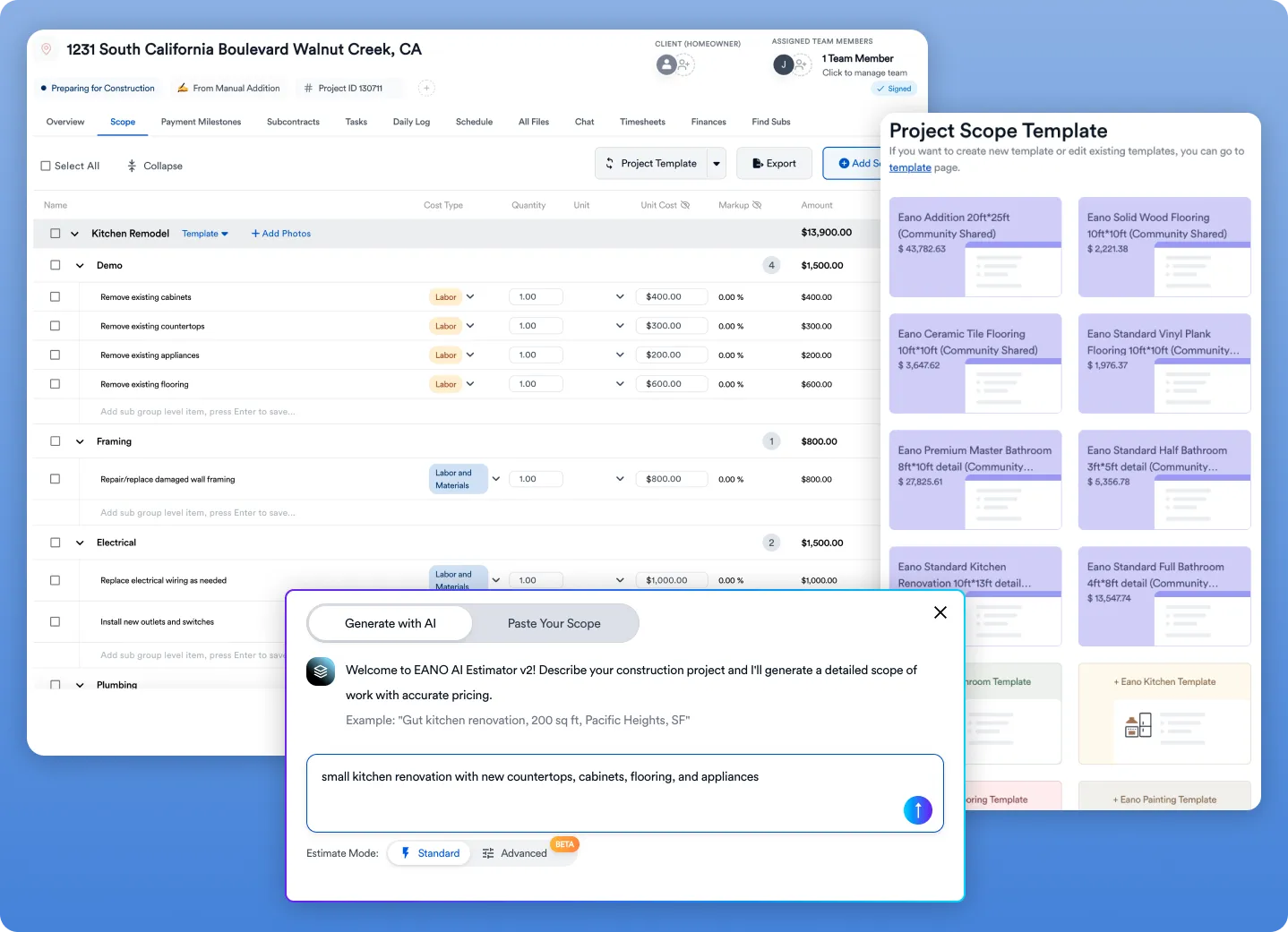
For many contractors, construction estimating is where the chaos starts.
Older workflows often involve manually rebuilding estimates in Excel, copying previous jobs, adjusting pricing by hand, and converting documents into something client-ready.
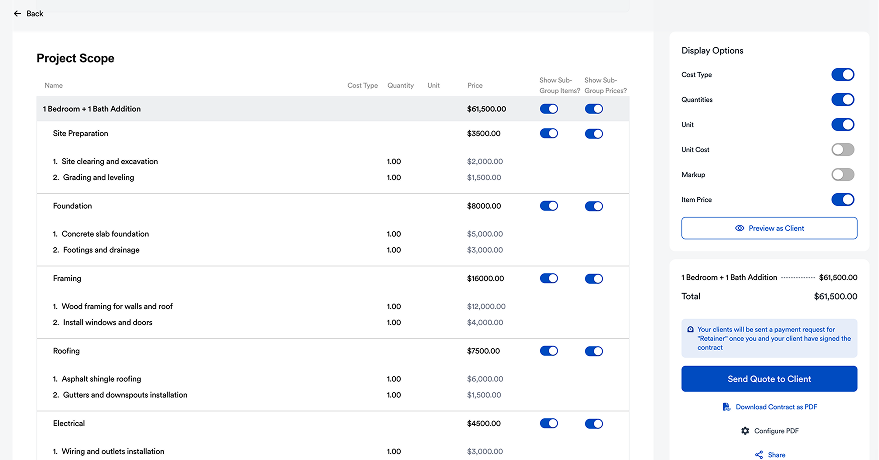
Modern systems streamline that process with:
- Reusable estimate templates
- Line-item pricing libraries
- Markup and margin controls
- Client-ready proposal generation
- Digital approvals and eSignatures
- Change order management
Platforms like Eano Pro push this further with AI-assisted estimating, helping contractors generate itemized estimates faster using templates, prior jobs, or uploaded project documentation.
That matters because speed wins jobs.
Scheduling & Project Coordination
Once the contract is signed, the real work begins.
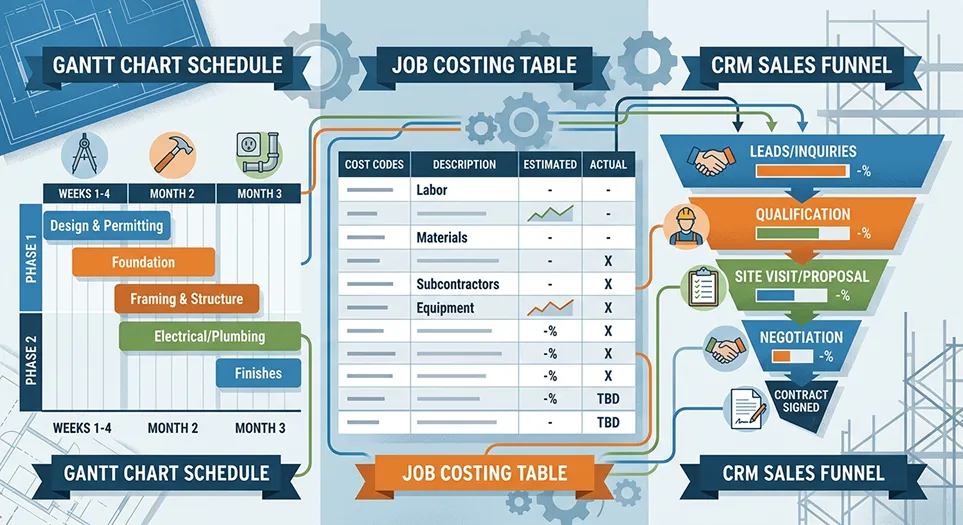
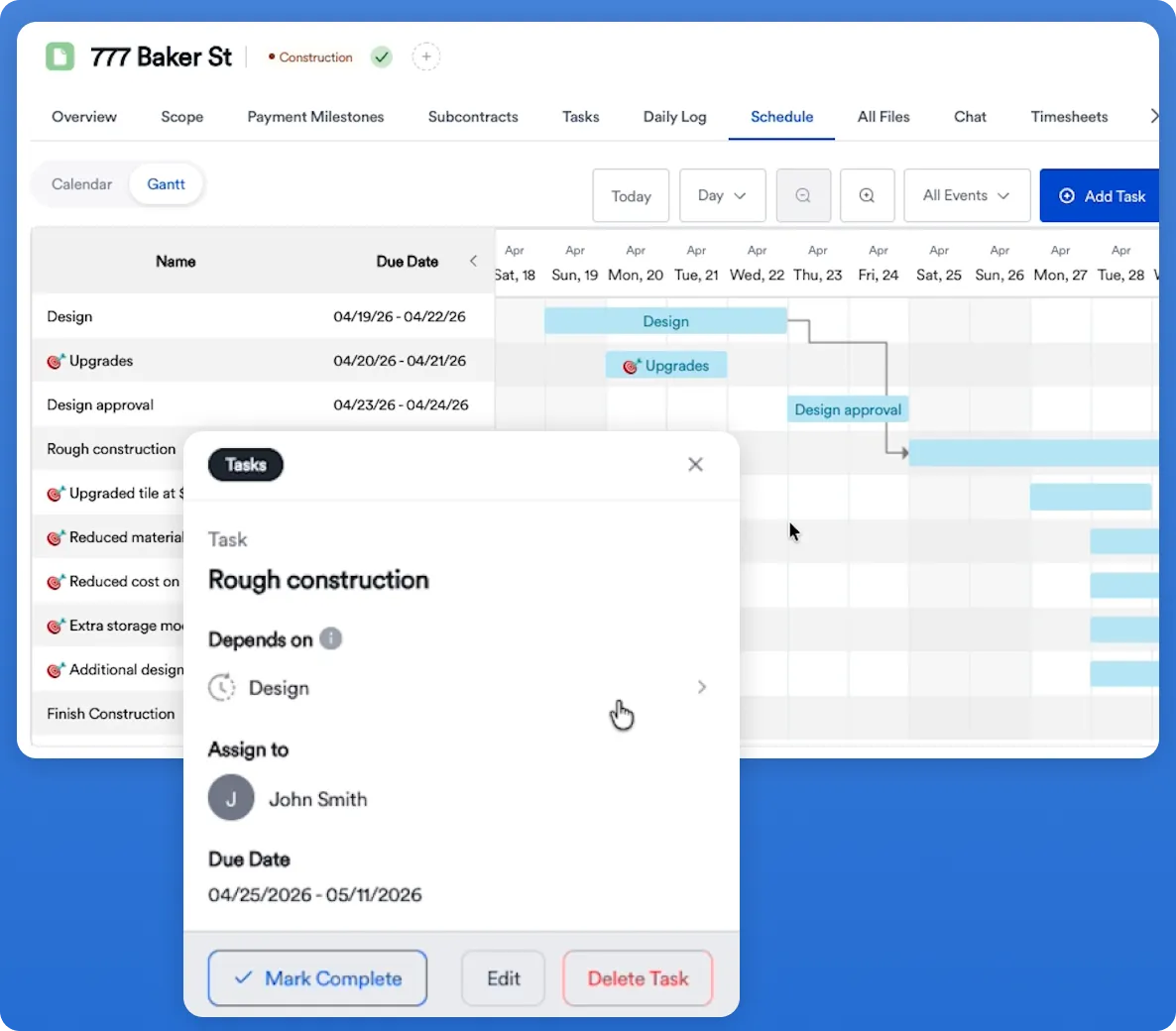
Construction management platforms help teams coordinate:
- Project timelines
- Task assignments
- Milestones
- Crew scheduling
- Subcontractor coordination
- Daily job progress
Instead of relying on phone calls and memory, construction schedule and task management software allows everyone sees what’s happening in real time.
Daily Logs & Field Communication
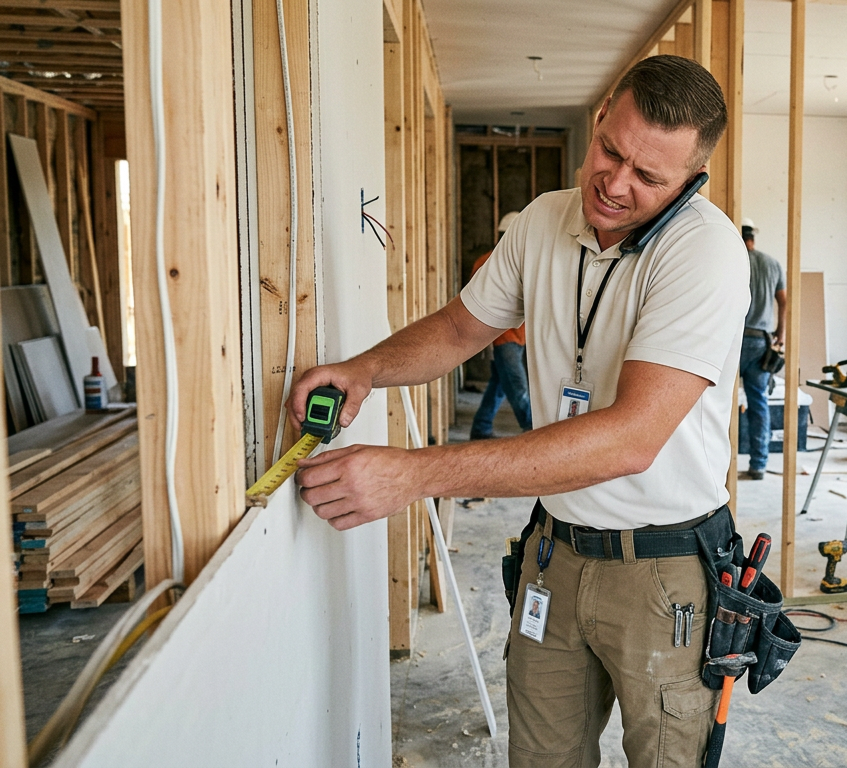
One of the biggest disconnects in construction happens between the office and the field.
Good construction software closes that gap.
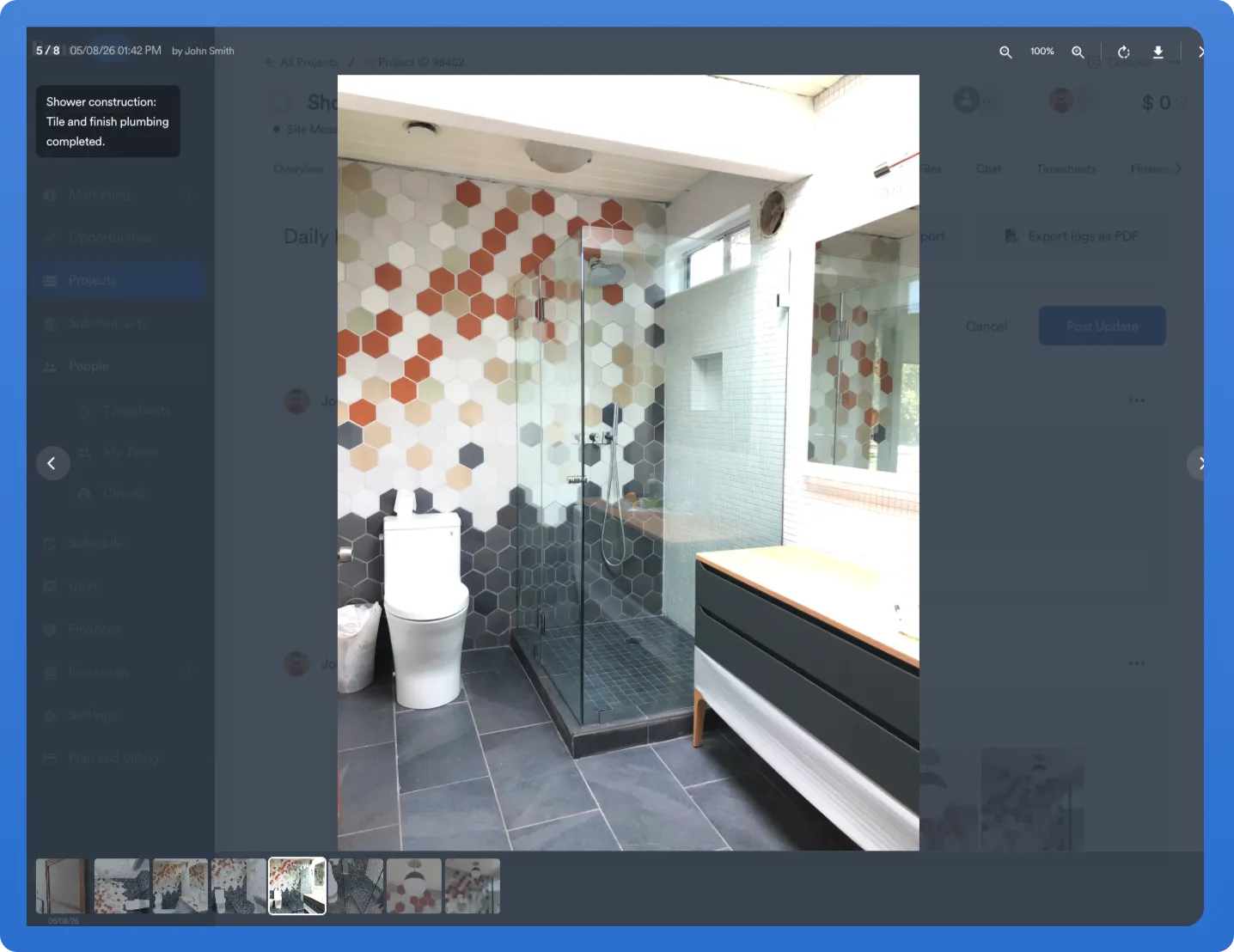
Field teams can:
- Upload jobsite photos
- Record progress updates
- Document delays
- Log weather conditions
- Track issues in real time
- Sync updates from mobile devices
Daily logs becomes especially useful when owners, office managers, lenders, or clients need visibility without chasing updates.
CRM & Lead Management
Construction management starts before a project is sold.
Many contractors still lose leads simply because follow-up gets inconsistent.
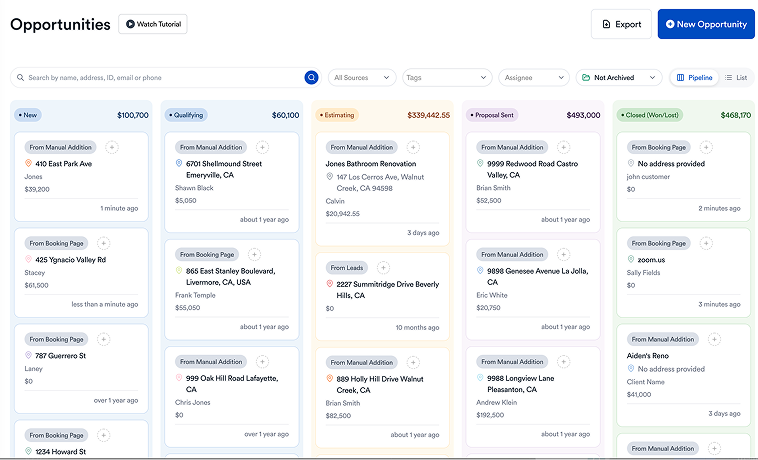
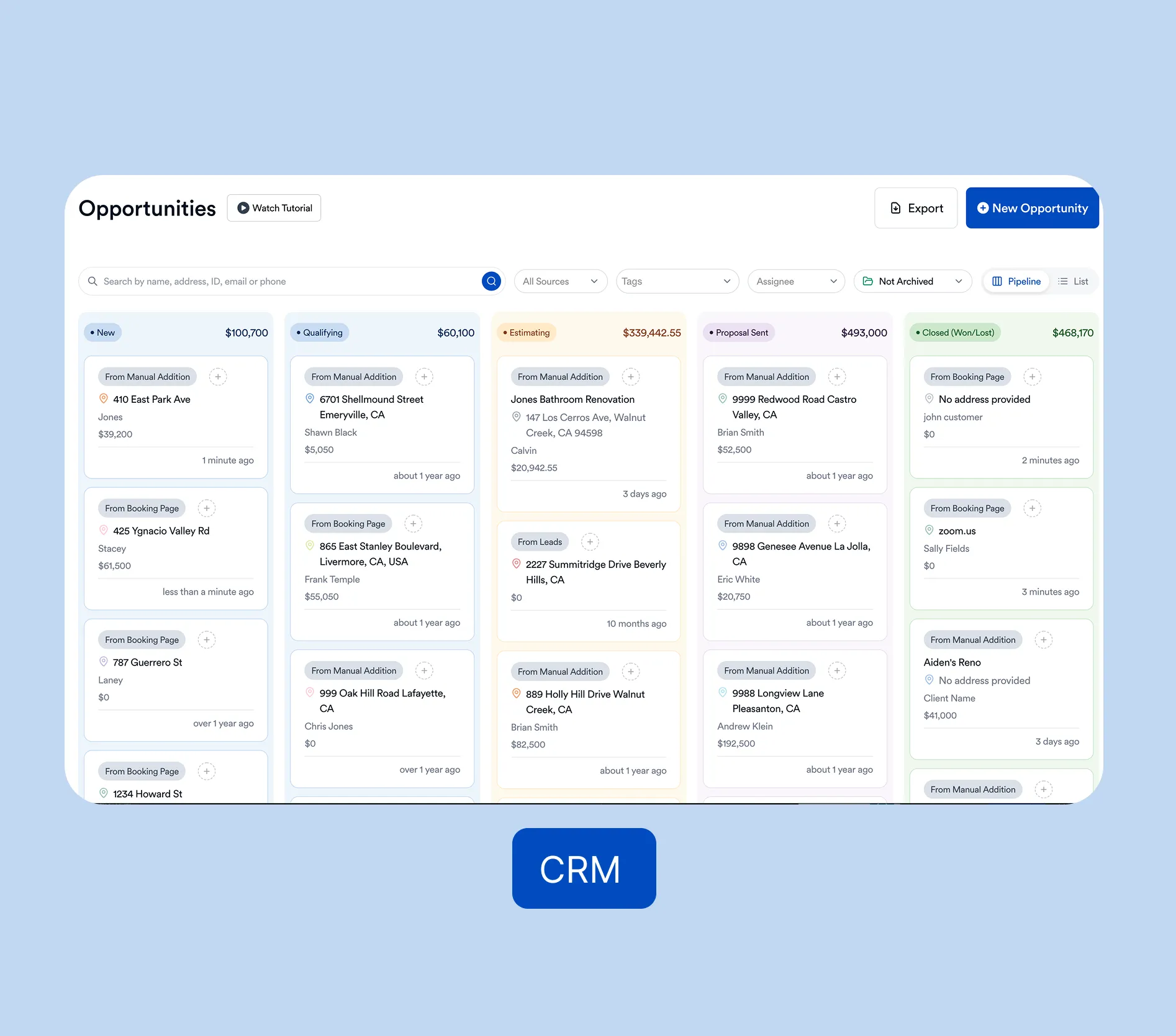
Some platforms include CRM functionality to help manage:
- New inquiries
- Sales pipeline stages
- Estimate follow-up
- Client communication history
- Appointment tracking
This is where all-in-one platforms become more valuable than stitched-together point solutions.
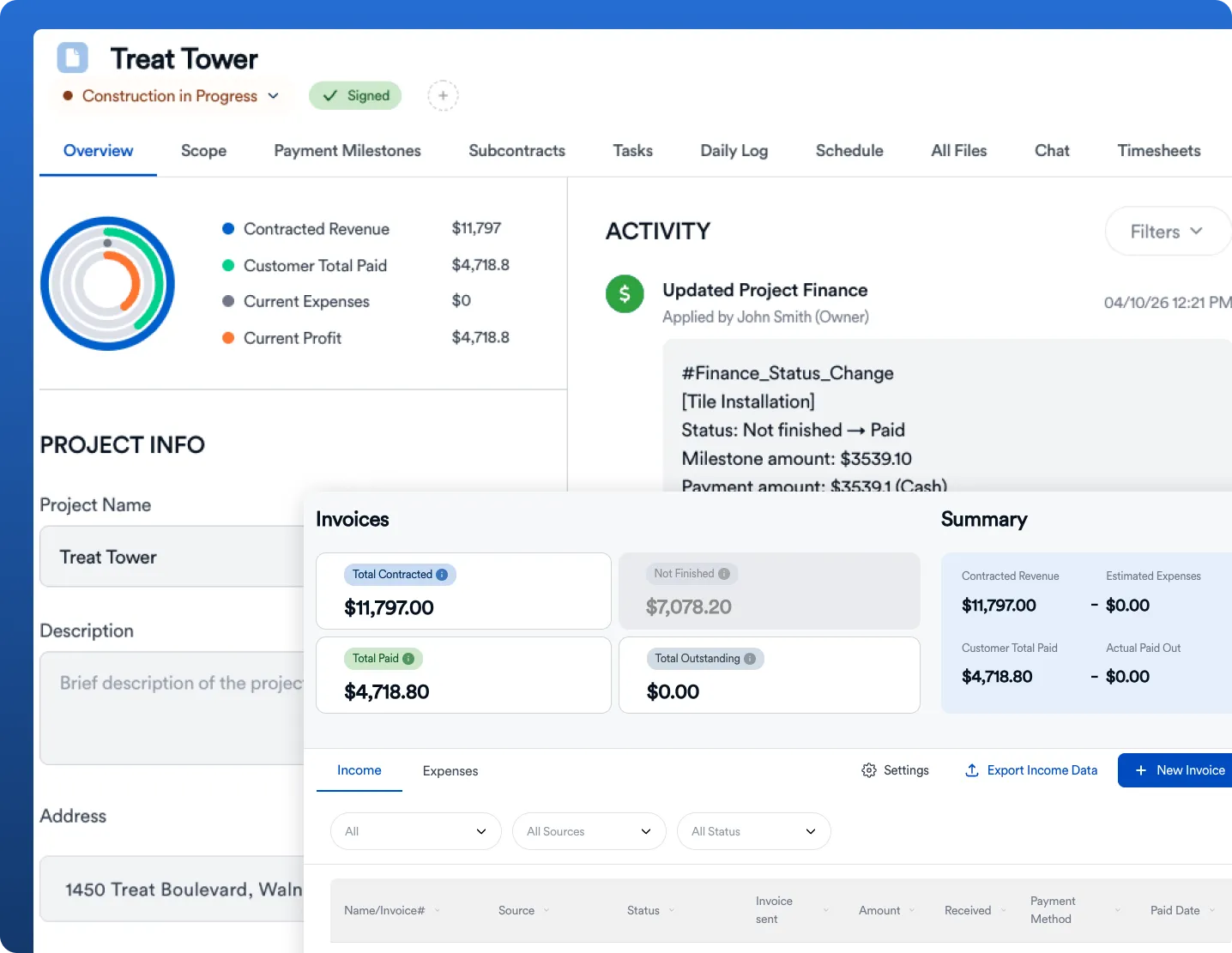
Payments, Invoicing & Financial Visibility
Cash flow is where operational sloppiness gets expensive.
Construction management software often helps contractors:
- Send invoices
- Track payment status
- Collect deposits
- Manage progress billing
- Process change order billing
- Monitor project profitability
The best construction budget systems connect estimating directly to invoicing so approved work becomes billable without duplicate admin work.
What Makes Modern Construction Management Software Different?
Not all software in this category is built the same.
Older platforms often feel like ERP systems designed for enterprise contractors—not practical job tools for growing residential builders.
Modern platforms focus more on usability.
That means:
- Faster onboarding
- Cleaner interfaces
- Better mobile usability
- Less admin overhead
- Faster estimating workflows
- Better client experience
Eano Pro, for example, is designed around the workflows residential contractors actually use—not bloated enterprise infrastructure.
That includes:
- AI-assisted estimate creation
- CRM + project management in one place
- Scheduling and daily logs
- Payments and invoicing
- Proposal approvals
- Client communication visibility
- Mobile-friendly field workflows
For many contractors, replacing 5 disconnected tools with one system creates immediate operational lift.
Who Should Use Construction Management Software?
The short answer: almost any contractor managing multiple moving parts.
This includes:
Residential General Contractors
Perfect for builders juggling estimates, schedules, subs, homeowners, and billing.
Remodelers
Especially useful when managing design changes, approvals, and communication-heavy projects.
Specialty Trades
Roofers, painters, landscapers, flooring contractors, HVAC teams, and others can benefit from streamlined quoting and job workflows.
Growing Construction Businesses
If your current systems depend heavily on one person “keeping everything in their head,” you’ve already outgrown them.
Signs You’ve Outgrown Your Current Process
You probably need construction management software if:
- Estimates take hours to build manually
- Jobs are managed through texts and spreadsheets
- Clients ask for updates you can’t quickly answer
- Change orders create billing confusion
- Team communication feels fragmented
- Leads fall through the cracks
- Payment collection is inconsistent
- Job profitability is hard to measure
These are operational problems—not staffing problems.
Software fixes systems.
Why Contractors Are Moving Toward All-in-One Platforms
Point solutions solve one problem.
All-in-one construction management software solves workflow problems.
That matters because every disconnected handoff creates friction:
Estimate → proposal → approval → schedule → field updates → invoicing → payment.
If each step requires a different tool, errors multiply.
An integrated platform reduces:
- Double data entry
- Version confusion
- Lost communication
- Manual follow-up
- Administrative drag
That’s the real ROI.