Eano Pro: Revolutionize Construction Management | Scopes, Finances & More
Streamline Your Construction Projects With Eano Pro: A Comprehensive Guide
By
Raven
|Last Updated: 22 Oct 2024
This article covers the key features of Eano Pro that help you manage your construction projects effectively, from scope management to financial tracking.
Eano Pro allows you to track your project milestones, manage finances, and keep your clients updated on project progress, including photo updates, invoices, and payments. As you progress through your project, everything is organized into easy-to-navigate sections, showing both the planned milestones and the actual progress.
The Eano Pro dashboard consists of several key sections:
- Scopes
- Payment Milestones
- Daily Logs with Photo Updates
- Project Schedule
- Chat
- Finances
Scopes
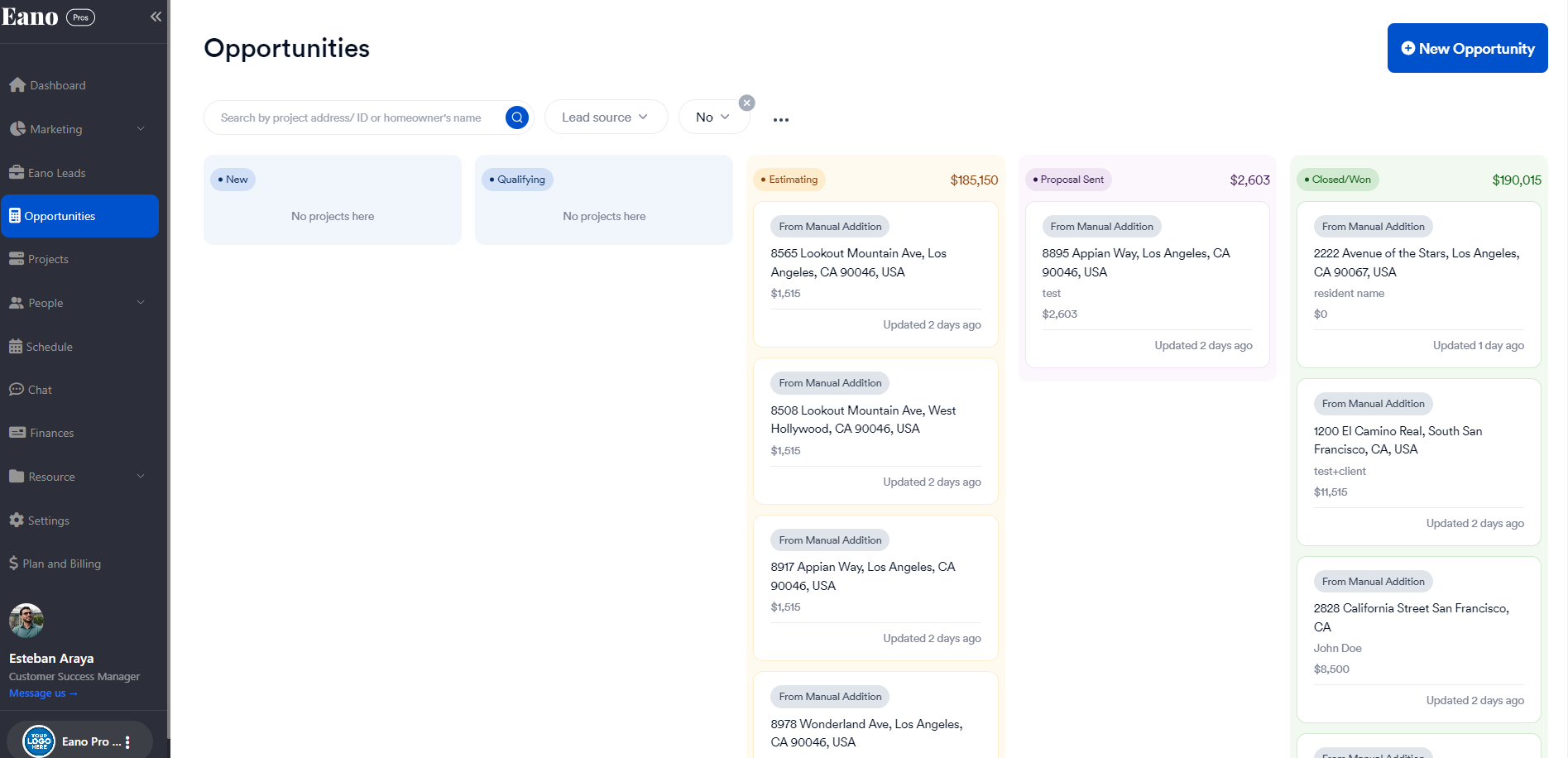
When a contract is signed, your project automatically moves from the Opportunities section to the Projects section. This transition marks the beginning of the active project phase in Eano Pro.
Payment Milestones
The Payment Milestone section in Eano Pro allows you to track the financial progress of your project while keeping your clients informed about upcoming payments.
Automated First Invoice
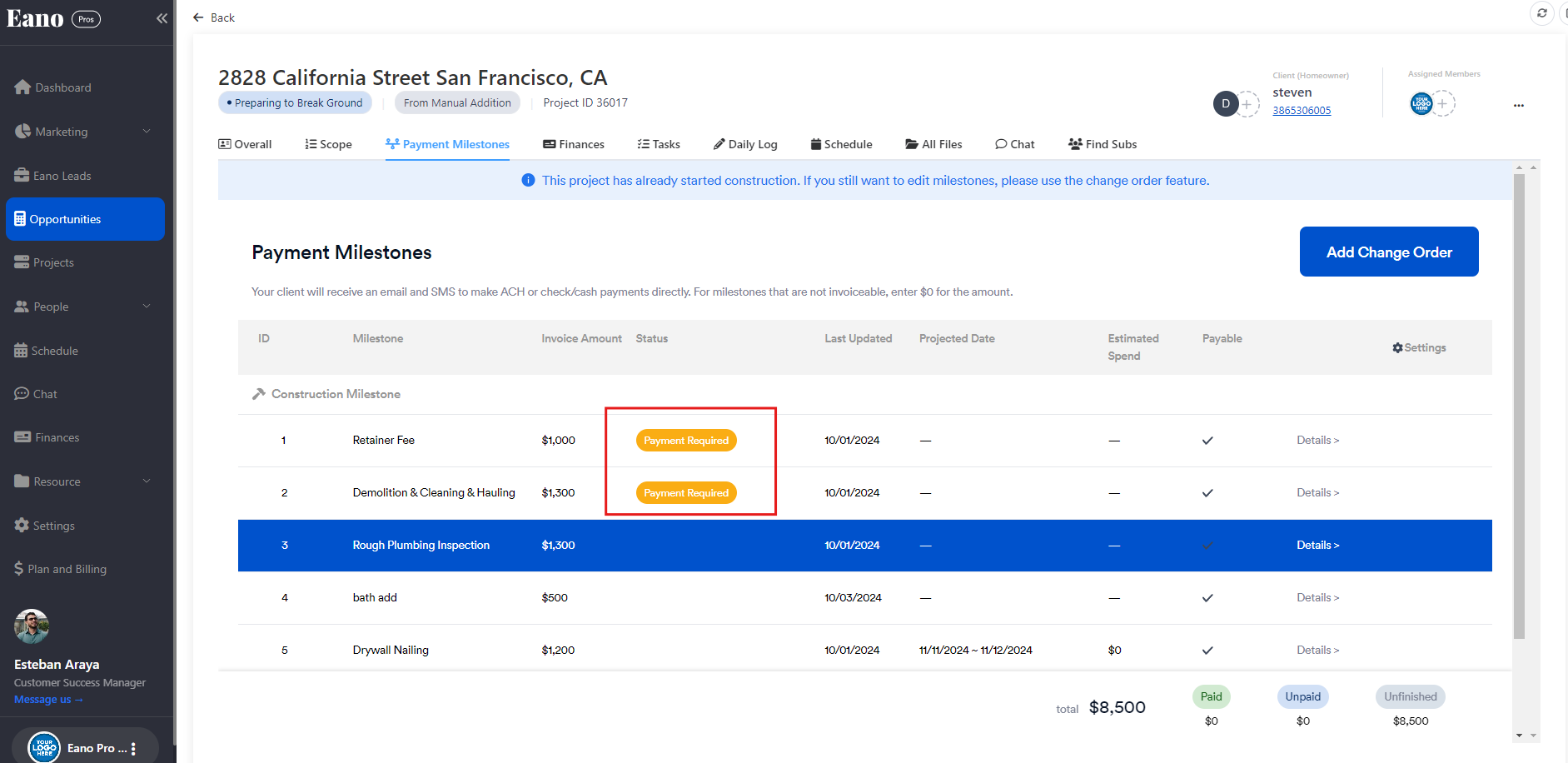
As soon as a project moves to the active phase, Eano Pro automatically generates the first invoice for your client. This is reflected in the Payment Milestone section with a "Payment Required" status.
Milestone-Linked Payments
Each subsequent milestone in your project is tied to an automated invoice. Here's how it works:
- Complete a project milestone
- Mark the milestone as completed in Eano Pro
- The system prepares the corresponding invoice
- You have the option to send the update to the client
This system ensures timely invoicing and helps maintain a steady cash flow throughout the project while giving you control over client communications.
Daily Logs with Photo Updates
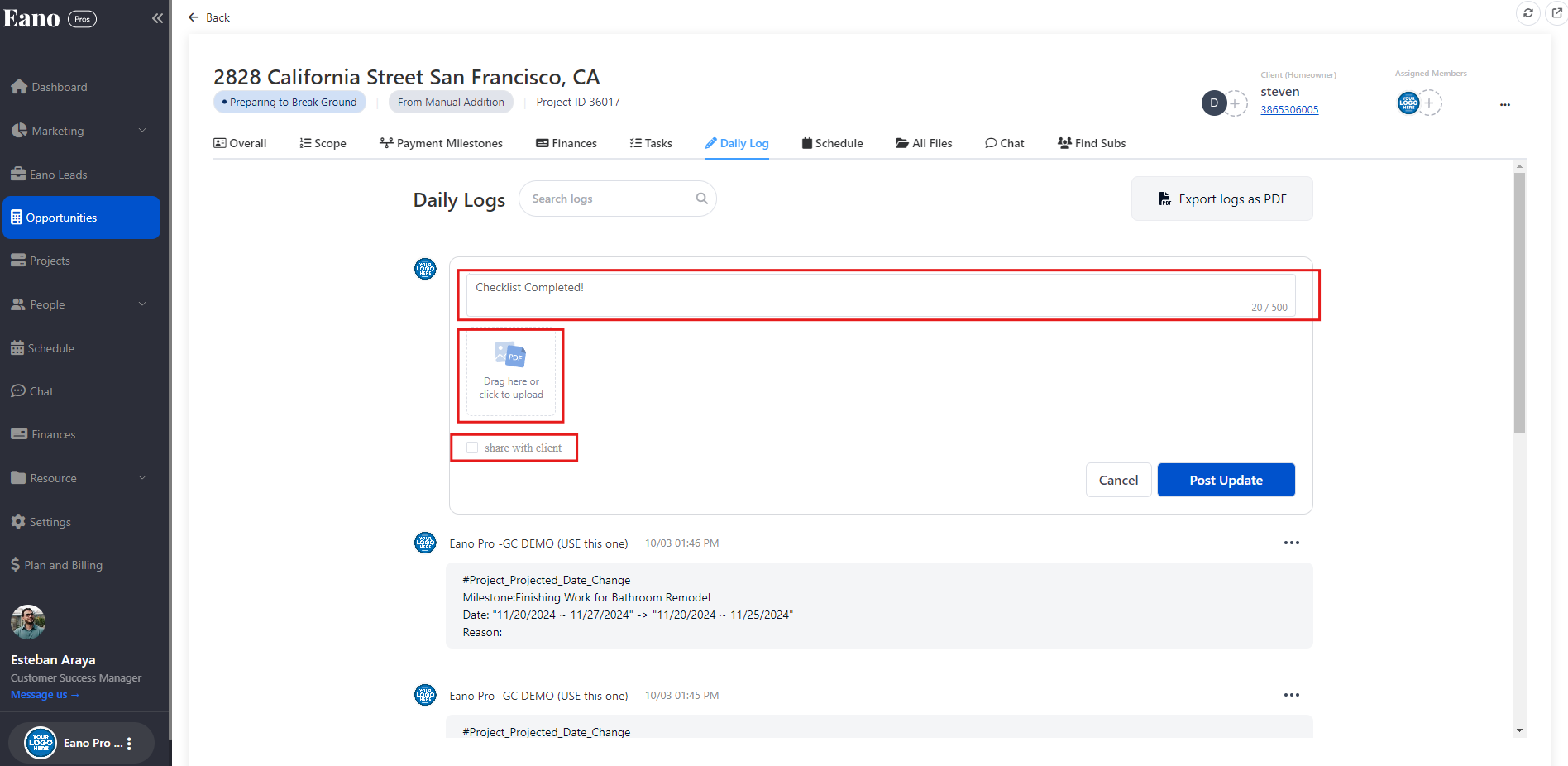
Eano Pro offers multiple ways to capture and share project photos, keeping your clients informed about the progress:
Desktop Uploads
You can upload photos directly from your computer to the relevant project milestone.
Mobile Uploads via Eano Pro App
Your field team can upload photos directly from the Eano Pro mobile app, avoiding double entry.
WhatsApp Integration
For quick, on-site uploads, you can use our WhatsApp integration feature.
Pro tip: All uploaded photos are automatically timestamped and linked to the appropriate milestone, filling in the 'Actual Date' field.
Client Visibility
You can customize what information is visible to your clients. If you prefer not to share the schedule or make photo uploads mandatory before marking a milestone as complete, you have the option to adjust these settings.
Project Schedule
Eano Pro helps you build trust with your clients by providing a clear view of the entire project schedule.
Setting Milestone Dates
- Navigate to the Milestone Project Date Section
- Input projected start and end dates for each milestone
- Save your changes
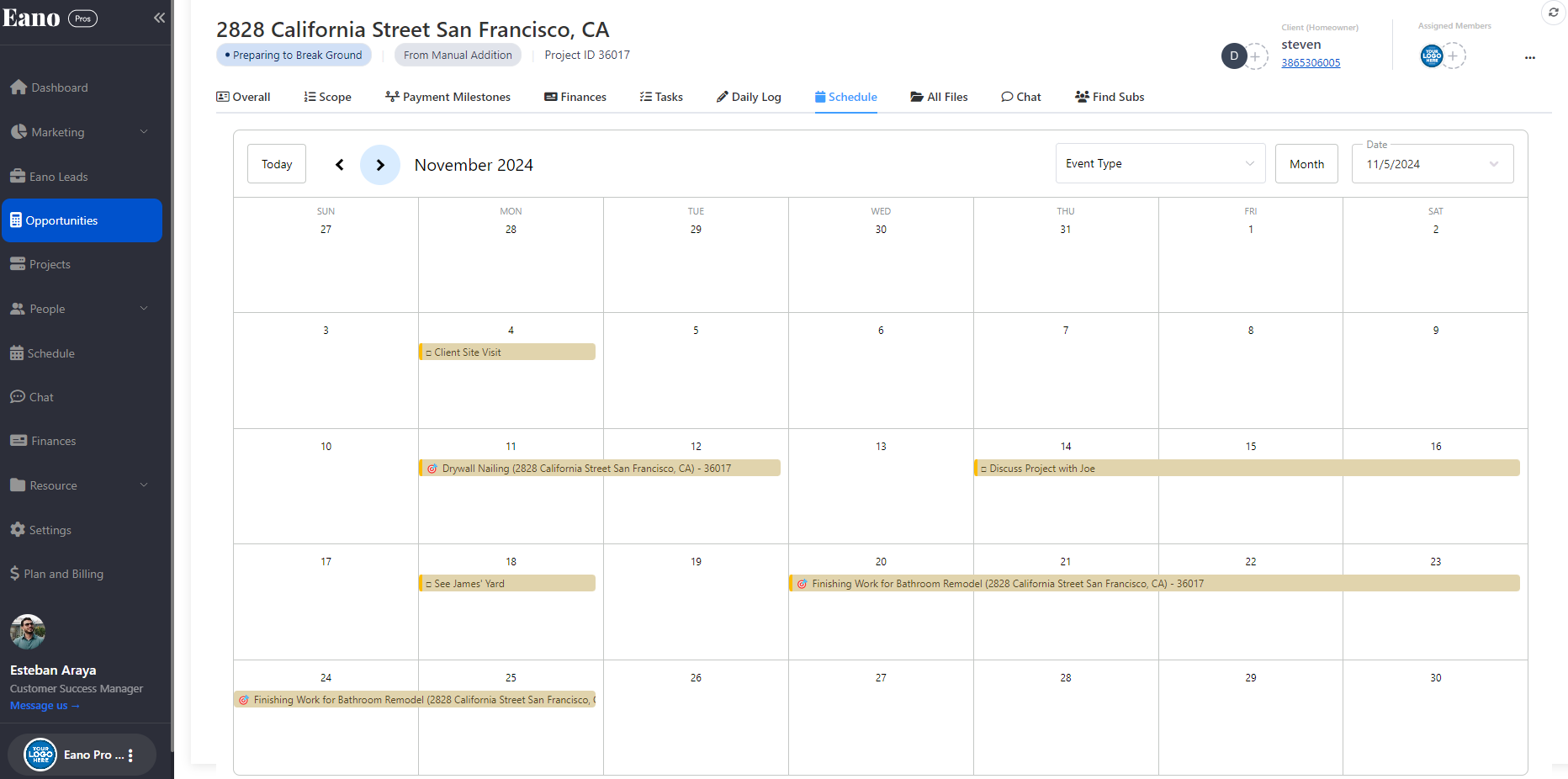
Viewing the Schedule
Both you and your client can access a comprehensive project timeline in the Schedule section, where you can view the Milestone Timeline in a Calendar View.
Chat
Eano Pro facilitates clear and timely communication with your clients:
Client Notifications
Clients receive email and SMS notifications for milestone completions, with a link to their Eano client dashboard. This streamlined communication process allows clients to easily provide feedback on updates. General Contractors can then address any issues immediately, saving valuable time and money on the project.
Finances
Eano Pro simplifies project finances, ensuring smooth cash flow:
Payment Processing
Eano Pro supports multiple payment methods:
- Digital solutions (e.g., ACH) payments are automatically logged
- For check or cash payments, manually mark them as received under the Actions section
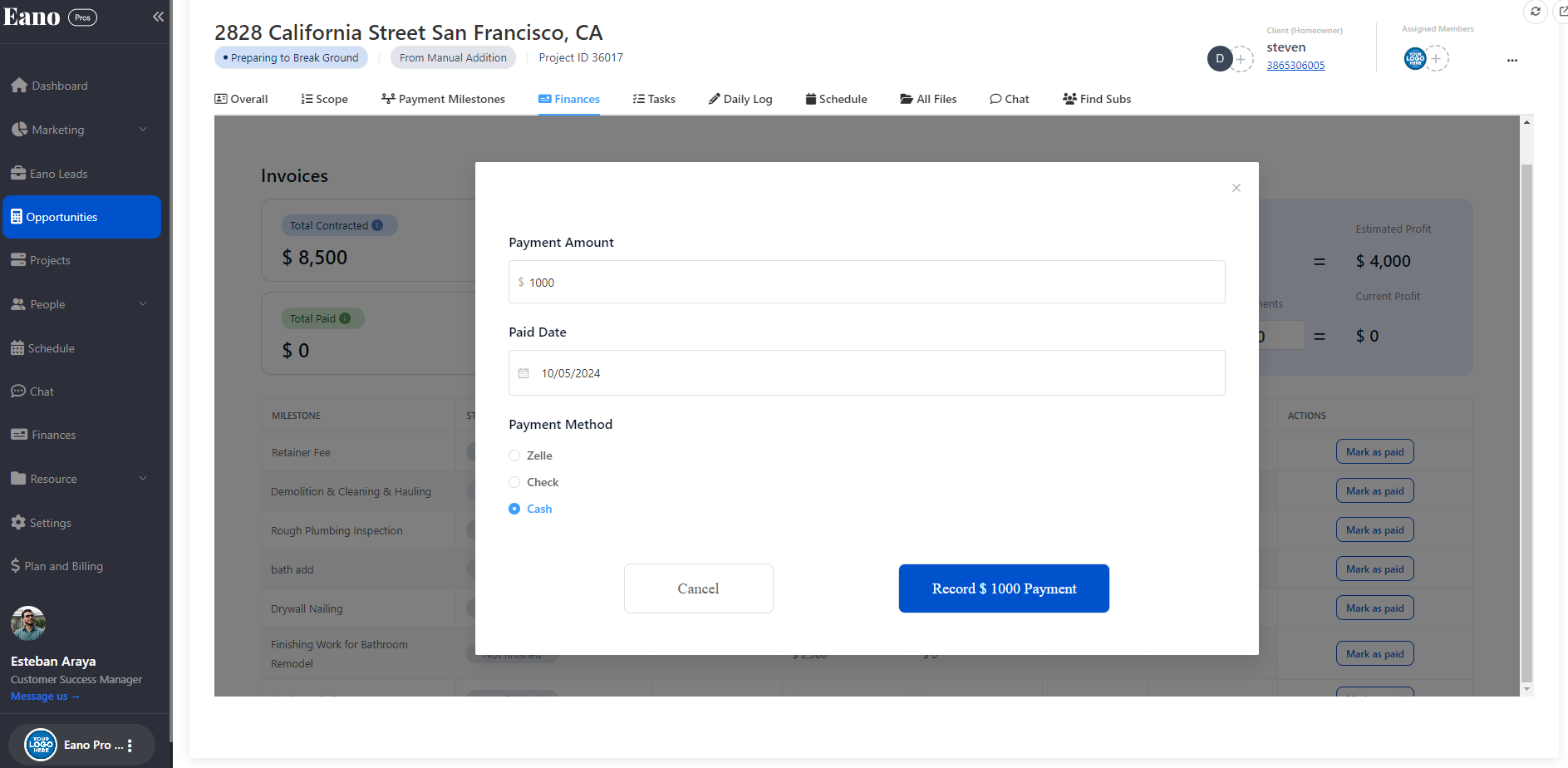
Profit Calculation
Keep track of your project's financial health:
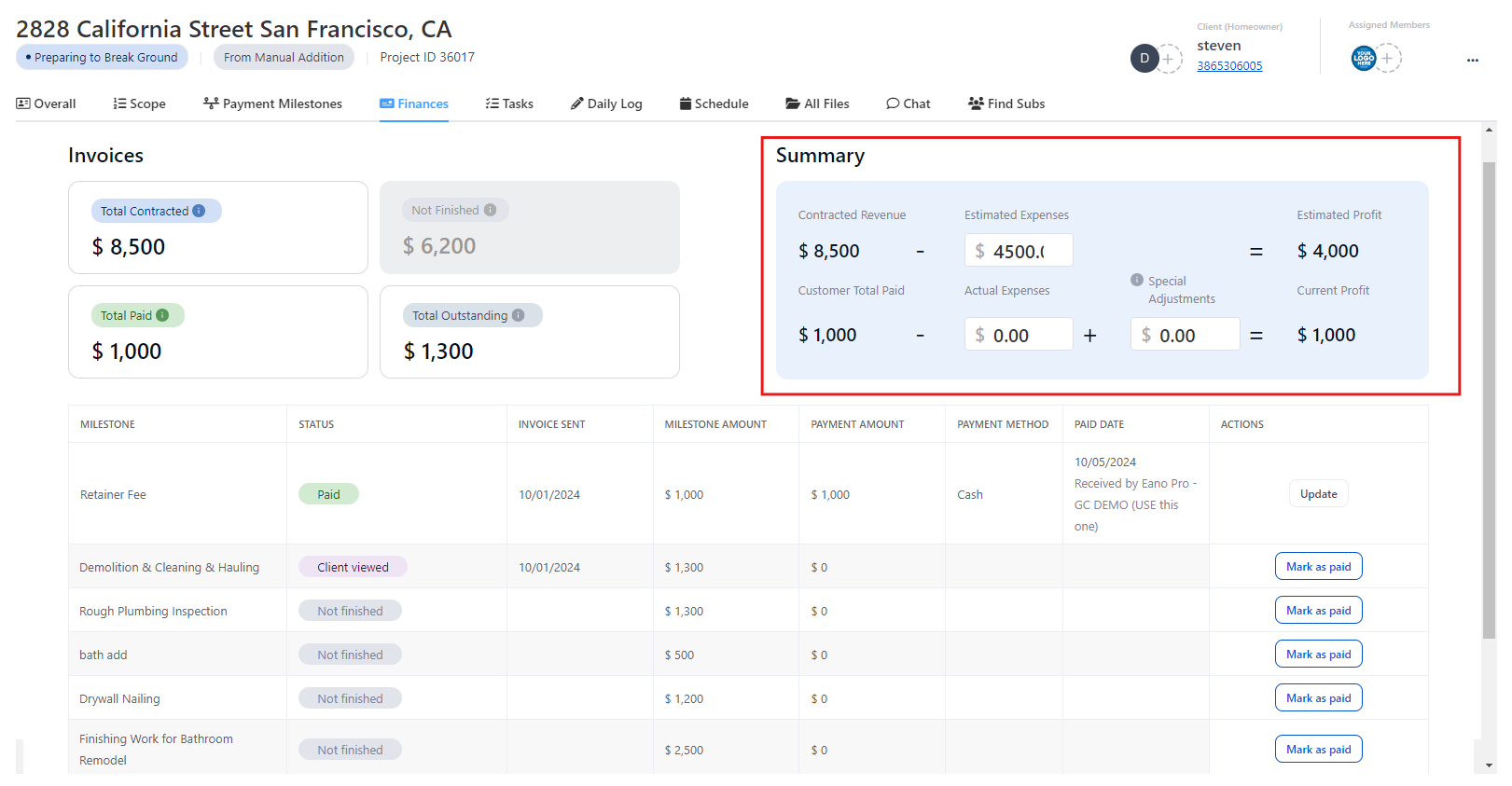
- Navigate to the Summary section
- Input project expenses
- View estimated and current profit calculations
The Current Profit section, along with all automatically logged payment receipts, provides a comprehensive and real-time view of the project's financial status. This feature allows you to monitor cash flow, track expenses against budget, and make informed decisions to maintain profitability throughout the project lifecycle. By having this financial data at your fingertips, you can proactively manage costs and ensure the project stays on budget.
Remember, Eano Pro is designed to streamline your project management process, enhance client communication, and provide real-time financial insights. By leveraging these powerful features, construction professionals can focus on delivering outstanding projects while building lasting client relationships. Explore these features to maximize efficiency and profitability in your construction business!


